 Installation guide
 Owner’s manual
 Error Codes









Where to find model number on Kenmore 79099012100 Stove?
On Kenmore Elite electric range model 79099012100, the model and serial numbers are printed on the serial plate located on the right-hand surface of the oven front frame, behind the storage or warmer drawer area (or the lower panel area on some versions). See the owner's manual for the exact illustration.
- Pull out and open the storage drawer or warmer drawer fully.
- Look on the right side of the oven front frame (the frame around the oven opening).
- If your range has a lower panel instead of a drawer, remove that panel and check the same area.
- Use a flashlight; the label is often easier to read from a slight angle.
- Write down model number, serial number, and any lot number/letter shown.
The serial plate is more than an ID tag; it also lists key electrical information used for safe service and correct parts matching.
| On the serial plate | Why you need it |
|---|---|
| Model number | Ensures parts fit your exact range configuration |
| Serial number | Helps match production variations |
| Lot number/letter | Improves accuracy when ordering certain parts |
| Voltage and kilowatt rating | Confirms correct power requirements for installation and troubleshooting |
- Take a clear photo, then zoom in to confirm every digit.
- Copy the model number exactly as printed (including periods or dashes if shown).
- Keep the info with your Use and Care paperwork for future repairs.
Last updated: February 2026
How do you reset a Kenmore electric stove?
To reset your Kenmore Elite electric range model 79099012100, shut off power at the breaker (or unplug the range) for about 1 minute, then restore power and reset the clock and any oven settings. This clears many control glitches after a power interruption.
- Turn all surface burner knobs to OFF.
- Switch the range circuit breaker OFF (or unplug the power cord).
- Wait 60 seconds.
- Restore power.
- Reset the clock and re-enter any oven function you were using.
- Test Bake and Broil for normal operation.
Your range can beep and display fault codes when the electronic control detects a problem. Try this first:
- Press CLEAR/OFF to stop the beeping and clear the display.
- Reprogram the oven (set time, then set Bake temperature).
- If the code returns right away, power-cycle the range again using the steps above.
| What you see | What to do | What it means |
|---|---|---|
| Continuous beeping with F1/F2/F3/F9 | Press CLEAR/OFF, then reset power | Control detected a fault condition |
| Cooktop control shows Er | Turn all knobs OFF, reset clock | Cooktop control detected a fault |
| Cooktop shows F5/F6/F7 | Reset power, then retest | Cooktop control monitoring detected a fault |
A hard reset restores normal operation after a power failure and forces the control to reboot. On model 79099012100, the range can resume operating when power returns if it was not turned off; resetting the clock and oven function helps prevent unexpected behavior.
For model-specific control details (clock setting, CLEAR/OFF behavior, and troubleshooting), use the owner's manual.
Last updated: February 2026
Is Kenmore 79099012100 high end?
Yes. Kenmore Elite model 79099012100 is part of Kenmore’s premium line, so it’s generally considered “high end” compared with standard Kenmore ranges. You typically get more cooking features and a more upscale design; confirm the exact feature set for your unit in the 79099012100 owner's manual.
For an Elite electric range like 79099012100, “high end” usually shows up as better cooking capability and convenience features, such as:
- Ceramic glass smoothtop cooking surface (premium look and easier wipe-down)
- More precise surface control options (for simmering and high-heat cooking)
- Enhanced oven cooking modes (often including convection on Elite models)
- More robust oven components and accessories (racks, lighting, temperature sensing)
- A higher overall parts and feature complexity than entry-level ranges
| Category | Kenmore Elite electric range (79099012100) | Typical standard electric range |
|---|---|---|
| Cooktop | Ceramic glass smoothtop is common | Coil or basic smoothtop |
| Features | More modes and convenience features | Fewer modes, simpler controls |
| Parts cost | Often higher (more specialized components) | Often lower |
| Repair approach | More diagnostics and electrical checks | More straightforward |
Use these checks to decide if your 79099012100 fits your expectations for a premium range:
- Look up the cooking modes and control features listed in the 79099012100 owner's manual
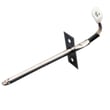
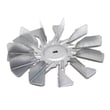
- Compare replacement-part pricing for key items (for example, the range convection element 316211603 or oven probe 316233903)
- Check whether your oven performance is consistent (preheat time, temperature stability, even browning)
- Verify the electrical connection is correct for your home setup using the installation guide (3-wire vs 4-wire connection matters)
“High end” is most meaningful when you’re deciding whether to repair or replace. Premium ranges like the Kenmore Elite 79099012100 often justify repair because they’re built around higher-feature cooking systems, and replacing a few key parts can restore performance.
Last updated: February 2026
Why is my Kenmore 79099012100 stove not working?
If your Kenmore Elite 79099012100 electric range is not working, the most common causes are a loss of power to the range, the clock not being set (which can prevent oven operation), or a control setting issue. Start with power and settings checks, then move to component troubleshooting using the owner's manual.
- Confirm the range cord is plugged in firmly and the outlet is working.
- Reset the house breaker (electric ranges typically use a 240V double breaker).
- If there was a power outage or breaker trip, set the clock; the oven may not run until time-of-day is set.
- Verify you selected the correct function (Bake, Broil, Convection) and temperature.
- If a surface burner will not heat, make sure you are using the correct knob for that element and the cookware is flat.
| Symptom | Most likely cause | What to do next |
|---|---|---|
| Nothing works (no display, no heat) | No power to range | Check breaker, outlet, terminal connections |
| Cooktop works but oven will not heat | Clock not set or oven controls not set | Set clock, reselect Bake/Broil |
| One surface element will not heat | Control setting, cookware, or failed element | Try different pan; test element and switch |
| Oven light out only | Burned-out bulb or loose bulb | Replace bulb; inspect socket |
Use these only when the symptom matches:
- Oven light not working: replace the range oven light bulb 316538904 (40-watt appliance bulb is typical for this design).
- Oven light still out after bulb: inspect/replace the range light socket 316116400.
- No broil heat (but bake may work): test/replace the frigidaire range broil element 316203301.
- Oven temperature seems wrong or error related to sensing: test/replace the oven probe 316233903.
- Range appears dead or power connection looks overheated: inspect the cord connection and terminal block; replace the terminal block 5304409888 if damaged.
An electric range can look “broken” when it is simply missing power, has an unset clock after an outage, or has one failed heating circuit (surface element, broil element, or sensor). Checking the basics first prevents unnecessary parts replacement and helps you target the right repair.
Last updated: February 2026






