Installation guide
 Owner’s manual
 Error Codes





Does KitchenAid make gas ranges?
Yes. KitchenAid makes gas ranges, including gas double oven ranges like model KFGD500ESS03. If you own this model, our KFGD500ESS03 owner's manual confirms it is a gas double oven range and covers normal burner ignition sounds, cooking tips, and accessory options.
What “gas range” means for this model
A KitchenAid gas range uses gas burners for cooking and typically uses an igniter and gas valve to light the bake and broil burners during a heating cycle.
Common things you may notice on gas ranges:
- Clicking during ignition as the igniter sparks
- A single “pop” sound when the gas valve opens or cycles
- Longer cook times if the oven door is opened frequently
- Different browning results based on rack position
Quick checks to confirm you have a KitchenAid gas range
Use these identifiers on KFGD500ESS03:
- Model and serial plates are located behind the control panel (they rotate up for viewing)
- The appliance is labeled as a gas double oven range in the user instructions
- Bake and broil ignition cycles produce normal operational sounds (clicking, occasional pop)
Helpful accessories commonly used with this range
The manual lists compatible accessories for this KitchenAid gas range. Here are a few examples customers often replace or add:
| Accessory type | Example part you may see referenced | What it’s used for |
|---|---|---|
| Griddle | Range griddle W10432544 | Cooking on the center griddle area |
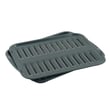
| Broil pan | Range broil pan 4396923 | Broiling and catching drippings |
| Oven rack | Range oven rack WPW10570870 | Additional or replacement rack |
Why it matters
Knowing KitchenAid makes gas ranges helps you choose the right parts and troubleshooting steps. Gas models rely on components like igniters and gas valves, so symptoms like “clicking but no flame” point to different fixes than an electric range.
Last updated: February 2026
How good are KitchenAid gas ranges?
KitchenAid gas ranges like model KFGD500ESS03 are a strong choice for everyday cooking because they deliver responsive gas burner control, consistent Bake and Broil cycling, and practical accessories support (griddles, racks, broil pans) for flexible meal prep. Use the KFGD500ESS03 owner's manual to match features and operating tips to your exact setup.
What you can expect from performance
- Fast heat response on the cooktop (gas adjusts quickly when you turn the knob).
- Normal ignition sounds during Bake and Broil cycles (clicking as the igniter lights, and occasional popping as the gas valve cycles).
- Accessory flexibility for different cooking styles (griddle, roll-out rack, broiler pan options).
- Good results with the right rack position; rack placement affects bottom browning.
- Better consistency when you avoid “oven peeking”; opening the door releases heat and can extend cook times.
Common “is this normal?” noises (Bake and Broil)
The manual describes several sounds that are normal during ignition and cycling.
| Sound | What it usually means | What to do |
|---|---|---|
| Clicking | Igniters sparking until flame is detected | Let the cycle complete; brief clicking is normal |
| Single pop | Gas valve opening or cycling | No action needed if heating is normal |
Parts and accessories that support long-term use
If performance drops (slow ignition, weak oven heat), the oven ignition system is a common place to start.
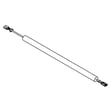
- For oven heat or ignition issues, check the whirlpool range bake igniter W11596211.
- If you need a griddle accessory, this model supports the range griddle option listed in the manual; our parts list includes range griddle W10432544.
- For baking flexibility, replacement racks are available, including range oven rack WPW10570870.
Why it matters
A “good” gas range is one that lights reliably, holds temperature through cycling, and fits how you cook. Knowing what sounds are normal and using the right accessories helps you get consistent results and avoid unnecessary part replacements.
Last updated: February 2026
How to clean the igniter on a KitchenAid gas stove?
On the KitchenAid gas double oven range model KFGD500ESS03, we clean the surface-burner igniter by turning all controls OFF, letting the cooktop cool, removing the burner cap, then wiping around the igniter area with a damp cloth and clearing burner ports carefully so the burner lights reliably.
Safe, effective steps (surface burners)
- Turn all knobs to OFF; make sure the cooktop is completely cool.
- Lift off the burner cap from the burner base.
- Wipe the gas tube opening and the area around the igniter with a damp cloth (do not soak the igniter).
- If burner ports are clogged, clear them with a straight pin (do not enlarge the ports).
- Dry parts fully; do not reassemble caps while wet.
- Reinstall the burner cap, aligning it correctly on the burner base.
- Test ignition; the burner should light quickly when the knob is turned to LITE.
What not to do
Avoid these common mistakes because they cause poor ignition and uneven flames:
- Do not use oven cleaners, bleach, or rust removers on burner parts.
- Do not let spills, food, or cleaners enter the burner ports.
- Do not use a wooden toothpick to clear ports (it can break off and worsen clogs).
- Do not scrub aggressively on the igniter; gentle wiping is enough.
Quick troubleshooting after cleaning
If a burner still will not light:
| What you see | Most likely cause | What we do next |
|---|---|---|
| Clicking but no flame | Cap not seated or ports still clogged | Recheck cap alignment; re-clean ports with a straight pin |
| No clicking at LITE | No power to ignition system | Confirm range is plugged in; check breaker or fuse |
| Gas smell but no ignition | Gas supply issue | Confirm gas shutoff valve is open; stop and ventilate if odor persists |
Why it matters
A clean burner cap and clear burner ports help the electronic ignition system light the gas quickly (typically within a few seconds) and prevent uneven flames, delayed ignition, and nuisance clicking.
For model-specific diagrams and the “Sealed surface burners” cleaning section, use the KFGD500ESS03 owner’s manual.
Last updated: February 2026
How to replace igniter on KitchenAid gas range?
On the KitchenAid gas double oven range model KFGD500ESS03, replacing an oven igniter typically means shutting off power and gas, accessing the burner tube, removing the igniter mounting screws, and installing the new igniter in the same position so it can glow and light the bake or broil burner.
Before you start (safety and setup)
- Turn the range off at the breaker (or unplug it).
- Close the gas shutoff valve.
- Let the oven cool completely.
- Protect the floor and pull the range forward carefully.
- Keep the anti-tip bracket engaged when you push the range back.
- Use the wiring diagram and access notes in the KFGD500ESS03 owner’s manual.
Basic replacement steps (what we do in the field)
- Remove oven racks and the oven bottom panel(s) to expose the burner area.
- Locate the igniter mounted to the bake or broil burner tube.
- Disconnect the igniter wire connector (do not pull on the wires).
- Remove the igniter mounting screws; a 5/16-in. nut driver is commonly used on these fasteners.
- Install the new igniter in the same orientation and position.
- Reconnect wiring, reassemble panels, restore gas and power, then test.
Which igniter do you need?
Use the igniter that matches the circuit and mounting style used on your KFGD500ESS03.
| Common igniter type | What you’ll notice | Example part for this model |
|---|---|---|
| Glow bar igniter (oven bake) | Glows before burner lights; may take up to ~60 seconds to light under some conditions | Whirlpool range bake igniter W11596211 |
| Oven burner igniter (assembly style) | Different bracket/connector style depending on burner | Range oven burner igniter WPW10324738 |
After installation: quick functional checks
From the installation instructions for this model, normal operation looks like this:
- Bake: igniter should glow, then the bake burner lights.
- Cooktop: spark ignition continues while the knob is held at “LITE.”
- If the oven burner does not light, confirm power, gas valve open, and retry.
Why it matters
A weak or failing igniter can glow but not draw enough current to open the gas valve, causing slow ignition, no heat, or intermittent baking and broiling performance.
Last updated: February 2026
What are signs of a faulty gas stove part?
On the KitchenAid KFGD500ESS03 gas double oven range, common signs of a faulty part include burners that will not light, flames that turn yellow or uneven, persistent clicking, temperature problems, or a gas odor. If you smell gas, follow the safety steps in the installation guide.
Quick signs to watch for
- Surface burner will not operate even though the knob is set correctly
- Burner flames are uneven, yellow, or noisy
- Oven burner flames are yellow or noisy
- Oven temperature runs too hot or too cool
- Nothing operates (no heat, no display response) due to power or gas supply issues
- You notice a gas smell near the range
What to check first (safe, high-value checks)
- Power and gas supply: Make sure the power cord is plugged into a grounded outlet and the gas shut-off valve is on (your KFGD500ESS03 owner’s manual covers these basics).
- Burner cap and ports: Uneven or yellow flames often come from clogged burner ports or a burner cap that is not seated correctly.
- Air in gas lines: After installation or service, surface burners may need a short purge; turning on a surface burner can help clear air.
Symptom-to-likely-cause guide
| Symptom | Common cause | What we recommend |
|---|---|---|
| Surface burner won’t light | Mis-set knob, air in line, clogged ports | Reseat cap, clean ports, purge air briefly |
| Clicking continues after ignition | Moisture/soil around igniter area, misalignment | Dry/clean around burner head and cap |
| Yellow/uneven flames | Clogged ports, cap not positioned, conversion issue | Clean/seat parts; verify correct gas setup |
| Oven not heating well | Weak igniter or gas valve issue | Consider testing/replacing the igniter |
Parts that commonly fail when the oven will not heat
If the bake burner struggles to ignite or takes a long time to light, the igniter is a frequent culprit. For this model, a common replacement is the whirlpool range bake igniter W11596211.
Why it matters
Abnormal flames, ignition problems, and gas odors can signal combustion or fuel-delivery issues. Catching these symptoms early helps prevent poor cooking performance and reduces the chance of unsafe operation.
Last updated: February 2026
What is the PF code on my KitchenAid gas stove?
On your KitchenAid KFGD500ESS03 gas double oven range, the PF code means the control detected a power failure or power interruption. Clear it by pressing Cancel/Off (or any key) and then reset the clock if needed; normal cooking should resume.
What to do when PF shows up
- Press Cancel/Off to clear the display.
- If the clock is flashing, set the time of day.
- Try Bake for a few minutes to confirm the oven heats normally.
- If PF returns repeatedly, check for a loose power cord, a tripped breaker, or a blown fuse.
- If the range was just installed, confirm the outlet is properly grounded and the unit is connected per the installation guide.
Quick checks (power and gas)
A PF code is about electrical power, but it can show up alongside “nothing works” symptoms. Use these quick checks:
| Symptom | Most likely cause | What we recommend |
|---|---|---|
| PF shows once after a storm/outage | Brief power loss | Clear PF, reset clock |
| PF keeps coming back | Unstable power or loose connection | Check breaker, outlet, cord fit |
| Display is dead | No power to range | Reset breaker, verify outlet power |
| Oven won’t heat after PF clears | Separate ignition/heating issue | Use troubleshooting steps in the KFGD500ESS03 owner’s manual |
Why it matters
When the control loses power, it can cancel an active bake or broil cycle and reset timing features. Clearing PF and confirming stable power helps prevent interrupted cooking and repeat error messages.
Last updated: February 2026
Why is my KitchenAid range display not working?
If the display on your KitchenAid gas double oven range model KFGD500ESS03 is blank or unresponsive, the most common causes are a tripped breaker or loose power connection, a failed electronic control, or a problem in the user interface/touchpad circuit. Start with a safe power reset, then check for signs of control failure.
Quick checks we recommend first
- Confirm the range has power (check the house breaker and that the cord is fully seated).
- Do a hard reset: unplug the range (or switch the breaker off) for 2 to 5 minutes, then restore power.
- If the cooktop burners work but the display is dead, focus on the control area (UI/control board, wiring).
- If the display comes on but buttons do not respond, the user interface/touchpad circuit is the likely issue.
- If the display is intermittent, look for moisture, heat damage, or a loose harness connection behind the console.
Parts that commonly cause a dead display
A dead or erratic display is usually tied to the control electronics. For this model, a common replacement is the range oven control board W10877013.
| Symptom | Most likely area | What to do next |
|---|---|---|
| Completely blank display, no response | Power supply, control board | Reset power; if unchanged, inspect/replace control board |
| Display lights but keys do not work | User interface/touchpad, ribbon connection | Reseat connections; replace UI if damaged |
| Random resets, flickering, beeping | Loose harness, failing control board | Inspect wiring; replace control board if connections are solid |
| Oven light works but display is dead | Control circuit issue | Inspect console wiring and control board |
Safe troubleshooting steps (before replacing parts)
- Turn off power at the breaker before removing the backguard/console cover.
- Inspect for loose plugs, pinched wires, or discoloration at connectors.
- Reseat harness connectors to the control and user interface (a slightly loose plug can kill the display).
- If you see heat damage or a burnt odor at the control, replace the control board.
- After reassembly, restore power and test Bake, Broil, and clock functions.
Why it matters
The display is part of the range’s electronic control system; when it fails, the oven may not heat, may not accept settings, or may behave unpredictably. Restoring stable power and solid connections prevents repeat failures and helps you avoid replacing the wrong part.
For model-specific console access, wiring locations, and troubleshooting guidance, use the KFGD500ESS03 owner’s manual.
Last updated: February 2026