 Installation guide
 Owner’s manual




How do I reset a Speed Queen dryer?
On the Speed Queen ADE4BRGS177TW01 dryer, a “reset” is simply stopping the cycle and restarting it: close the door, set the timer/cycle again if needed, then press the Start button. The dryer will not run with the door open; restarting restores normal operation.
Quick reset steps (most common)
- Open the dryer door to stop the cycle.
- Turn the timer knob to Off (or a new cycle).
- Close the door fully (the dryer will not operate with the door open).
- Re-select your fabric/temperature and cycle time.
- Press the Start button to restart.
For the exact control sequence and cycle details for this model, use the ADE4BRGS177TW01 owner's manual.
If it still will not restart
These checks solve most “won’t start after reset” complaints:
- Confirm the door is closing and latching firmly.
- Verify the cycle is not set to an off position.
- Check the home breaker (electric dryers often use a 2-pole breaker).
- Make sure the exhaust vent is not kinked or restricted (some dryers will overheat and stop).
- If the dryer overheated, allow it to cool; a safety thermostat can open until temperatures drop.
Common “no start” causes and what they look like
| What you notice | Likely area to check | What to do next |
|---|---|---|
| Nothing happens when you press Start | Power supply, door closed | Reset breaker, re-close door, try again |
| Starts then stops quickly | Overheating/airflow restriction | Clean lint, check venting path |
| Runs but heat is inconsistent | Heating circuit safety devices | Inspect heating system and thermostats |
Why it matters
Restarting correctly prevents false “no start” symptoms caused by an open door or timer set to Off. Keeping venting clear also helps prevent overheating shutdowns and long dry times.
Related maintenance tips: how to clean and maintain your clothes dryer.
Last updated: February 2026
What are common problems with Speed Queen dryers?
Common problems with the Speed Queen ADE4BRGS177TW01 dryer are long dry times from restricted venting, overheating from poor airflow, the dryer not starting due to a switch or power issue, and noise from worn drum support parts. We start by checking airflow and basic operation steps in the ADE4BRGS177TW01 user manual.
Most common symptoms and what they usually mean
- Takes too long to dry: restricted venting, kinked vent hose, overloaded drum, or an Auto-Sensing cycle running longer with wetter loads
- Overheats or shuts off: blocked lint screen or venting; high-limit safety devices may trip
- No heat (electric models): heating circuit issue such as a failed heater, thermostat, or wiring connection
- Won’t start or stops mid-cycle: door not latching, start/door switch issue, or household electrical problem
- Squealing, thumping, scraping: worn drum support components such as rollers or glides, or a foreign object in the drum area
Quick checks we recommend first (fast, no parts)
- Clean the lint screen and confirm strong airflow at the outside vent hood.
- Inspect the entire vent run for kinks, crushed flex duct, lint buildup, or a stuck damper.
- Try a timed cycle to compare performance versus Auto-Sensing.
- Verify the door closes firmly and the drum turns freely by hand (with power off).
- Confirm correct power supply for an electric dryer (a partial power loss can cause “runs but no heat”).
Parts that commonly solve these problems on ADE4BRGS177TW01
If airflow is good and the symptom persists, these model-matched parts are common suspects:
| Symptom | Likely part to check | What it does |
|---|---|---|
| Overheating, shuts off | Limit thermostat D515873 | Opens the heater circuit if temperatures get too high |
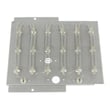
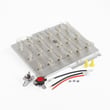
| No heat (electric) | Dryer heating element D510329P | Produces heat for drying |
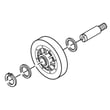
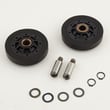
| Thumping/squealing | Cylinder roller D510708P | Supports the drum as it rotates |
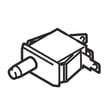
| Won’t start | Switch D512973 | Enables operation when controls/door conditions are met |
Why it matters
Restricted venting is the most common root cause because it increases dry time and can trigger safety shutoffs. The manual also notes that venting restrictions, kinked venting, and lint buildup inside the dryer are common service-call causes, so keeping airflow clear prevents repeat problems.
Helpful DIY reading
- Dryer takes a long time to dry
- How to clean and maintain your clothes dryer
- What are the main parts of a clothes dryer
Last updated: February 2026
What is the life expectancy of a Speed Queen dryer?
A Speed Queen dryer like model ADE4BRGS177TW01 typically lasts about 25 years with normal home use and proper venting and maintenance. That is longer than the 10 to 15 years most standard residential dryers run before major repairs become common.
Typical lifespan: Speed Queen vs. most dryers
| Dryer type | Typical life expectancy | What usually ends the dryer first |
|---|---|---|
| Speed Queen residential dryer | ~25 years | Wear items (rollers, motor), heat system parts, airflow issues |
| Typical residential dryer | 10 to 15 years | Heating failures, drum support wear, control issues |
What helps your ADE4BRGS177TW01 reach its full lifespan
We see the longest-lasting dryers when airflow stays strong and the drum support system stays quiet and smooth.
- Clean the lint screen every load; replace it if it is torn or warped (see dryer lint screen D503980W).
- Keep the vent path short, smooth, and clear; restricted venting is a common cause of overheating and long dry times.
- Avoid overloading; heavy loads strain the drive motor and drum supports.
- If you hear thumping or squealing, inspect drum support parts early (see cylinder roller D510708P).
- If the dryer overheats or shuts down, have the high-limit safety checked (see limit thermostat D515873).
- Follow the safety, operation, and care guidance in the ADE4BRGS177TW01 user manual.
Why it matters
A dryer’s “life expectancy” is mostly about how long it can run safely and dry efficiently without repeated breakdowns. Good airflow reduces heat stress on the heating element, thermostats, and wiring, and it also helps clothes dry faster.
Quick signs your dryer is aging (and what they point to)
- Dry times getting longer: vent restriction, lint buildup, or heat system weakening
- Burning smell or very hot cabinet: airflow problem or thermostat issue
- Thumping/squealing: drum support wear (rollers/glides)
- Drum stops or struggles to start: motor or belt-related wear
For maintenance routines that protect performance year after year, use how to clean and maintain your clothes dryer.
Last updated: February 2026
Why is my Speed Queen dryer not starting?
If your Speed Queen dryer model ADE4BRGS177TW01 won’t start, the most common causes are a power supply issue, the door not fully closed (door switch not engaged), or the motor overload protector needing time to reset. We recommend following the basic checks in the ADE4BRGS177TW01 owner's manual first.
Quick checks we recommend first
- Confirm the power cord is fully plugged into the outlet.
- Make sure the loading door is fully closed (the dryer will not run with the door open).
- Press the START button firmly.
- Check the home’s dryer fuses or circuit breakers (many electric dryers use two fuses/breakers).
- If the dryer stopped mid-cycle, wait 10 minutes for the motor overload protector to reset, then try again.
What to check next (common failed parts)
If the basics look good, a failed safety or start component is often the reason a dryer won’t run.
- Door switch: If it doesn’t “click” when the door closes, the dryer may think the door is open.
- Start switch / timer contacts: Worn contacts can prevent the motor from getting power.
- Motor: A failing motor can trip the overload repeatedly.
- High-limit thermostat: If it opens due to overheating, it can interrupt operation; overheating is often caused by restricted venting. Consider the limit thermostat D515873 if testing shows it’s open when it should be closed.
Why venting and lint buildup matter
Restricted airflow can overheat the dryer and trigger safety devices (like the motor overload protector or thermostats). Keeping airflow strong also improves dry times and helps protect the heating system.
- Clean the lint filter before every load.
- Vacuum the duct under the lint filter annually (as outlined in the manual).
- Inspect the vent hose for kinks, crushing, or heavy lint buildup.
Symptom-to-cause guide
| What you notice | Most likely area to check | What to do |
|---|---|---|
| No lights, no response | Power supply | Check outlet, cord, and both fuses/breakers |
| Lights on, won’t run | Door switch or start circuit | Verify door closes fully; test switch continuity |
| Stops, then restarts later | Motor overload | Wait 10 minutes; check for airflow restriction |
| Runs sometimes, inconsistent | Switch contacts or motor | Inspect wiring, test switches, evaluate motor |
Helpful DIY reading
For maintenance that prevents many “won’t start” and “stops mid-cycle” complaints, use how to clean and maintain your clothes dryer.
Last updated: February 2026
Why is my dryer running but not getting hot?
If your Speed Queen dryer model ADE4BRGS177TW01 runs but does not heat, the most common causes are a power or gas supply issue (depending on dryer type) or restricted airflow from a kinked or blocked exhaust duct. Start with the quick checks in the ADE4BRGS177TW01 owner's manual.
Quick checks (most common fixes)
- Electric dryer: Check that both dryer fuses or both circuit breakers are on; the drum can run on 120V but heat needs full 240V.
- Gas dryer: Confirm the equipment gas valve and main gas line valve are fully open.
- Clean the lint screen before every load; lint buildup reduces airflow and heat performance.
- Inspect the exhaust duct to the outside for kinks, crushing, or lint blockage.
- Check the outside weather hood; make sure the flapper moves freely and is not blocked.
What to test next (parts that commonly stop heat)
If airflow and supply checks look good, a failed heat-safety part can stop heating.
- A failed limit thermostat can interrupt heat when temperatures go out of range; see limit thermostat D515873.
- A failed heating element (electric models) can prevent any heat output; see dryer heating element D510329P.
- Wiring connections at the heater circuit can loosen or overheat over time (inspect for discoloration or burnt terminals).
Symptom-to-cause guide
| What you notice | Most likely cause | What to do first |
|---|---|---|
| Drum tumbles, no heat at all | Electric supply issue (one breaker tripped) | Reset/check both breakers/fuses |
| Heat is weak, drying takes too long | Vent restriction | Clean/straighten duct, check hood flap |
| Heats briefly then stops | Overheating from poor airflow or a thermostat issue | Verify venting, then test thermostat |
Why it matters
No-heat problems are often caused by airflow restrictions, which also increase dry times and can overheat internal components. Restoring proper venting protects the heater circuit and helps your dryer dry faster and more efficiently.
Helpful DIY reading
For step-by-step vent and performance tips, use dryer takes a long time to dry.
Last updated: February 2026





