Error Codes





Does GE PGS930SEL3SS make a 36 gas range?
No. GE model PGS930SEL3SS is a slide-in gas range (typically a 30-inch class range), not a 36-inch range. If you need a true 36-inch cooking appliance, you will be shopping a different GE model family than PGS930SEL3SS.
What “36-inch gas range” usually means
A 36-inch gas range is a single appliance that is about 36 inches wide and combines:
- A 36-inch cooktop surface (more burner spacing)
- An oven below (often larger capacity)
- A cabinet cutout and anti-tip setup designed for 36-inch width
A 36-inch cooktop is different from a 36-inch range (cooktop has no oven).
How to confirm what you have at home
Use these quick checks before ordering parts or planning a replacement:
- Measure the width of the appliance at the front (most slide-in ranges are about 30 inches wide)
- Verify the model number on the rating label matches PGS930SEL3SS exactly
- Check whether you have a separate wall oven (common when the cooking surface is a built-in cooktop)
- Compare your burner layout to the parts used on this model (caps, valves, spark system)
If you are trying to solve a fit or replacement problem
Here is the practical difference when planning a swap:
| Item you are replacing | Typical width class | What changes most |
|---|---|---|
| Slide-in gas range (like PGS930SEL3SS) | 30-inch class | Cabinet opening, gas hookup position, anti-tip bracket |
| 36-inch gas range | 36-inch | Larger opening, different electrical and gas placement |
| 36-inch built-in cooktop | 36-inch | Countertop cutout, no oven |
Why it matters
Range width drives cabinet cutout size, gas line location, and installation clearances. Confirming whether you need a 30-inch class slide-in range or a true 36-inch range prevents costly fit issues and wrong-part orders.
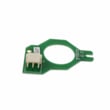
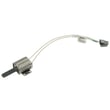
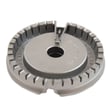
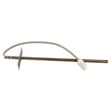
If you are repairing your PGS930SEL3SS, you can match symptoms to common ignition and burner issues using parts like the range spark module WB13X24741 and range surface burner cap WB28K10222.
Last updated: February 2026
Can I leave racks in GE oven when self-cleaning?
For the GE PGS930SEL3SS slide-in gas range, we recommend removing oven racks before running Self Clean unless your racks are specifically labeled as “self-clean” (typically dark, porcelain-coated). Leaving standard shiny racks in during self-clean can discolor them and make them hard to slide.
What to remove before you start Self Clean
Remove anything that can discolor, warp, or trap heat.
- Standard (shiny) oven racks
- Aluminum foil and any liners on the oven bottom
- Thermometers, cookware, pizza stones, and baking sheets
- Loose food debris (wipe out heavy spills first)
- Any items stored in the warming/storage drawer
How to tell what kind of racks you have
Most GE ranges use two common rack finishes; the finish determines whether it is safe to leave them in.
| Rack appearance | Common description | Leave in for Self Clean? |
|---|---|---|
| Shiny silver | Standard chrome rack | No |
| Dark matte | Porcelain-coated “self-clean/never-scrub” style | Yes (if labeled for self-clean) |
Why racks can get ruined in Self Clean
Self-clean temperatures are extremely high. Standard racks can oxidize and lose their smooth glide, which leads to sticking, squeaking, and difficult rack movement.
If your racks are already discolored or sticking
We recommend these practical fixes:
- Wash racks by hand with mild dish soap; dry fully.
- If they still drag, apply a very light coat of cooking oil to the rack side rails (wipe off excess).
- Avoid abrasive cleaners that scratch the rack finish.
- If the rack no longer slides smoothly or is warped, replace it using the parts list for PGS930SEL3SS.
Related parts that can be affected by high heat
If you notice new issues after a self-clean cycle (no heat, error beeps, or cooling fan running constantly), these model-matched parts are common suspects:
- Range oven temperature sensor WB24X25557
- Range oven control board WB27X29497
- Range oven cooling fan assembly WB26X32571
Last updated: February 2026
How to order GE appliance parts?
To order replacement parts for your GE PGS930SEL3SS slide-in gas range, we recommend using the parts list for this model to match the exact part ID to your range. Ordering the correct part ID helps ensure proper fit and safe operation.
How we recommend ordering parts for model PGS930SEL3SS
- Confirm the full model number is PGS930SEL3SS (use the complete number, not a partial).
- Find the part you need in the model parts list and match by part ID.
- Compare the part name to what you are replacing (for example, burner cap vs. burner valve).
- Order the part and keep your receipt and packaging until the repair is complete.
- If you are unsure which part fits your symptom, use a troubleshooting approach first (spark, gas flow, temperature sensing, or cooling fan).
Commonly ordered parts on this model
These are examples of parts customers often replace on a gas range like the PGS930SEL3SS:
| Symptom | Common part to check | Example part on this model |
|---|---|---|
| Burner won’t ignite or keeps clicking | Spark/ignition system | Range spark module WB13X24741 |
| Oven won’t heat or heats inconsistently | Ignition or temperature sensing | Range oven burner igniter WB13X40206, range oven temperature sensor WB24X25557 |
| Oven runs hot, fan runs a lot, or cooling issues | Cooling fan circuit | Range oven cooling fan assembly WB26X32571, range cooling fan sensor board WB27X28659 |
Why it matters
Gas range parts are highly model-specific. Matching the PGS930SEL3SS parts list to the exact part ID reduces returns, prevents fit issues, and helps restore proper burner ignition, oven temperature control, and cooling airflow.
Last updated: February 2026
How long should a GE PGS930SEL3SS gas stove last?
A GE slide-in gas range like model PGS930SEL3SS typically lasts 13 to 15 years with normal household use. Keeping burners clean, fixing ignition issues early, and replacing wear parts as needed can help you reach (and often exceed) that range.
Typical lifespan for a gas range
Most gas ranges fall into a fairly consistent life-expectancy window when they are installed correctly and maintained.
| Appliance type | Typical lifespan | What most often ends the range early |
|---|---|---|
| Slide-in gas range (like GE PGS930SEL3SS) | 13 to 15 years | Ignition failures, control issues, heat-related wiring damage |
What helps your PGS930SEL3SS last longer
These habits reduce stress on the igniter system, gas valves, and electronics.
- Keep burner caps seated correctly and clean to prevent uneven flames and overheating.
- Clean spills promptly so liquids do not seep under the cooktop and corrode wiring.
- Avoid repeatedly clicking the igniter when a burner will not light; troubleshoot the cause instead.
- Use the oven cooling fan as designed; do not block vents.
- Replace failing parts early to prevent secondary damage to boards and wiring.
Parts that commonly affect “end of life” symptoms
If your range is otherwise in good shape, replacing a few key parts often restores reliable operation.
- Surface burner lighting problems: check the range spark module WB13X24741.
- Oven not heating or slow ignition: check the range oven burner igniter WB13X40206.
- Temperature swings or baking issues: check the range oven temperature sensor WB24X25557.
- Overheating or fan-related errors: check the range oven cooling fan assembly WB26X32571 and the range cooling fan sensor board WB27X28659.
Why it matters
A gas range that is maintained and repaired promptly usually costs less to keep than to replace, and it also heats more consistently. Catching ignition, temperature-sensing, or cooling-fan problems early helps protect the control board and wiring harness.
Last updated: February 2026
What does F3 mean on a gas stove?
On a GE slide-in gas range like model PGS930SEL3SS, an F3 error typically points to an oven temperature sensing problem (most often the oven temperature sensor circuit reading out of range). The most common fix is checking the sensor wiring and, if needed, replacing the sensor.
What to check first (safe, quick steps)
- Power reset: Turn the range off at the breaker for 1 minute, then restore power and see if F3 returns.
- Cancel the cycle: If F3 appears during Bake/Broil, press Cancel/Off and let the oven cool.
- Look for obvious wiring issues: With power off, inspect the sensor harness connection at the back of the oven for a loose plug, pinched wires, or heat damage.
- Check for overheating symptoms: If the oven seems to run hotter than set temperature, the sensor is a prime suspect.
- If the code returns immediately: Treat it as an electrical sensing issue (sensor, wiring, or control).
Parts that commonly solve an F3 on this model
In many F3 cases, the temperature sensor is the first part we replace because it is a common failure point and directly tied to the error.
| Symptom you notice | Most likely area | Part to consider |
|---|---|---|
| F3 appears and oven won’t heat correctly | Temperature feedback is wrong | Range oven temperature sensor WB24X25557 |
| F3 appears intermittently, especially after moving the range | Loose/damaged harness connection | Wiring/connector inspection (no part required first) |
| F3 persists after sensor replacement | Control not interpreting sensor signal | Range oven control board WB27X29497 |
Why it matters
The oven control uses the temperature sensor signal to regulate gas flow and heat. When the control sees an out-of-range reading, it posts F3 to prevent unsafe or uncontrolled heating and to protect components like the igniter and control board.
When to stop and get service
- You smell gas, hear unusual clicking, or see scorching around wiring
- The oven overheats or will not shut off
- The code returns right after a reset and basic wiring check
Last updated: February 2026