Owner’s manual
 Error Codes



How do you get the bottom shelf out of a Samsung refrigerator?
On the Samsung RF28JBEDBSG bottom-mount refrigerator, the bottom glass shelf typically removes by releasing the shelf frame from its side supports, then lifting the shelf assembly up and out. We recommend following the shelf removal steps in the RF28JBEDBSG owner's manual to avoid cracking the glass or damaging the shelf rails.
Steps to remove the bottom shelf
- Empty the shelf completely (remove bins, bottles, and any loose items).
- Slide the shelf forward until it stops.
- Locate the release tabs or locking clips on the left and right shelf supports.
- Press the left and right release points at the same time.
- While the tabs are held in, lift the front of the shelf slightly.
- Angle the shelf and lift the entire shelf assembly up and out.
If the shelf feels stuck
A shelf usually binds because it is not centered on the rails or the frame is slightly twisted.
- Push the shelf back in fully, then try sliding it out again evenly.
- Check for ice buildup or sticky spills along the rails and wipe them clean.
- Lift gently on the front edge while sliding forward to reduce rail friction.
- Do not force the glass; remove the shelf frame as a unit.
Quick do and do not table
| Do | Do not |
|---|---|
| Support the glass with both hands | Pull hard on one side only |
| Remove food first | Twist the shelf to “pop” it free |
| Press both release points together | Pry with a tool against the liner |
Why it matters
Removing the shelf the right way prevents chipped glass, broken shelf trim, and damaged shelf supports, which can lead to poor fit and rattling when you reinstall it.
Last updated: February 2026
What is the difference between force defrost RD and FD?
On Samsung model RF28JBEDBSG, RD (refrigerator defrost) runs a defrost cycle focused on the fresh food (refrigerator) evaporator, while FD (forced defrost) is the broader service defrost used to clear heavier frost conditions that can affect multiple cooling and ice-making areas. For exact button sequences and display behavior, follow the RF28JBEDBSG owner's manual.
RD vs FD: what each mode is for
Use these as a quick guide when you are troubleshooting frost, warm temps, or ice maker issues.
- RD (refrigerator defrost): Targets frost on the fresh food evaporator area.
- FD (forced defrost): A more comprehensive defrost used during service or when frost is impacting overall performance.
- RD is narrower: Best when symptoms are mainly in the refrigerator compartment.
- FD is broader: Best when symptoms involve freezer airflow, ice production, or repeated frost buildup.
- Both are temporary modes: They run for a limited time and are meant for troubleshooting, not everyday operation.
When to choose RD vs FD
| Symptom you see | Try this first | Why |
|---|---|---|
| Refrigerator section warming, freezer still OK | RD | Focuses on the fresh food evaporator where frost can block airflow |
| Ice maker slows or stops, clumping ice, poor dispenser flow | FD | Clears heavier frost conditions that can interfere with ice and airflow |
| Repeated frost buildup after a manual defrost | FD, then diagnose | A full defrost helps you confirm whether a defrost component is failing |
| You suspect a sensor or defrost control issue | FD, then test | A full cycle helps reveal whether heaters and controls respond |
What to check if you keep needing forced defrost
If FD temporarily fixes the problem but it returns, we treat that as a sign to inspect the defrost and airflow system.
- Make sure doors seal and close fully; warm air leaks drive frost.
- Confirm vents are not blocked by food packages.
- Clean condenser area and confirm the condenser fan runs.
- Check for abnormal frost patterns on the evaporator cover.
- Consider a failed temperature/defrost sensor such as the refrigerator temperature sensor DA32-10104N.
- If cooling is inconsistent, inspect airflow components such as the refrigerator air damper assembly DA97-08430A.
Why it matters
Choosing RD vs FD helps you defrost the right area without guessing. RD is a targeted step for fresh food airflow problems; FD is the deeper service defrost that can restore airflow and ice-making long enough to pinpoint the underlying cause.
Last updated: February 2026
What is the most common problem with Samsung refrigerators?
The most common problems we see with Samsung refrigerators (including the Samsung RF28JBEDBSG) are cooling issues and ice maker problems. These typically trace back to airflow restrictions from frost buildup, a defrost system problem, or an ice path issue that prevents proper ice production and dispensing.
Most common symptoms customers notice
- Fresh food section is warm but the freezer seems OK
- Freezer temperature swings or soft ice cream
- Ice maker stops making ice or makes small/hollow cubes
- Ice clumps in the bin or won’t dispense
- Frost or ice buildup on the back wall inside the refrigerator
- Water leaking or puddling (often tied to a drain/defrost issue)
What usually causes those problems
Many “Samsung refrigerator not cooling” and “not making ice” complaints come down to a few systems that work together:
- Airflow and evaporator frost: When frost builds up, cold air can’t move through the evaporator cover and vents.
- Defrost control and sensing: A bad sensor can cause poor temperature control and contribute to icing.
- Ice room and dispenser path: Ice can bridge, clump, or jam in the chute and bin.
- Condenser cooling: If the condenser area can’t shed heat well, overall cooling performance drops.
Quick part-to-symptom guide (RF28JBEDBSG)
| Symptom | Common area to check | Example part for this model |
|---|---|---|
| Warm refrigerator section | Temperature sensing and airflow | Refrigerator temperature sensor DA32-10104N |
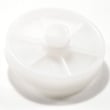
| Ice won’t dispense or clumps | Ice bin, chute, auger drive | Refrigerator ice container DA97-14474A |
| Poor overall cooling, runs a lot | Condenser heat removal | Refrigerator condenser coil and fan motor assembly DA97-15978A |
What we recommend you do first
- Confirm settings: refrigerator about 37°F and freezer about 0°F.
- Check for frost buildup on the rear interior panel; heavy frost points to a defrost/airflow issue.
- Inspect the ice bin and chute for clumps or blockage; empty and dry the bin if needed.
- Make sure door seals close fully and vents are not blocked by food packages.
- Use the troubleshooting steps and diagnostics in the owner's manual.
Why it matters
Cooling and ice maker problems often share the same root cause: restricted airflow or unstable temperatures. Fixing the underlying airflow, defrost, or condenser cooling issue helps prevent repeat failures and protects food from unsafe temperatures.
Last updated: February 2026