Owner’s manual
 Error Codes



How do I reset my Kenmore electric range?
To reset your Kenmore electric slide-in range model 66495123612, disconnect power to the range for about 1 minute, then restore power and set the clock. This clears many control glitches after a power surge or a keypad lockup; it will not fix a failed part.
- Turn OFF the range circuit breaker (or unplug the range if accessible).
- Wait 60 seconds.
- Turn the breaker ON (or plug back in).
- Press any keypad to wake the display if Energy Save is active.
- Re-set the time of day and test Bake or a surface element.
For control-specific behavior (Energy Save, keypad functions, clock setting), follow the steps in the 66495123612 use and care guide.
The manual notes a few common causes when the range appears dead or the display is blank:
- Energy Save is active; press any keypad to display the time.
- A household fuse is blown or the circuit breaker is tripped; reset the breaker.
- The power cord is not supplying power (for example, loose connection at the wall or terminal block).
| Symptom | Most likely cause | What to do next |
|---|---|---|
| Display blank but range has power | Energy Save mode | Press any keypad; then set clock |
| Range completely dead | Breaker tripped or fuse blown | Reset breaker; verify 240V supply |
| Intermittent power, burning smell, melted cover | Loose power connection | Stop using range; inspect wiring and terminal block |
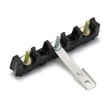
If you suspect a loose or overheated power connection, the range terminal block WPW10245259 is the common connection point where the house power cord attaches to the range.
A power reset clears temporary electronic control errors, but repeated lockups, dead display issues, or power loss symptoms usually point to a wiring problem, failing control, or a damaged connection that needs inspection.
Last updated: January 2026
How do I tell what model Kenmore stove I have?
To tell what model Kenmore stove you have, find the model/serial tag on the range and match it to the format shown in the 66495123612 use and care guide. For this Kenmore electric range family, the model often appears as 664.9512* (the * is a color code).
Check these common locations first (power off and the range cool):
- Inside the oven door opening, along the door jamb or frame
- Behind the storage or warming drawer (pull the drawer out and look on the frame)
- On the back panel near the power cord/terminal block area
- Along a side frame edge if the range is installed tightly between cabinets
Kenmore model numbers are usually a 3-digit prefix plus the rest of the model. For this unit, you may see either of these formats:
| What you see on the tag | What it means |
|---|---|
| 66495123612 | Full model number used for parts lookup |
| 664.9512* or 664.C9512* | Model family shown in the manual; * is the color code |
Use these quick checks so you do not order the wrong part:
- Copy the model number exactly, including any dots or letters
- Treat the * as a color placeholder; your tag may show a specific digit instead
- Write down the serial number too; it helps identify production details
- If the label is worn, take a clear photo and zoom in
We use the exact model number to match the correct Kenmore parts diagrams and compatible parts (for example, a bake element, surface element switch, or control). A single digit difference can change the cooktop style, wiring, or oven components.
Last updated: January 2026
What is the average lifespan of 66495123612?
A Kenmore electric slide-in range like model 66495123612 typically lasts 13 to 15 years with normal household use. Regular cleaning, solid electrical connections, and replacing wear items (like elements or switches) on time helps you reach that lifespan.
- Heat-cycle wear on the bake and broil circuits (high temperatures over time)
- Cooktop element and switch use (frequent high-heat cooking shortens component life)
- Ventilation and cooling around the control area (overheating stresses electronics)
- Power quality and wiring (loose connections can damage the terminal block and controls)
- Cleaning habits (spills and harsh cleaners can damage glass, knobs, and finishes)
Use these habits to reduce failures and keep performance consistent:
- Keep the cooktop clean and dry; remove sugary spills promptly after the surface cools.
- Avoid slamming the oven door; it stresses hinges, glass, and the door liner.
- If a burner cycles erratically or will not regulate heat, replace the control switch early.
- If baking becomes uneven or slow, inspect and replace the oven heating element.
- Periodically check that the range sits level; uneven leveling can affect baking results.
| Symptom | Most common cause | Typical repair path |
|---|---|---|
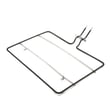
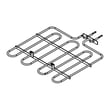
| Oven will not heat | Failed heating element | Replace bake element W10779716 |
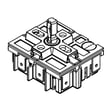
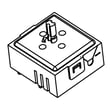
| Burner stuck on high or won’t turn on | Worn infinite switch | Replace range infinite switch W10917724 or infinite switch W11129442 |
| Display or keypad issues | Keypad or control problem | Diagnose using the owner's manual troubleshooting section |
| No power or intermittent power | Loose/burned connection | Inspect terminal block and wiring; replace range terminal block WPW10245259 if damaged |
Knowing the 13 to 15 year average helps you decide whether to repair or replace. On a range in this age window, replacing a single part (element, switch, knob, or terminal block) often restores safe, reliable cooking for years.
Last updated: March 2026