Installation guide
 Owner’s manual
 Error Codes





Can an electric cooktop be repaired?
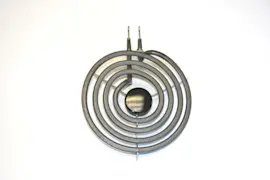
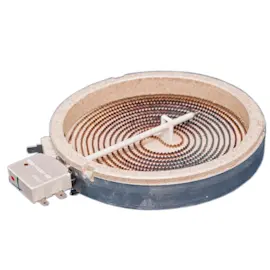
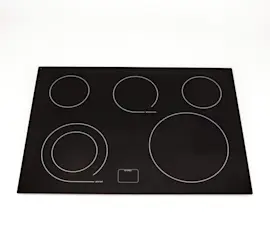
Yes. The Jenn-Air JED8430BDS electric cooktop is repairable in most cases because common failures involve replaceable parts such as surface element switches, radiant elements, knobs, and vent components. If the glass-ceramic top is cracked, stop using it and arrange service right away.
These are the issues we see most often with electric cooktops and the parts that typically address them:
- Burner will not heat or only heats on one setting: infinite switch or element
- Burner stays on high or will not turn off: surface element control switch
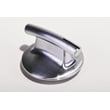
- Knob feels loose or does not grip the shaft: knob sleeve or grommet
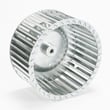
- Downdraft vent is weak or noisy: filter or blower wheel
- Glass top is broken: do not operate; schedule professional service
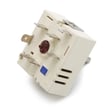
If you are matching a control problem to a replacement part, a common fit for this model is the range surface element control switch W11088181.
Before deciding, we recommend weighing safety and total cost.
- Do not cook on a broken cooktop; liquids can reach energized components and create shock risk
- Turn off power at the breaker before any inspection
- If you smell burning insulation or see arcing, stop and have it serviced
- Electrical connections must be properly grounded and made to code
| Situation | Best next step | Why |
|---|---|---|
| One burner misbehaves | Repair (switch/element) | Usually a single-part fix |
| Downdraft vent weak | Repair (filter/blower) | Restores airflow and reduces smoke |
| Glass top cracked | Service evaluation | Safety risk if used |
| Multiple burners failing | Diagnose wiring/supply | Could be supply, harness, or multiple parts |
A targeted repair keeps the cooktop safe and restores consistent heat control, which protects cookware, improves cooking results, and helps prevent overheating or electrical hazards.
For model-specific safety warnings and operating guidance, follow the JED8430BDS owner’s manual.
Last updated: January 2026
How do I reset a Jenn Air cooktop?
To reset your Jenn-Air JED8430BDS electric cooktop, we recommend power-cycling it: turn OFF the cooktop circuit breaker for 1 minute, then turn it ON and watch the cooktop for 1 minute to confirm normal operation and that no error returns.
- Turn all surface element knobs to OFF.
- Locate the cooktop breaker (sometimes two breakers feed a cooktop).
- Switch the breaker(s) OFF for 60 seconds.
- Switch the breaker(s) ON.
- Wait 1 minute and check the display/indicators.
- Test each element on a low setting, then turn it back OFF.
A reset clears many temporary control glitches, but repeated problems usually point to a control or wiring issue.
Common next checks:
- Confirm the cooktop is properly grounded and the electrical supply is stable.
- If one burner will not regulate heat, the control may be failing.
- If a knob feels loose or does not align, the knob grommet can be worn.
- If the downdraft fan or its control is acting up, inspect the fan control and related parts.
| Symptom after reset | Most likely area | Example part for JED8430BDS |
|---|---|---|
| One element stuck on high or won’t cycle | Infinite/element control switch | Infinite switch WP74011242 |
| Dual element won’t switch sizes or regulate | Dual element control switch | Cooktop dual element control switch WP74008248 |
| Knob wobbles or won’t seat correctly | Knob grommet | Infinite grommet WPY706102 |
Resetting by cutting power for a full minute forces the cooktop’s controls to fully reboot. If an error or abnormal heating returns immediately, it helps narrow the problem to a specific control circuit or switch rather than a one-time glitch.
For control lock behavior, indicator meanings, and operating details specific to JED8430BDS, use the JED8430BDS owner's manual.
Last updated: January 2026
How long do Jenn Air cooktops last?
Most Jenn-Air electric cooktops, including model JED8430BDS, last 10 to 15 years with normal home use. Keeping the glass-ceramic surface clean, using the right cookware, and addressing control or element issues early helps you reach that typical lifespan; see the JED8430BDS owner's manual.
A cooktop’s service life is mainly driven by heat stress, cleaning habits, and how hard the elements and controls are worked.
- Daily use level (light vs. heavy cooking)
- Cookware fit (flat, smooth bottoms that match the element size)
- Cleaning routine (avoids baked-on soil and surface damage)
- Ventilation performance (reduces heat and smoke buildup around the unit)
- Electrical health (stable power and tight, clean connections)
These are common age-related issues that can shorten lifespan if ignored.
| Symptom | Most common cause | What to check first |
|---|---|---|
| Burner won’t heat or cycles oddly | Element or infinite switch wear | Try a different element setting; inspect the control behavior |
| Heat is stuck high/low | Control switch contacts failing | Consider the infinite switch WP74011242 if the knob setting no longer matches heat |
| Downdraft not pulling smoke well | Filter/ducting issues | Confirm filter is seated and ducting meets the installation requirements |
| Glass top looks cloudy or stained | Mineral deposits, burned-on soil | Use proper cooktop-safe cleaning methods and tools |
We recommend these habits because they reduce overheating, surface damage, and premature control failure.
- Use heavy-gauge, flat-bottom pans sized to the cooking area.
- Avoid dragging cookware; lift to prevent scratching.
- Clean spills promptly to prevent burned-on deposits.
- Keep the downdraft system working; verify the filter is installed correctly.
- If a control feels loose or inconsistent, address it before it overheats wiring.
A cooktop that is kept clean and ventilated runs cooler and more efficiently, which reduces stress on electric heating elements, infinite switches, and the glass-ceramic cooktop. That is the difference between replacing parts early and getting the full 10 to 15 years.
Last updated: January 2026
Why is my Jenn Air stove top burner not working?
On the Jenn-Air JED8430BDS electric cooktop, a burner usually stops heating because the surface element has failed, the infinite control switch is bad, or a wiring connection is loose or heat-damaged. Start with simple checks (power, settings, cookware), then isolate whether the problem follows the element or the control.
- Confirm the cooktop has power (no tripped breaker, no blown fuse).
- Make sure the knob is turning smoothly and not cracked or slipping on the shaft.
- Try a different pan; warped or undersized cookware can heat poorly on radiant elements.
- If the cooktop has a downdraft, verify the fan control is not physically binding the knob area.
- Let the glass cool completely, then check for visible scorching or melted wiring under the unit (power off).
| Symptom | Most likely cause | What to check next |
|---|---|---|
| Burner never heats, indicator light behavior is normal | Failed radiant element | Inspect element and terminals; test continuity |
| Burner heats only on high or cycles erratically | Failed infinite switch | Test/replace the control switch |
| Only one burner is dead; others work | Element or that burner’s switch | Swap diagnosis: element vs switch |
| Burner works sometimes, cuts out when hot | Loose/burned connection | Look for heat damage at terminals |
If your troubleshooting points to a control issue, these are common matches for this cooktop family:
- Infinite switch WP74011242 (standard surface element control)
- Range surface element control switch W11088181 (surface element control switch)
A non-working burner is often a straightforward electrical failure, but a loose or overheated connection can keep getting worse and can damage the switch, element terminals, or wiring harness. Catching it early usually reduces the repair scope.
For model-specific operating notes and the “Before you call for service” guidance, use the JED8430BDS owner’s manual.
Last updated: January 2026