 Error Codes




Where to find Thermador Range model number?
On your Thermador range model PRG486EDG04, the model number is printed on the appliance’s rating label (model and serial tag). On pro-style ranges, that label is most often found around the oven door opening or on the frame behind the storage or kick panel area.
- Open the oven door and look along the door frame (left or right side).
- Check the front frame around the oven cavity (top edge or side edge).
- Look behind the lower kick panel or toe-kick (if your range has one).
- Check behind the storage drawer (if equipped) by pulling it out.
- As a last step, look on the back panel of the range.
- Turn the oven off and let surfaces cool.
- Open the oven door and use a flashlight to scan the frame.
- Write down the full model number and serial number exactly as shown.
- Use that model number to match parts and diagrams for PRG486EDG04.
| What you’ll see | Why it matters |
|---|---|
| Model number (example: PRG486EDG04) | Ensures the correct Thermador parts fit |
| Serial number | Helps confirm production version and compatible revisions |
| Gas type or ratings | Helps when diagnosing ignition, regulator, or valve issues |
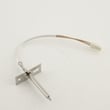
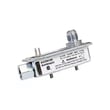
Thermador ranges can have multiple versions that look similar. Using the exact model number helps us match the correct ignition parts, controls, and gas components, such as the Thermador igniter 00418885 or Thermador ignition module 00619757, when you are troubleshooting no-heat or no-ignite symptoms.
Last updated: February 2026
Why is my Thermador igniter not sparking?
On a Thermador PRG486EDG04 gas range, an igniter usually stops sparking because it is not getting power, the burner parts are misaligned, or the igniter tip is dirty or damaged. Start with power and burner alignment checks, then clean and inspect the igniter.
- Confirm the range has power (display on, lights work, no tripped breaker).
- Make sure the burner cap and burner head are seated correctly and dry.
- Clean food spillover from the igniter tip and around the burner ports; let everything fully dry.
- Listen for clicking; clicking with no flame often points to gas flow or burner port issues.
- No clicking at any burner often points to an ignition circuit issue.
- Power reset: Turn the breaker off for 1 minute, then back on.
- Dry-out: If you recently cleaned, allow 30 to 60 minutes for moisture to evaporate.
- Clean carefully: Use a cotton swab lightly dampened with water; avoid soaking the igniter.
- Inspect: Look for cracks in the ceramic insulator or a loose wire connection.
- Swap test (if applicable): If burners use the same style igniter, swapping can help confirm a failed igniter.
| Symptom | Most likely area | Example part for PRG486EDG04 |
|---|---|---|
| One burner does not spark | Burner igniter | Thermador igniter 00418885 |
| No burners spark, no clicking | Spark/ignition control | Thermador ignition module 00619757 |
| Clicking but weak/erratic ignition | Gas delivery stability | Thermador regulator 00623921 |
A weak or missing spark can prevent ignition and can also cause delayed ignition (a “whoosh” when it finally lights). Keeping burner parts clean, dry, and properly seated helps the ignition system work reliably.
Last updated: February 2026
What is the average lifespan of PRG486EDG04?
A Thermador gas range like model PRG486EDG04 typically lasts 15 years with normal household use and basic maintenance. Keeping burners clean, ensuring steady gas flow, and fixing ignition or heating issues early helps you reach that lifespan.
Most premium gas ranges reach their full service life when these factors stay in good shape:
- Burner ignition reliability (spark igniters and ignition module)
- Oven temperature control (sensor and control electronics)
- Gas pressure stability (regulator)
- Cooling and airflow around the oven cavity (fan)
- Door sealing and heat retention (door seal)
We recommend these habits for PRG486EDG04:
- Clean burner ports and caps regularly to prevent uneven flames.
- Keep spillovers from baking onto hot surfaces; wipe after the range cools.
- If a burner clicks continuously, clean and dry the igniter area before parts overheat.
- Watch for weak flames or slow preheat; address gas supply or ignition problems early.
- Replace worn sealing parts to prevent heat loss and longer cook times.
| Symptom | Most common cause | Often solved by |
|---|---|---|
| Burners won’t spark or spark intermittently | Failed igniter or ignition module | Cleaning first; then replacing an igniter/module |
| Oven heats inconsistently | Sensor drift or airflow issue | Checking sensor and fan operation |
| Weak flames on multiple burners | Gas pressure issue | Checking the regulator and supply |
| Longer preheat, heat escaping | Worn door gasket | Replacing the door seal |
A range that is struggling to ignite or regulate temperature wastes gas, cooks unevenly, and puts extra stress on the control system. Replacing a failing component early is often the difference between a straightforward repair and repeated breakdowns.
If you are troubleshooting heating performance, we use the same core checks shown in oven wont heat troubleshooting gas range problems video.
Last updated: March 2026




