Installation guide
 Owner’s manual
 Error Codes
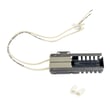




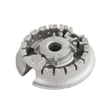
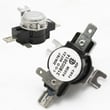
How to change Kenmore spark electrode igniter?
On the Kenmore Elite gas range model 79036603601, replacing a surface-burner spark electrode (igniter) typically means lifting the burner cap and burner base, disconnecting the electrode wire, then installing the new electrode and reassembling so the burner is aligned and level. Use the 79036603601 installation guide for burner base and cap placement details.
- Shut off power at the breaker or unplug the range; surface igniters need electrical power to spark.
- Turn the gas supply shutoff valve to OFF.
- Let the cooktop cool completely.
- Remove grates, then lift off the burner cap and burner base.
- Keep screws and small parts organized by burner location.
- Remove the burner parts: Lift off the burner cap, then lift the burner base straight up.
- Locate the electrode: It sits next to the burner opening and creates the spark.
- Disconnect the wire: Pull the connector straight off the electrode terminal (do not yank the wire).
- Remove the electrode: Take out the mounting screw and lift the electrode out of the orifice holder area.
- Install the new electrode: Set it in the same position, reinstall the screw snugly (do not overtighten).
- Reconnect the wire: Push the connector fully onto the new electrode terminal.
- Reassemble and align: Place the burner base over the gas opening, making sure it is properly aligned and leveled; then reinstall the burner cap.
According to the operating instructions, when you turn a surface knob to LITE, you should hear sparking; the selected burner should light when gas is available, typically within about 4 seconds after air is purged from the supply lines.
| What you notice | Most likely cause | What to check next |
|---|---|---|
| No clicking/sparking at any burner | No power to range | Breaker, outlet, cord connection |
| Clicking but burner will not light | Gas not reaching burner or burner not seated | Burner base/cap alignment, gas shutoff valve |
| Burner lights but keeps clicking | Knob left in LITE or poor flame sensing | Turn knob off LITE; clean/dry burner area |
A correctly installed electrode and properly seated burner base/cap help the burner ignite quickly and stop sparking once the flame is established. Misalignment can cause delayed ignition, uneven flame, or continuous clicking.
Last updated: February 2026
What does PF mean on Kenmore Elite oven?
On the Kenmore Elite gas range model 79036603601, PF means power failure. It shows up after the range is first plugged in or anytime electrical power is interrupted; clearing PF is part of resetting the clock and returning the control to normal operation (see the 79036603601 owner's manual).
- Press the Clear/Off (or Cancel/Stop) pad once to acknowledge the message.
- Wait about 10 seconds; the control beeps and PF disappears.
- Set the clock using the Clock pad and the number pads.
- If PF returns, check for a loose plug, tripped breaker, or a power strip that is overheating.
- If the display is blank or flickers, restore stable power first, then clear PF again.
PF is a message about the control losing power, not a cooking mode problem.
| Situation | What you’ll see | What to do |
|---|---|---|
| Brief outage or breaker trip | PF flashing | Clear PF, then reset clock |
| Range unplugged and plugged back in | PF on startup | Clear PF, then set clock |
| Repeated PF with no outage | PF keeps returning | Check outlet, cord fit, breaker, and wiring connections |
When PF is showing, the oven control is telling you it lost its time-of-day memory. Clearing PF and resetting the clock helps ensure features like timed bake, delay start, and self-clean timing work correctly.
Last updated: February 2026
How long should a Kenmore gas stove last?
A Kenmore gas range like model 79036603601 typically lasts 15 years with normal household use. Keeping burners clean, ensuring proper ignition, and addressing weak heating early (often tied to the igniter) helps you reach that expected lifespan.
Most ranges hit their full service life when heat, gas flow, and door sealing stay consistent.
- Cooking frequency (daily use shortens life compared to occasional use)
- Cleaning habits (spills and grease can clog burner ports and stress components)
- Ventilation (a cleaner cooking environment reduces grease buildup)
- Ignition health (slow ignition makes the oven work harder and can cause no-heat issues)
- Proper installation (correct gas supply and regulator setup prevents performance problems)
Your installation instructions describe normal oven ignition behavior: the igniter glows, then the gas valve opens, and the burner lights within about 30 to 60 seconds during a heat call. Use this as a baseline for “healthy” operation.
- If bake or broil takes longer than about a minute to light, suspect a weak igniter
- If the flame looks uneven or lazy, check for dirty burner ports or gas supply issues
- If temperatures seem off, test the oven temperature sensor
- If you smell gas or suspect a leak, shut off the gas supply and have service performed
| Symptom | Common cause | Example part for 79036603601 |
|---|---|---|
| Oven won’t heat or lights slowly | Weak oven burner igniter | Igniter 5303935066 |
| Oven temperature swings | Faulty sensor | Frigidaire range oven temperature sensor 316217002 |
| Surface burner flame uneven | Clogged or worn burner head | Range surface burner head 316212400 |
| Oven won’t light even with glowing igniter | Gas valve issue | Range oven gas valve 316404900 |
A gas range can “still work” while slowly losing performance. Catching slow ignition, temperature drift, or poor flame quality early helps prevent bigger failures and keeps cooking results consistent.
For model-specific operating and care guidance, follow the 79036603601 owner's manual.
Last updated: February 2026
Why is my Kenmore Elite oven not working?
If your Kenmore Elite gas range 79036603601 oven is not working, the most common causes are a power or gas supply issue, a control fault (often shown as an F-code), or an ignition problem that prevents the oven burner from lighting. Start with the quick checks in the 79036603601 owner's manual.
- Confirm the range has power; the oven control will not operate correctly during or right after a power failure.
- Make sure the oven is actually set to BAKE or BROIL and not in a delayed start or canceled state.
- If the control is beeping and shows an F code (example: F11), press STOP/CLEAR to stop the beeping and clear the display.
- Verify the gas supply valve to the range is fully open.
- Try a different cooking mode (BAKE vs. BROIL) to see if the failure is mode-specific.
| Symptom | Most likely area to check | What to do next |
|---|---|---|
| Control beeps and shows an F code | Electronic oven control or keypad issue | Clear with STOP/CLEAR; if it returns, record the code and follow the manual’s service guidance |
| Oven will not heat but surface burners work | Oven ignition or gas valve circuit | Watch for ignition attempts; inspect wiring and igniter operation |
| Nothing works (no display, no response) | Power supply | Check breaker, outlet, and cord connection |
| Oven lights but won’t maintain temp | Temperature sensing | Test/replace the frigidaire range oven temperature sensor 316217002 if readings are off |
These are frequent repair items for heating and temperature complaints on model 79036603601:
- Igniter 5303935066 (oven burner ignition)
- Range oven gas valve 316404900 (gas flow to the oven burner)
- Frigidaire range oven temperature sensor 316217002 (temperature feedback to the control)
A gas oven that does not ignite can leave you with no heat, uneven baking, or repeated clicking and delays. Addressing power, control error codes, and ignition components first prevents unnecessary part replacement and gets the oven heating safely and consistently.
Last updated: February 2026
How do you reset a Kenmore gas oven?
To reset a Kenmore Elite gas range model 79036603601, turn the oven controls OFF, then reset power by switching the range circuit breaker OFF for 30 to 60 seconds and turning it back ON. This clears most control glitches and restores normal operation.
- Press CANCEL/OFF (or set all oven functions to OFF).
- Turn OFF the range breaker (or unplug the power cord if accessible).
- Wait 30 to 60 seconds.
- Restore power.
- Confirm the clock display returns, then test BAKE 300°F.
A reset fixes control lockups, but it will not fix a failed heating or ignition part. For this model, common no-heat causes include a weak igniter or a sensor problem.
- If the bake igniter glows but the burner lights late or not at all, check the igniter 5303935066.
- If temperatures are erratic or the oven shuts off early, check the frigidaire range oven temperature sensor 316217002.
- If the oven is in Self-Clean or Oven Lockout, the warmer drawer will not operate until the mode is cleared.
The installation instructions describe a normal ignition delay and cycling behavior.
| What happens | Typical behavior | What it suggests if it does not happen |
|---|---|---|
| Start BAKE at 300°F | Burner should ignite within about 60 seconds | Igniter, gas supply, or valve issue |
| After preheat | Igniter cycles off and burner cycles | Normal temperature control |
Resetting power is the fastest way to clear a temporary keypad or control-board glitch without changing settings or replacing parts. If the problem returns quickly, the symptoms you observe during BAKE help pinpoint whether the issue is ignition, sensing, or gas flow.
For model-specific operating details (including modes like lockout and self-clean), follow the 79036603601 owner’s manual.
Last updated: February 2026