Installation guide
 Owner’s manual
 Error Codes







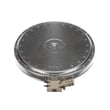


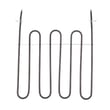

Can I look up Frigidaire parts by model number?
Yes. For your Frigidaire electric range model CGEF3055MFG, we look up parts by the full model number so you only see components that fit your exact range configuration (surface elements, oven parts, wiring, and controls).
How to look up parts by model number
- Find the model number on the range’s ID plate (commonly on the oven frame behind the door, or on a side frame).
- Enter CGEF3055MFG exactly as shown, including all letters and numbers.
- Choose the part category you need (bake, broil, surface elements, controls, lighting).
- Match the part name to your symptom (for example, “oven not heating” vs. “burner not working”).
- Confirm the part ID before ordering to avoid fit issues.
Common parts customers search for on CGEF3055MFG
If you already know the problem area, these are examples of model-matched parts that often come up:
| Symptom | Part type | Example model-matched part |
|---|---|---|
| Oven temperature is inaccurate | Oven temperature sensor | Frigidaire range oven temperature sensor 316490000 |
| Oven will not bake | Bake element | Frigidaire range bake element 316505500 |
| Surface element will not regulate heat | Surface element control switch | Frigidaire range surface element control switch 316238201 |
Why the full model number matters
Frigidaire ranges can use different element sizes, control switches, and wiring harnesses across similar-looking models. Using CGEF3055MFG helps ensure the replacement part matches the correct electrical ratings, mounting style, and connector type.
Helpful reference
For model-specific locations, diagrams, and operating details, use the CGEF3055MFG owner's manual.
Last updated: January 2026
How do I reset my Frigidaire electric range?
To reset your Frigidaire electric range model CGEF3055MFG, we recommend doing a simple power reset: turn the range off, disconnect power for about 30 seconds, then restore power. This clears many control glitches and restores normal operation.
How to reset CGEF3055MFG safely
- Turn all surface burners and the oven off.
- Unplug the range, or switch the range circuit breaker off.
- Wait about 30 seconds.
- Restore power.
- Set the clock, then test Bake and a surface element.
For model-specific control and power instructions, follow the CGEF3055MFG owner's manual.
If the range still will not heat after a reset
A reset will not fix a true power supply problem or a failed heating component. These checks narrow it down:
- If all burners and the oven do not heat, check for a tripped breaker, a loose power cord connection, or a supply wiring issue (especially after installation).
- If the oven will not heat but burners work, suspect a failed bake or broil circuit, temperature sensing issue, or control problem.
- If one surface element will not heat, suspect the element, receptacle, or the element control switch.
- If the oven temperature seems inaccurate, the oven sensor is a common cause.
| Symptom | Most likely area | Example part for this model |
|---|---|---|
| Oven not heating | Bake circuit | Frigidaire range bake element 316505500 |
| Oven temp off, error codes, overheating/underheating | Temperature sensing | Frigidaire range oven temperature sensor 316490000 |
| One burner not heating or stuck on | Infinite switch | Frigidaire range surface element control switch 316238201 |
Why it matters
Resetting is a fast first step because it clears minor electronic faults without replacing parts. If heating problems continue, focusing on power supply, the heating circuit (bake/broil), or the surface element controls prevents repeat failures and unnecessary part swaps.
Last updated: January 2026
Why is my Frigidaire electric range display not working?
If the display on your Frigidaire electric range model CGEF3055MFG is blank or dead, the most common causes are a power supply problem (tripped breaker, loose cord/terminal connection) or a failed electronic control. Start by confirming the range has full 240V power, then check for control-related symptoms.
Quick checks first (no parts needed)
- Reset power: turn the range breaker OFF for 1 minute, then back ON.
- Confirm the range has two hot legs at the breaker (a half-tripped double breaker can leave the display dead or erratic).
- If the oven light and surface elements also do not work, focus on the home power supply and cord connection.
- If surface elements work but the display is blank, the issue is usually in the control area (control board, keypad/control panel, or wiring).
- Check for a stuck key or moisture on the touch area; clean and dry the control panel surface.
Most likely causes and what they look like
| Symptom | Most likely cause | What to do next |
|---|---|---|
| Entire range seems dead (no lights, no heat) | Power supply issue | Check breaker, outlet, and cord/terminal connections per the installation guide |
| Cooktop works but display is blank | Control board or control panel issue | Inspect wiring connections; consider replacing the control assembly |
| Display flickers, resets, or beeps randomly | Loose connection or failing control | Reseat connectors; inspect harness and control area |
| Error code shows before display fails | Control sensing a fault | Use Frigidaire self-cleaning range error codes to narrow the failure |
Parts that commonly relate to display and control problems
These parts do not fix every “no display” issue, but they are frequently involved when the control is not operating correctly:
- Range oven control board 5304495521 (common when the display is blank, scrambled, or unresponsive)
- Range wire harness connections (look for loose plugs or heat damage)
- Power connection components (cord and terminal block area)
Why it matters
A dead display is often the first sign the range is not getting correct power or the electronic control is failing. Confirming power first prevents replacing an expensive control board when the real issue is a breaker, cord, or terminal connection.
For model-specific control settings, clock behavior, and any display lock features, follow the CGEF3055MFG owner’s manual.
Last updated: January 2026
What is the life expectancy of a Frigidaire oven?
A Frigidaire oven like model CGEF3055MFG typically lasts 10 to 15 years with normal household use. Consistent cleaning, avoiding overheating, and fixing small heating or control issues early are the biggest factors that help an electric range reach the high end of that range.
What affects lifespan most
- Heat stress and heavy use: frequent high-temp baking or broiling shortens component life.
- Self-clean cycles: high heat can accelerate wear on wiring, sensors, and controls.
- Power quality: loose connections or surges can damage electronic controls.
- Door seal condition: heat leaks make the oven work harder and can cause uneven baking.
- Timely repairs: replacing a failing sensor or element early prevents secondary damage.
Maintenance that helps CGEF3055MFG last longer
Use these habits to reduce wear on key parts like the bake element, temperature sensor, and control board:
- Wipe spills after the oven cools to prevent baked-on residue.
- Keep the door closing firmly; replace a worn gasket if you feel heat escaping.
- Avoid slamming the oven door (it stresses hinges and glass).
- Use cookware that fits the rack well so air can circulate.
- If you use self-clean, remove racks first and run it only when needed.
Common “end-of-life” symptoms vs. fixable problems
| Symptom | Most common cause | Typical fix |
|---|---|---|
| Oven temperature swings or bakes unevenly | Sensor drifting out of spec | Replace Frigidaire range oven temperature sensor 316490000 |
| Oven will not heat in bake | Failed bake element or wiring issue | Inspect and replace Frigidaire range bake element 316505500 if damaged |
| Error codes or dead display | Control or keypad issue | Follow Frigidaire self-cleaning range error codes and test components |
Why it matters
A range that is running hot, cold, or cycling incorrectly often uses more energy and can overwork expensive components. Catching heating and temperature-control problems early is the simplest way to extend the service life of your Frigidaire electric range.
For model-specific care and operating guidance, follow the CGEF3055MFG owner’s manual.
Last updated: January 2026