Owner’s manual
 Error Codes




How to turn on LG electric cooktop?
To turn on the LG LCE3010SB electric cooktop, touch and hold POWER ON/OFF for about 2 seconds until the indicator light turns on; then select a cooking zone and set a power level within the required time window so the cooktop stays on. See the LCE3010SB owner's manual for the exact control layout.
Quick steps (touch controls)
- Touch and hold POWER ON/OFF for about 2 seconds.
- Touch the ON pad for the cooking zone you want to use.
- Choose a heat setting (power level) within 10 seconds of selecting the zone.
- If you do not select a cooking zone within 15 seconds after powering on, the cooktop turns off for safety.
- To turn the cooktop off, touch POWER ON/OFF.
If it will not turn on
Check these common causes
- Child lock is on: touch and hold CHILD LOCK for 3 seconds to toggle it.
- Touchpad is dirty or wet: wipe and dry the control area; spills can prevent activation.
- Something is resting on a key: remove cookware, towels, or utensils from the control panel.
- A key was pressed too long: if a pad is touched continuously (about 10 seconds), an error can appear; power the cooktop off and back on.
- Low voltage: if low-voltage detection is indicated, a licensed electrician should check the supply.
Timing and safety rules (what the cooktop expects)
| Action | What to do | What happens if you wait too long |
|---|---|---|
| Power up | Hold POWER ON/OFF ~2 seconds | Cooktop stays in standby until a zone is chosen |
| Choose zone | Touch the zone ON pad | If no zone is chosen in ~15 seconds, it turns off |
| Set heat | Pick a power level | If not set in ~10 seconds, the zone turns off |
Why it matters
These timing steps are built-in safety features on the LCE3010SB touch control system; they help prevent accidental heating if the cooktop is powered on but no cooking zone is intentionally activated.
Last updated: February 2026
What are common problems with the LCE3010SB?
Common problems on the LG LCE3010SB electric cooktop are a surface element that will not heat, an element that will not shut off, and control issues such as the cooktop not powering on or touch pads not responding. We troubleshoot these by confirming control settings, checking indicator behavior, and testing the heating circuit.
Most common symptoms and likely causes
- Element will not heat: failed radiant surface element, loose/burned wiring connection, or a control board issue
- Doesn’t shut off: stuck touch input, failed touch control board, or a relay on the electronic control board staying closed
- Hot surface light stays on: normal until the glass cools; if it never clears, the indicator circuit board can be involved
- Cooktop won’t turn on: power supply issue, wiring/harness problem, or control board failure
Quick checks you can do first
- Touch POWER ON/OFF to place the cooktop in standby, then activate a Cooking Zone and set power 1 to 9.
- If using the right-front dual zone, touch ON again to expand the element; confirm the D (Dual) indicator turns on.
- If the HOT indicator is on, wait for the glass to cool; the light is designed to stay on after shutoff until safe.
- If a zone heats unevenly or not at all, stop using that zone and inspect for signs of overheating under the cooktop.
Parts that commonly fix heating and control complaints
| Symptom | Part that often applies | What it does |
|---|---|---|
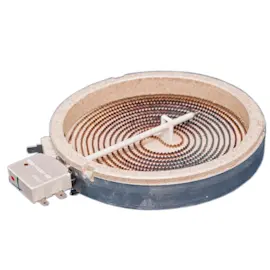
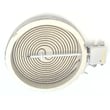
| One zone won’t heat | Range radiant surface element, 6-in 5300W1R004A | Provides heat for a single 6-inch cooking zone |
| Dual zone won’t heat or won’t expand | Cooktop dual radiant element 5300W1R007A | Heats a dual-size cooking zone for different pan sizes |
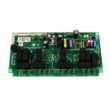
| Hot surface light acts wrong | Cooktop indicator light circuit board EBR56867401 | Drives hot surface/indicator light logic |
| Touch controls act erratic | LG cooktop touch control board EBR84545303 | Interprets touch inputs and sends commands |
Why it matters
A cooktop that will not shut off or heats unpredictably is a safety risk and can damage the glass top or wiring. Catching a failing radiant element or control board early helps prevent repeated overheating and nuisance shutdowns.
Where to confirm model-specific operation
Use the LCE3010SB owner's manual to verify control pad functions (POWER ON/OFF, CHILD LOCK), dual-zone activation steps, and normal hot surface indicator behavior.
Last updated: February 2026
What is the weight of the LCE3010SB?
The LG LCE3010SB electric cooktop weighs 34.2 lb (product weight). If you are moving or shipping it, the carton weight is 41.2 lb, which includes packaging materials.
Where these weights are used
- Product weight (34.2 lb): lifting the cooktop into the countertop cutout
- Carton weight (41.2 lb): freight, shipping labels, and carrier limits
- Planning help: choosing a safe two-person lift and protecting the glass top
Quick reference
| Weight type | Weight | What it includes |
|---|---|---|
| Product | 34.2 lb | Cooktop only |
| Carton | 41.2 lb | Cooktop plus packaging |
Why it matters
Knowing both weights helps prevent cracked ceramic glass, cabinet damage, and back strain. For installation planning, it also pairs well with the cooktop’s overall size and cutout requirements listed in the LCE3010SB owner's manual.
Handling tips we recommend
- Lift with two people and keep the cooktop level
- Avoid grabbing by the glass edge; support from the underside when possible
- Set it on a padded surface (cardboard or a towel) before positioning
- Keep screws and brackets organized so nothing contacts the glass
Last updated: February 2026