Owner’s manual
 Error Codes


What is the lifespan of an LG refrigerator?
LG refrigerators typically last 10 to 15 years. For the LG LLMXS3006S, that same 10 to 15-year lifespan is the practical expectation; how close you get to the high end depends most on airflow (clean coils), door seal condition, and keeping filters maintained per the LLMXS3006S owner's manual.
What affects lifespan the most
- Condenser coil cleanliness (dust buildup makes the compressor work harder)
- Door gasket seal (air leaks cause longer run times and frost issues)
- Stable temperatures (avoid frequent warm-ups from long door openings)
- Water and air filter maintenance (helps performance and reduces odors)
- Installation conditions (proper clearances and leveling reduce strain)
Maintenance schedule we recommend
| Item | What to do | Typical interval |
|---|---|---|
| Condenser area | Vacuum and brush dust from coils and airflow paths | Every 6 to 12 months |
| Air filter | Replace to keep odors down | About every 6 months |
| Water filter | Replace and reset filter indicator | About every 6 months |
| Door gaskets | Clean and check for gaps/tears | Every 3 to 6 months |
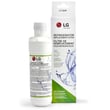
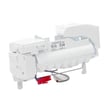
If you need the correct replacement filter for this model, match by model number and use the LG lt1000p refrigerator water filter ADQ74793501 and the LG kenmore refrigerator air filter ADQ73214408 as your compatibility reference points.
Why it matters
A refrigerator that runs longer and hotter than it should (often from dirty coils or a poor door seal) puts extra wear on sealed-system components like the compressor. Keeping airflow and seals in good shape is the simplest way to protect cooling performance and extend service life.
Last updated: January 2026
Why does my LG freezer keep icing up at the bottom?
On the LG LLMXS3006S, ice building up as a sheet on the freezer floor is most often caused by a defrost drain that is partially or fully blocked, so meltwater cannot flow to the drain pan and instead refreezes at the bottom. Use the steps below to clear the drain and stop repeat icing.
What to check first (quick triage)
- Look for a solid ice slab under the lower drawer or basket.
- Check for water dripping, then freezing, after a defrost cycle.
- Inspect the freezer door gasket for gaps that can add moisture.
- Confirm the freezer is closing fully and not being held open by packages.
How we recommend fixing it
- Unplug the refrigerator and remove food from the freezer drawers.
- Manually defrost the ice: leave the freezer door open and place towels to catch water.
- Once the ice softens, remove the ice sheet carefully (do not chip with sharp tools).
- Clear the drain path: flush the drain opening with hot water (a turkey baster works well) until it flows freely.
- Reassemble, restore power, and monitor for 24 to 48 hours.
For model-specific access and safety notes, follow the defrosting and maintenance guidance in the LLMXS3006S owner’s manual.
Common causes and what they look like
| What you see | Most likely cause | What usually fixes it |
|---|---|---|
| Ice only on freezer floor | Clogged/iced-over defrost drain | Defrost and flush drain with hot water |
| Frost on walls plus bottom ice | Door not sealing or left ajar | Re-seat drawers, check gasket contact |
| Water pooling then freezing repeatedly | Drain re-freezing | Improve airflow, confirm drain is fully clear |
Why it matters
A blocked drain forces water to refreeze inside the freezer, which can reduce storage space, cause drawer binding, and increase run time. Clearing the drain restores normal defrost water flow and helps prevent recurring ice buildup.
Last updated: January 2026
What is the most common problem with the LG refrigerator?
Cooling problems are the most common issue we see reported across LG refrigerators, and they typically show up as warm temperatures in the fresh food section, the freezer, or both. For the LG LLMXS3006S, start with the basic airflow and maintenance checks in the LLMXS3006S owner's manual before assuming a major component has failed.
What “cooling problem” usually means
Most “not cold enough” complaints trace back to one of these conditions:
- Dirty condenser area restricting heat removal
- Poor airflow inside the compartments (blocked vents, overpacked shelves)
- Doors not sealing or not closing fully
- Fan-related airflow issues
- A sealed-system or compressor-related problem
Quick checks we recommend first (no parts needed)
Use these steps to narrow the cause fast:
- Confirm set temps are reasonable (typical targets: 37°F refrigerator, 0°F freezer)
- Make sure the doors close easily and the mullion folds in properly
- Leave space around interior vents; do not pack food tightly against the back wall
- Clean dust from the condenser area and ensure the unit has proper rear clearance
- Give the refrigerator 2 to 3 hours to stabilize after changes (or longer after loading warm food)
When a part is commonly involved
If basic checks do not help and temperatures keep rising, these model-compatible parts are often involved in cooling complaints:
| Symptom | Common suspect | Example model-compatible part |
|---|---|---|
| Warm fridge/freezer, unit runs a lot | Compressor or sealed-system issue | Compressor TCA36811409 |
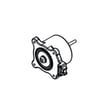
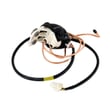
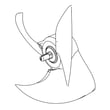
| Warm temps, poor heat removal, noisy rear area | Condenser fan not moving air | Refrigerator condenser fan motor EAU65058502 |
Why it matters
A refrigerator that cannot remove heat efficiently will run longer, waste energy, and struggle to keep food at safe temperatures. Catching airflow or condenser issues early can prevent bigger failures.
Last updated: January 2026
How to tell if an LG compressor is bad?
On the LG LLMXS3006S, a “bad compressor” usually shows up as poor or no cooling even though the refrigerator has power; you may also hear repeated clicking from the lower rear area or notice the compressor is silent when it should be running. Use the LLMXS3006S owner’s manual to confirm normal operating sounds and basic checks before service.
Quick symptoms that point to a compressor problem
- Refrigerator and freezer temperatures keep rising over several hours.
- Repeated clicking every few minutes from the back or bottom (start attempt then shutoff).
- Compressor is very hot to the touch area (do not touch bare tubing) and still not cooling.
- Interior lights and control panel work, but cooling does not recover.
- Condenser fan runs but the compressor does not stay running.
What to check first (often not the compressor)
Before assuming the compressor is bad, we recommend these model-appropriate checks:
- Make sure the control panel is not in a store display mode and temperatures are set normally.
- Confirm doors seal and close fully; warm air leaks can mimic a cooling failure.
- Clean dust from condenser area and verify airflow at the back/bottom.
- Listen for the condenser fan near the compressor; no airflow can cause overheating.
- If an error code is present, use LG bottom freezer refrigerator error codes to narrow the cause.
Simple “what you see” guide
| What you observe | More likely cause | Next step |
|---|---|---|
| Clicking, no sustained hum | Start device/control issue or compressor locked | Professional diagnosis recommended |
| Hums briefly then clicks off | Overload tripping (overheat/overcurrent) | Check airflow, then service |
| Runs constantly, still warm | Sealed system issue or weak compressor | Service required |
| No sound at all from bottom | Control/board, wiring, or compressor not being powered | Check error codes, then service |
If replacement is needed
For this model family, the compressor is a sealed-system repair and typically requires a qualified technician (refrigerant handling and brazing). If testing confirms failure, the compatible replacement part is the compressor TCA36811409.
Why it matters
A compressor diagnosis affects both cost and downtime. Ruling out airflow, settings, and fan issues first helps avoid replacing major parts unnecessarily and gets your LG refrigerator cooling again faster.
Last updated: January 2026