Error Codes


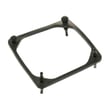

How do you put the bottom grill on a GE refrigerator?
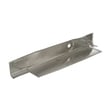
On your GE GWE23GYNHFS bottom-mount refrigerator, the bottom grill (base grille) typically installs by aligning its tabs with the slots along the lower front frame, snapping or sliding it into place, then reinstalling any retaining screws (if your version uses them). Make sure it sits flush so airflow to the condenser area is not blocked.
Before you start
- Unplug the refrigerator or switch off power at the breaker.
- Pull the refrigerator forward a few inches for easier access.
- Remove the toe-kick area items (if any) so the grill can seat fully.
- Confirm you have the correct grill style for your exact model.
How to reinstall the bottom grill (base grille)
- Position the grill: Hold the grill centered at the bottom front of the refrigerator.
- Align the mounting points: Line up the grill’s tabs/clips with the matching slots or brackets on the cabinet base.
- Seat the grill: Push straight in until it snaps in, or slide it into the side rails (depending on the design).
- Secure screws (if equipped): Reinstall the screws with a Phillips screwdriver and snug them down.
- Check fit: The grill should be even across the front and not bow outward.
Quick checks if it will not stay on
- Tabs are not lined up with the slots; remove and realign.
- Grill is upside down; flip it and try again.
- A bracket is bent or missing; straighten the bracket or replace the damaged mounting hardware.
- The refrigerator is not level; leveling can change how the grill lines up.
Why it matters
The bottom grill helps protect the condenser area and supports proper airflow. If it is loose or missing, dust buildup and restricted airflow can contribute to warmer temperatures and longer run times.
Related parts that can affect cooling (if you are troubleshooting)
| Symptom | Common area to check | Example part for this model |
|---|---|---|
| Warm fresh food section | Temperature sensing and control | GE profile refrigerator temperature sensor WR55X10025 |
| Poor airflow or warm temps | Evaporator fan operation | Refrigerator fan motor WR60X35205 |
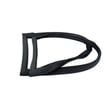
| Door not sealing well | Gasket and alignment | Refrigerator freezer door gasket WR14X36194 |
Last updated: February 2026
What does the number 23 signify?
On the GE GWE23GYNHFS refrigerator, the “23” is part of the model series name and is commonly used to indicate the approximate capacity class (about 23 cubic feet) for this bottom-mount style, not a special code or warning. For model-specific features, we focus on the parts list for GWE23GYNHFS.
What “23” usually means on refrigerators
Manufacturers often use a number in the model name to group similar-size units. For many GE refrigerators, “23” aligns with a 23 cu ft class, which helps distinguish it from smaller or larger platforms.
What it is not:
- Not an error code
- Not a temperature setting
- Not a serial number indicator
- Not a door alarm code
Why it matters when buying parts
Knowing “23” is a size class helps you avoid ordering parts by “capacity guess” alone. The correct match is always your full model number (GWE23GYNHFS) because parts like sensors, boards, and gaskets vary by revision.
Parts that are model-specific on GWE23GYNHFS
If you are troubleshooting cooling, leaks, or door sealing, these common parts are tied to the exact model configuration:
- GE profile refrigerator temperature sensor WR55X10025 (temperature sensing for control logic)
- Refrigerator fan motor WR60X35205 (airflow through evaporator and compartments)
- Refrigerator freezer door gasket WR14X36194 (prevents warm air leaks and frost)
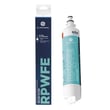
- GE refrigerator water filter RPWFE (water quality and dispenser flow)
Quick guide: “23” vs what you should use
| Item you see | What it typically indicates | What to use for parts ordering |
|---|---|---|
| “23” in the model name | Approximate capacity class | Full model number: GWE23GYNHFS |
| Serial number | Production tracking | Use only if a part list asks for it |
| Display code | Operating status or fault | Use a GE error code reference |
Helpful next step if you saw “23” on the display
If you are actually seeing “23” on the control panel (not on the model tag), treat it like a display reading or code and check GE refrigerator error codes.
Last updated: February 2026
What is the most common problem with GE GWE23GYNHFS refrigerators?
The most common issues we see with the GE GWE23GYNHFS refrigerator are ice maker and cooling complaints, especially a warm fresh food section, weak airflow, or temperature swings. These problems usually trace back to airflow (fan or frost buildup), temperature sensing, or control electronics.
Most common symptoms customers report
- Ice maker not making ice, slow ice production, or clumping
- Fresh food section warm but freezer still cold
- Frost buildup that blocks vents and reduces airflow
- Unusual fan noise or no fan sound when the doors are closed
- Temperature display seems normal but food temperatures are off
Parts that commonly relate to these problems
If you are troubleshooting cooling or ice maker performance on this model, these parts are frequent suspects:
| Symptom | What to check first | Example part for GWE23GYNHFS |
|---|---|---|
| Warm refrigerator, freezer OK | Evaporator airflow and fan operation | Refrigerator fan motor WR60X35205 |
| Temperature swings or inconsistent cooling | Thermistor (temperature sensor) readings and placement | GE profile refrigerator temperature sensor WR55X10025 |
| Random behavior, dead display, intermittent cooling | Control and communication issues | Main board asm reflashed WR55X46805 |
| Poor water flow, bad taste, ice issues tied to water | Filter restriction or overdue filter | GE refrigerator water filter RPWFE |
Quick checks before replacing parts
- Confirm the doors seal tightly; a gap can cause frost and warm temps (inspect the gasket for tears and warping).
- Make sure vents inside the fresh food section are not blocked by food packages.
- Listen for the evaporator fan; if airflow is weak, cooling problems show up first in the refrigerator section.
- If the unit is making ice slowly, replace the water filter and purge air from the dispenser line.
- If you see an error code, use GE refrigerator error codes to match the code to the most likely failure area.
Why it matters
On a bottom-mount GE refrigerator like the GWE23GYNHFS, the freezer section drives most of the cooling. When airflow, sensing, or the main board is off, the refrigerator compartment is usually the first place you notice warming, and ice production often drops at the same time.
Last updated: February 2026