Installation guide
 Owner’s manual
 Error Codes




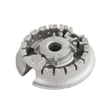
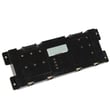



Where can I find my Kenmore Elite oven model number?
On the Kenmore Elite gas range model 79075403500, the model number is printed on the serial plate located on the oven front frame behind the drawer (right side of the drawer body). Use that exact model number when ordering parts or service; see the 79075403500 owner's manual.
Where to look on the range
Pull out the storage/warming drawer and check the serial plate area:
- Open the drawer fully and look along the oven front frame behind the drawer
- Check the right side of the drawer body for the serial plate
- Look for fields labeled Model No. and Serial No.
- Write down the full model number (for example, 79075403500) and the serial number
- Keep the information with your purchase records for future reference
What the serial plate tells you (and what to record)
The serial plate includes more than just the model number. Recording these details helps ensure you get the correct Kenmore range parts.
| Serial plate item | Why it matters |
|---|---|
| Model number | Matches the correct parts diagrams and replacement parts |
| Serial number | Identifies the production run for your specific range |
| Lot number/letter (if shown) | Helps narrow down part variations |
| Fuel type and pressure info | Confirms how the range was set up from the factory |
Why it matters
Kenmore Elite ranges often share similar styling across multiple models, but parts like an oven igniter, temperature sensor, or control board can vary by model. Using the serial plate model number helps prevent ordering the wrong part and delays in repair.
Last updated: February 2026
How do you reset a Kenmore gas oven?
To reset a Kenmore Elite gas range like model 79075403500, we recommend turning the oven controls OFF, then power-cycling the range at the breaker for about 1 minute to reboot the electronic control. After power is restored, re-set the clock and test BAKE or BROIL.
Quick reset steps (most common)
- Turn all oven and surface burner knobs to OFF.
- If the oven is running, let the burner shut down fully.
- Switch the range OFF at the circuit breaker (or unplug if accessible).
- Wait 60 seconds.
- Restore power.
- Set the clock, then start a short BAKE test.
For control and lockout features specific to this model, follow the steps in the 79075403500 owner's manual.
If the oven is locked (LOC shows on the display)
This model uses an oven lock feature that prevents the oven from being accidentally turned on. Canceling the lock often “fixes” what looks like a no-heat problem.
- Press and hold the Oven Lock key for about 3 seconds.
- Wait for the door lock motor to finish; the lock indicator should stop flashing.
- Try BAKE again.
| Symptom | What to do | What it tells you |
|---|---|---|
| Display shows LOC | Cancel oven lock | Control was in lockout mode |
| No heat and no ignition sound | Power-cycle reset | Control may be glitched or not powered |
| Igniter glows but no flame | Check ignition system | Likely igniter or gas delivery issue |
When a “reset” will not restore heat
If the control resets but the oven still will not ignite, the issue is usually in the ignition or temperature-sensing system, not the keypad.
Common parts involved on this model:
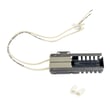
- Range bake igniter 5303935066 (bake burner ignition)
- Range broil igniter 318177730 (broil burner ignition)
- Frigidaire range oven temperature sensor 316217002 (temperature feedback to the control)
Why it matters
This range uses electrical ignition for the oven and broiler; if the control is confused or power is interrupted, a reset can restore normal operation. Also, the oven and broiler cannot operate during a power failure, even though surface burners can be lit manually.
Last updated: February 2026
Why is my Kenmore Elite oven not working?
If your Kenmore Elite 79075403500 oven is not working, the most common causes are a power issue, a control setting (including Sabbath mode), or a failed heating component such as the bake igniter. Start with basic reset and settings checks, then move to igniter and sensor troubleshooting.
Quick checks first (fastest fixes)
- Confirm the range has power; the display and oven control should respond.
- If there was a recent outage, make sure the oven is turned OFF and then set again (the manual warns not to operate during a power failure). See the 79075403500 owner's manual.
- Check for SAb on the display; Sabbath mode can prevent normal operation until it is turned off.
- If the control is beeping and showing an F code (example: F11), the electronic control has detected a fault.
- Try a simple control reset: cancel the cycle, wait 1 minute, then set Bake again.
What to check based on the symptom
| Symptom | Most likely cause | What we recommend |
|---|---|---|
| No heat in Bake, broil may work | Weak or failed bake igniter | Inspect and replace the range bake igniter 5303935066 if it does not glow or will not light the burner |
| No heat in Broil, bake may work | Broil igniter issue | Check broil ignition and wiring; replace the broil igniter if needed |
| Oven heats but temperature is wrong | Temperature sensor out of range | Test/replace the frigidaire range oven temperature sensor 316217002 |
| Beeping with an F code | Control or keypad fault, wiring issue | Power off at breaker, check connections; service may be needed |
Why the bake igniter is a top suspect
On gas ranges, the bake igniter must draw enough current to open the gas valve and ignite the bake burner. A weak igniter can glow but still fail to light the burner, leading to “oven not heating” complaints.
Safety and service notes
- Turn off power at the breaker before accessing wiring or components.
- If you smell gas, turn off the main gas shutoff valve and stop troubleshooting.
- For control-board faults or repeated F codes, professional diagnosis is often the fastest path.
Helpful reference
- Use the troubleshooting and control-setting sections in the 79075403500 owner's manual (including “Before You Call” and Sabbath feature details).
Last updated: February 2026