Installation guide
 Owner’s manual





How do I reset a Kenmore microwave?
To reset your Kenmore microwave/hood combo model 72180529500, unplug it (or switch off the breaker) for about 1 minute, then restore power and set the clock. This clears most control glitches and returns the keypad to normal operation.
Quick reset steps (recommended)
- Press STOP/CLEAR once to cancel any active cooking cycle.
- Unplug the microwave or turn OFF the circuit breaker.
- Wait 60 seconds (2 minutes if the display stays lit).
- Restore power.
- Re-set the clock and test with a 1-cup water heat test.
What to try if the microwave still will not run
Many “needs a reset” complaints are actually a door, power, or control condition.
- Make sure the door is fully closed and latched.
- Confirm you pressed START after entering a cook time.
- If you were using the kitchen timer, press STOP/CLEAR to cancel it.
- Check the home circuit breaker or household fuse.
- Try a different outlet (the unit needs a properly grounded 3-prong outlet).
Troubleshooting guide: symptom to check
| Symptom | Most likely check | What we do next |
|---|---|---|
| Display is blank | No power at outlet, breaker tripped | Restore power, then do the 60-second reset |
| Display works, won’t start | Door not latched, cycle not canceled | Press STOP/CLEAR, re-close door, press START |
| Runs but no heat | Heating circuit issue | Use the heating troubleshooting steps in the manual |
Why it matters
A power reset clears a “stuck” control state, but it also helps us confirm whether the issue is power supply, door interlock operation, or a heating-system problem. If the microwave runs but does not heat, focus on heating diagnostics instead of repeated resets.
For model-specific control and troubleshooting details, use the 72180529500 owner's manual. For mounting and power connection requirements, use the 72180529500 installation guide.
Last updated: February 2026
How to change over stove Kenmore microwave light bulb?
To change the light bulb on your Kenmore microwave/hood combo model 72180529500, disconnect power, remove the vent grille and bulb cover/holder as shown in the 72180529500 owner's manual, then install a 30-watt replacement bulb and reassemble.
Safety first (important)
Microwave/hood combos contain high-voltage components even when not cooking. For a simple light-bulb change, we follow the manual steps and keep the repair limited to the grille and light housing.
- Unplug the microwave or switch off the circuit breaker before starting
- Let the bulb cool completely
- Use a stable step stool and good lighting
- Do not touch internal wiring or high-voltage parts
- Do not overtighten screws into plastic parts
Cooktop light bulb replacement steps (over-the-range light)
These steps match the manual’s “Replacing the cooktop and oven lights” section.
- Disconnect power (unplug or breaker off).
- Remove the vent grille mounting screws.
- Tip the grille forward, then lift it out.
- Remove the bulb cover mounting screws.
- Lift up and remove the bulb holder/cover as needed.
- Replace the bulb with a 30-watt bulb.
- Reinstall the bulb holder/cover, then reinstall the vent grille and screws.
- Restore power and test the light.
Which bulb do I need?
For this Kenmore 72180529500 microwave/hood combo, the manual specifies a 30-watt bulb for the cooktop light.
| What you are replacing | What to match | What to avoid |
|---|---|---|
| Cooktop light bulb | 30-watt rating, same base as original | Higher wattage (can overheat the lens/housing) |
Why it matters
Using the correct wattage helps prevent heat damage to the light lens and housing, and it keeps the vent area operating as designed while you cook on the range.
Last updated: February 2026
How much clearance for microwave above stove?
For Kenmore model 72180529500 (over-the-range microwave/hood combo), plan for at least 30 inches of clearance from the cooking surface to the bottom of the cabinet/microwave installation area. This minimum spacing helps protect the microwave, supports proper ventilation, and keeps the unit at a safe working height; see the 72180529500 installation guide.
Minimum clearances to follow
Use these baseline measurements during layout and mounting:
- 30 inches minimum from the cooking surface to the bottom of the upper cabinet (the microwave mounts under this cabinet)
- 30 inches minimum cabinet opening width for the microwave to fit properly
- Mount to a flat, vertical wall with adequate structure (studs and proper wall material)
- Ensure the upper cabinet and rear wall can support 150 lb, plus the microwave and any items stored above
Quick reference table
| Measurement | Minimum for 72180529500 | What it affects |
|---|---|---|
| Cooking surface to bottom of upper cabinet | 30 in. | Heat clearance and safe mounting height |
| Cabinet opening width | 30 in. | Fit and alignment of mounting plate |
| Dedicated electrical supply | 120V, 60Hz, 20A fused | Reliable power and nuisance trip prevention |
Why this clearance matters
Over-the-range microwaves sit directly above heat, steam, and grease. Keeping the 30-inch minimum clearance helps reduce heat stress on internal components, improves capture of cooking vapors through the vent system, and gives you enough room to safely use the cooktop.
Installation tips that prevent rework
- Verify the cooktop-to-cabinet measurement before drilling any holes.
- Use the included templates and keep the mounting plate level.
- Attach at least one lag screw into a wall stud for proper support.
- Use a dedicated 20A circuit as specified to avoid power issues.
Last updated: February 2026
Where is the fuse on a Kenmore microwave model 72180529500?
On the Kenmore microwave/hood combo model 72180529500, the main microwave fuse is typically mounted on or near the noise filter/control area behind the top grille, close to where the power cord enters the unit. Access usually starts by removing the top grille screws and sliding the grille off.
Before you access the fuse (important safety)
Microwaves store high voltage even when unplugged, so we treat fuse access as an electrical repair.
- Unplug the microwave or switch off the circuit breaker
- Confirm the display is off
- Use a stable step stool and have a second person help if needed
- Do not touch any high-voltage components (capacitor, diode, magnetron area)
- If you see burned wiring or melted plastic, stop and schedule service
For model-specific cabinet access and fastener locations, follow the 72180529500 installation guide.
How to get to the fuse on this over-the-range style
Most Kenmore over-the-range units like 72180529500 use this access path:
- Remove the top vent grille (usually 2 screws across the top edge).
- With the grille off, locate the control panel mounting screw(s).
- Tilt the control panel forward to expose the wiring area.
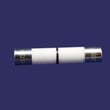
- Look for a small ceramic or glass fuse in a clip holder near the incoming power leads.
What the fuse location is near
| What you see | What it helps you identify |
|---|---|
| Power cord entry area | Fuse is commonly close by to protect the line circuit |
| Control board housing | Fuse is often mounted on the noise filter or line input side |
| Fuse clip holder | The fuse snaps into spring clips (no threads) |
If the fuse is blown, check the common causes first
A blown fuse is often a symptom, not the root problem. Common causes include:
- Door not closing fully or a failed door switch
- Shorted wiring at the control panel
- Failed internal component causing an overcurrent event
- Slamming the door while the microwave is running
If you’re replacing the fuse, use the correct replacement for this model, such as the microwave fuse 3B74133Q. For step-by-step replacement guidance, use how to replace a microwave fuse.
Why it matters
The fuse protects the Kenmore 72180529500 from electrical damage. Replacing a fuse without addressing a bad door interlock switch or shorted wiring can cause the new fuse to blow immediately.
Last updated: February 2026
Are Kenmore microwaves good?
Kenmore microwaves are a solid choice for most kitchens because they typically deliver good everyday performance and features for the price. For the Kenmore 72180529500 microwave/hood combo, long-term satisfaction mainly comes down to correct installation, proper venting, and basic care like keeping filters clean (details are in the 72180529500 owner's manual).
What “good” means for a microwave/hood combo
A microwave/hood combo has two jobs: heating food and moving cooking smoke and grease. In real-world use, “good” usually comes down to these factors:
- Consistent heating on common settings (reheat, timed cook, defrost)
- Reliable door operation and safety interlocks
- Effective exhaust fan performance for your venting setup
- Easy-to-maintain filters and lights
- Reasonable parts availability for wear items
What we see most often with Kenmore microwave ownership
Kenmore models tend to earn positive feedback when they are installed correctly and maintained. The most common complaints we see across over-the-range microwaves are not brand-specific; they are usually tied to ventilation setup, heavy grease exposure, or electrical issues.
| What you notice | Most common cause | What to do first |
|---|---|---|
| Microwave runs but food is not heating | High-voltage circuit issue | Use the why is my microwave not heating checklist; stop using it if heating is inconsistent |
| Dead display or no power | Blown fuse or power supply issue | Check the house breaker; then consider the microwave fuse 3B74133Q |
| Poor venting or lingering odors | Dirty or missing filters, wrong vent configuration | Clean/replace filters; confirm venting method in the 72180529500 installation guide |
Why it matters
A microwave/hood combo like Kenmore 72180529500 depends on airflow and safety systems as much as cooking power. Keeping grease filters clean and ensuring the unit is mounted and vented correctly helps prevent overheating, nuisance shutdowns, and premature part wear.
Last updated: February 2026
How big is a Kenmore microwave model 72180529500 in inches?
The Kenmore microwave/hood combo 72180529500 measures 29 7/8 inches wide, 16 3/4 inches high, and 15 3/8 inches deep (overall exterior dimensions). For cabinet drilling, venting, and mounting-plate placement, use the diagrams in the 72180529500 installation guide.
Dimensions you will use most
- Width: confirms fit in a standard 30-inch cabinet opening
- Height: confirms clearance to the upper cabinet
- Depth: confirms how far the unit projects past the cabinet face
- Mounting plate location: determines wall fastener placement
- Top-cabinet hole pattern: determines where to drill for bolts and cord
Quick reference table
| Measurement | Size (inches) | What it affects |
|---|---|---|
| Width | 29 7/8 | Side-to-side fit between cabinets |
| Height | 16 3/4 | Clearance under the upper cabinet |
| Depth | 15 3/8 | Front overhang, door swing, vent alignment |
How to double-check fit before you buy or install
- Measure the opening between cabinets; most over-the-range installs are designed for a 30-inch space.
- Measure from the back wall to the cabinet face to visualize overhang.
- Confirm your electrical outlet and vent path match the options shown in the 72180529500 installation guide.
- Verify the model tag on the oven front matches 72180529500.
Why it matters
Even small differences in depth and mounting-hole locations can affect whether the microwave sits level, vents correctly, and clears cabinet doors. Using the correct model-specific dimensions prevents re-drilling and vent misalignment.
Last updated: February 2026
How many cubic feet is a Kenmore model 72180529500 microwave?
The cooking capacity (cubic feet) for Kenmore microwave/hood combo model 72180529500 is listed in the product specifications section of the 72180529500 owner's manual. Use that spec as the correct capacity for your exact unit, based on the model label inside the door area.
Where to find the capacity for model 72180529500
Capacity is published as a specification (often shown as “oven capacity” or “cavity capacity”). Use these steps to locate it quickly:
- Open the microwave door and find the model number label on the oven front frame.
- Confirm the model number matches exactly: 72180529500.
- Open the Specifications section in the 72180529500 owner's manual.
- Look for “capacity” listed in cu. ft. (or sometimes liters).
- If you are measuring cookware fit, compare the dish size to the cavity dimensions listed near the specs.
Quick reference: capacity vs. dimensions
| What you are checking | What it tells you | Best source |
|---|---|---|
| Capacity (cu. ft.) | Interior volume rating | Specifications in the manual |
| Cavity dimensions | Whether a dish physically fits | Specifications in the manual |
| Cutout and mounting needs | Cabinet clearance and venting fit | 72180529500 installation guide |
Why it matters
Capacity affects what cookware fits, how much food you can heat at once, and whether a replacement over-the-range microwave will match your existing cabinet and venting setup.
Last updated: February 2026
What is the code e12 on a Kenmore microwave?
On Kenmore microwave/hood combo model 72180529500, an E12 code is treated as a control-detected fault that needs a power reset first; if it returns, the next step is checking wiring connections and sensor-related circuits per the service information in the 72180529500 owner's manual.
How to clear E12 (safe reset)
- Turn the microwave off at the dedicated circuit breaker.
- Wait 60 seconds.
- Turn the breaker back on.
- Watch the display for 1 minute.
- If E12 returns, stop using the microwave until checks are completed.
What to check if E12 comes back
E12 is most often caused by an intermittent electrical connection or a component input the control cannot read correctly.
- Confirm the door closes firmly and latches normally.
- Inspect harness plugs for looseness, discoloration, or heat damage.
- Check for pinched wires near the vent grille and control area.
- Make sure airflow is not blocked by grease buildup or a clogged filter.
- If the unit is also shutting off from heat, check the overheat protection circuit.
Parts that commonly relate to shutdown or fault behavior
These parts do not define E12 by themselves, but they are common checks when a microwave shows an error and stops or loses power.
| Symptom you notice with E12 | What it points to | Example model-matched part |
|---|---|---|
| Display goes dead or resets | Line protection opened | Microwave fuse 3B74133Q |
| Stops during use, then works later | Overheat protection opening | Microwave thermal cut-off 6930W1A003K |
| Door must be slammed to run | Door switch circuit issue | Microwave door interlock switch (model-matched) |
Why it matters
When the control shows E12, it is protecting the microwave from operating with an unreliable input. Repeated E12 can lead to no-heat symptoms, unexpected shutdowns, or nuisance tripping.
Last updated: February 2026