 Owner’s manual


How to reset garage door openers?
To reset a Craftsman garage door opener like model 13953927, you typically erase all programmed remotes/keypads using the opener’s LEARN/PROGRAM button, then reprogram each device. This clears old access codes, which is especially important after moving into a new home (see the owner's manual).
Reset (erase) all remotes and keypads
- Locate the LEARN/PROGRAM button on the motor unit (usually near the antenna wire/light cover area).
- Press and hold the button until the indicator light goes out (commonly about 6 to 10 seconds).
- Release the button; all previously learned remotes and keyless entries are now erased.
What gets cleared
- Handheld remote controls
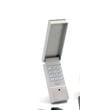
- Wireless keyless entry keypad (if equipped)
- Vehicle-integrated remote programming (if paired to the opener)
- Any extra remotes added over time
Reprogram your remote(s) after the reset
After erasing, program each remote one at a time:
- Press and release the LEARN/PROGRAM button.
- Within 30 seconds, press and hold the remote button you want to use.
- Release when the opener light blinks or you hear a click.
| Task | Result | What to do next |
|---|---|---|
| Erase memory | Old devices stop working | Reprogram every remote/keypad |
| Program remote | Remote works again | Repeat for each remote |
Why it matters
A reset restores control of who can open your garage. It also helps when you add a new remote, replace a keypad, or troubleshoot intermittent remote operation.
If the door will not close after resetting
If the opener runs but the door will not close from a remote, check the safety reversing sensors. The manual notes the door will not close from a remote if a sensor indicator light is off (misaligned or obstructed).
- Make sure both sensor lights are on and steady
- Remove anything blocking the sensor beam
- Confirm sensors are aligned and mounted low near the floor
- Retest door travel and safety reversal after any adjustments
For related troubleshooting, use Craftsman error codes.
Last updated: February 2026
How to find out garage door opener type?
To identify the opener type for your Craftsman model 13953927, start by identifying your garage door type (sectional vs one-piece) and then confirm the opener’s drive style (chain, belt, or screw) by looking at the rail and trolley assembly shown in the owner's manual.
Step 1: Identify your garage door type (this affects setup)
Your manual calls this out during planning because installation steps vary by door style.
- Sectional door: multiple horizontal panels with hinges; usually runs on tracks
- One-piece door: a single solid panel; may be trackless or use special hardware
- Check the door’s highest travel point and how it moves in the opening
- Note whether you have a torsion spring or other hardware that affects header bracket placement
Quick door-type check
| What you see | Most likely door type | Why it matters |
|---|---|---|
| Hinged panels + tracks | Sectional | Standard opener mounting and bracket steps |
| One solid panel | One-piece | Different arm/bracket geometry and positioning |
Step 2: Identify the opener drive type (what most people mean by “type”)
Look at the rail above the door and the motor unit.
- Chain drive: metal chain visible along the rail
- Belt drive: rubber or reinforced belt (often looks like a toothed belt)
- Screw drive: a threaded steel rod running down the rail
- Trolley: the moving carriage on the rail; it connects to the door arm and helps you spot the drive mechanism
Step 3: Confirm the control and safety system style
Most openers use a wall control and photo-eye safety sensors.
- Check for safety reversing sensors near the floor on both sides of the door
- Look for a door control button (wall control) inside the garage
- If your opener has diagnostic flashes or codes, use Craftsman error codes to match symptoms to the right system checks
Why it matters
Door type and opener drive type determine the correct adjustment steps (force, travel limits), compatible replacement parts, and the right troubleshooting path when the door will not open, will not close, or reverses unexpectedly.
Last updated: February 2026
How do I know what model my garage door opener is?
Your garage door opener’s model is printed on an ID label on the motor unit (the power head mounted to the ceiling). For Craftsman model 13953927, you’ll also see the model shown in the documentation; use that same label information when ordering parts or troubleshooting with the owner's manual.
Where to look on the opener
Check the motor unit housing first; the label is usually under a light lens/cover or behind a front cover.
- Unplug the opener (or turn off the breaker) before removing any cover
- Look under the light lens/cover (common on one-light and two-light units)
- Check behind the front cover on the motor unit (common on some designs)
- Write down the full model number and any serial/date code on the label
- Take a clear photo of the label for reference
What to record from the label
Having the exact ID info prevents ordering the wrong parts and speeds up diagnosis.
| What to capture | Example format | Why it matters |
|---|---|---|
| Model number | 139.53927 or 13953927 | Matches the correct parts list and manual |
| Serial/date code | Varies by unit | Helps identify production version |
| Motor type/HP | Often listed (example: 1/2 HP) | Helps match drive and motor components |
Why it matters
Craftsman openers can look similar across multiple model numbers. Using the exact model from the motor-unit label ensures you get the right troubleshooting steps, remote programming instructions, and compatible replacement parts.
Next step if you’re troubleshooting
If the opener is flashing lights or showing a diagnostic pattern, use the Craftsman-specific guide to interpret it: Craftsman error codes.
Last updated: February 2026
Where can I buy Craftsman garage door opener parts?
You can buy replacement parts and accessories for your Craftsman garage door opener model 13953927 through Sears PartsDirect by using the model-specific parts listing and diagrams. We also recommend checking the Repair parts and Accessories sections in the owner's manual to confirm what you need before ordering.
Best way to find the right part for model 13953927
- Match the part to the exact model number 13953927 (this avoids fit and wiring mismatches).
- Use the exploded-view diagrams to identify the correct assembly (rail, motor unit, sensors, wall control).
- Cross-check the part name against the manual’s Repair parts pages.
- If you are adding an accessory (remote, keyless entry, rail extension), confirm compatibility in the manual.
- Order by the exact part listing shown for your model to avoid look-alike components.
Common parts and accessories customers replace
The manual for Craftsman 13953927 lists common accessory items such as:
- Keyless entry keypad
- 3-function remote controls
- Premium control console (wall control)
- Safety sensor mounting and support hardware
- Rail extension kits (for taller doors)
Quick guide: what you are buying
| Item type | What it does | When you typically need it |
|---|---|---|
| Safety reversing sensors | Prevents the door from closing on an obstruction | Door will not close, lights blink, sensors misaligned |
| Remote control / keyless entry | Operates the opener from car or outside | Lost remote, adding users, intermittent remote operation |
| Wall control console | Controls door and light from inside garage | Wall button not working, lock feature issues |
| Rail/drive components | Transfers motor movement to the door | Door moves inconsistently, grinding/clicking, stripped gears |
Why it matters
Garage door opener parts are model-specific; using the correct Craftsman 13953927 components helps ensure safe operation and proper travel limits, force settings, and sensor performance.
Helpful troubleshooting before you order
If you are buying parts because the opener is acting up, use these resources to narrow it down first:
- Craftsman error codes
- How to maintain a garage door opener
- Garage door opener remotes wont work video
Last updated: February 2026
How to find a compatible garage door opener?
For a compatible garage door opener setup, match the door type and weight to the opener’s drive and horsepower class, then confirm remote/keypad compatibility using the opener’s model number and “Learn” button programming method. For Craftsman model 13953927, use the programming steps in the owner's manual.
What “compatible” means (opener vs. remote)
Compatibility usually falls into two buckets:
- Opener-to-door compatibility: the opener must be sized for your door (single vs. double, insulated, wood, etc.) and the door must be properly balanced.
- Remote/keypad compatibility: the remote or keypad must use the same radio system as the opener and be programmable to it.
How to confirm remote/keypad compatibility on model 13953927
Our manual shows this opener uses a Security+ style rolling code system and can be programmed for additional remotes and a keyless entry keypad.
Quick checks
- Locate the model number label on the motor unit (use 13953927 when shopping).
- Confirm you have a working wall control; it helps during setup.
- Use the “Learn” button on the motor unit to pair devices.
- Plan to program within the 30-second learn window.
- If the door will not close with a remote, check safety reversing sensors alignment first.
Programming summary (what to expect)
| Device | How pairing starts | What confirms success |
|---|---|---|
| Hand-held remote | Press and release Learn | Opener lights blink (or you hear clicks) |
| Keyless entry keypad | Press Learn, then enter a 4-digit PIN and press ENTER | Opener lights blink (or you hear clicks) |
For the exact button sequence and timing, follow the owner's manual.
Why it matters
Using the wrong remote technology wastes time and money, and door balance and sensor issues can look like “compatibility” problems. A properly balanced door and aligned sensors help the opener reverse correctly and operate reliably.
Helpful troubleshooting resources
If you’re seeing blinking lights or diagnostic behavior during setup, use these guides:
Last updated: February 2026





