Owner’s manual
 Error Codes



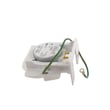
How do I find the right GE part number?
For your GE PSB48YSHASS side-by-side refrigerator, the right part number starts with the model number. Use the model and serial label location shown in the owner's manual, then match your exact part using the parts diagram and the part’s ID/part number listed for PSB48YSHASS.
Where to find the model and serial number on PSB48YSHASS
The model and serial numbers are on a label inside the refrigerator compartment at the top right. Write them down before you shop or start a repair.
Quick checklist
- Open the fresh food (refrigerator) door
- Look inside the compartment, top right area
- Record MODEL and SERIAL exactly as shown
- Use the full model number: PSB48YSHASS
How to match the correct part
Once you have the model number, use the PSB48YSHASS parts list/diagram to identify the exact component and confirm the correct part ID.
Best practices that prevent wrong-part orders
- Match by part location in the diagram (not just by description)
- Confirm the part ID and manufacturer part number
- Check for similar-looking parts (bulbs, switches, motors) that are not interchangeable
- If your refrigerator has a water filter, match the filter style to the housing
| What you have | What to match on the parts list | Example for PSB48YSHASS |
|---|---|---|
| Model number | Model-specific diagram | PSB48YSHASS diagram sections |
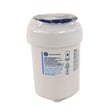
| Part description | Exact part ID and part number | GE refrigerator water filter MWFP |
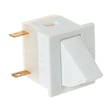
| Symptom (example: lights out) | The component that controls it | Refrigerator door switch WR23X31507 or a light bulb |
Why it matters
GE refrigerators often use multiple versions of the same type of part across similar models. Matching by PSB48YSHASS plus the exact part ID prevents fit issues, wiring/connector mismatches, and repeat repairs.
Last updated: February 2026
How to find GE appliance parts?
To find the right parts for your GE PSB48YSHASS side-by-side refrigerator, match parts to the exact model number and then confirm the part’s location and description in the owner's manual. This ensures the replacement fits your refrigerator’s configuration (water system, lighting, doors, and cooling components).
Step-by-step: find the correct part for PSB48YSHASS
- Locate the model number on the refrigerator’s ID label and use PSB48YSHASS exactly.
- Identify the system you’re repairing (water dispenser, ice maker, lighting, door, cooling).
- Use the parts list for this model to narrow to the correct diagram and part description.
- Cross-check the part name and ID against what you see on the refrigerator.
- If multiple similar parts appear, compare where they install (fresh food section, freezer section, machine compartment).
- Before any repair, switch the refrigerator’s Master Power to OFF (the manual calls this out for cleaning and repairs).
Common parts customers replace on this model
These are examples of parts available for GE PSB48YSHASS that often come up in troubleshooting:
| What you’re fixing | What to look for | Example part on this model |
|---|---|---|
| Water tastes/odor, slow dispensing | Water filter type and seating | GE refrigerator water filter MWFP |
| Interior light not working | Bulb type and lens/shield condition | GE appliance light bulb, 40-watt 40A15 |
| Light stays on or won’t come on when door opens | Door switch operation | Refrigerator door switch WR23X31507 |
Tips to avoid ordering the wrong part
- Match by part ID and description, not just by appearance.
- For water-related parts, confirm whether your unit uses a filter or a bypass plug (the installation materials list includes a water filter bypass plug).
- For electrical parts (switches, motors), unplug power or turn Master Power OFF before handling wiring.
Why it matters
Using the exact model number (PSB48YSHASS) prevents fit issues and repeat repairs, especially on built-in GE side-by-side refrigerators where water filtration, lighting, and door hardware can vary by configuration.
Last updated: February 2026
What is the most common problem with a GE refrigerator?
The most common problem we troubleshoot on GE refrigerators, including the GE PSB48YSHASS side-by-side, is not cooling properly (fresh food section warm, freezer warming, or temperatures fluctuating). Start with airflow and condenser cleaning checks, then move to fan and defrost-related causes using the owner's manual.
What “not cooling” usually means on a side-by-side
Cooling complaints typically trace back to one of these conditions:
- Dirty condenser area reducing heat release
- Airflow blocked by food packages or frost buildup
- Evaporator fan not moving cold air through the compartments
- Defrost problem causing the evaporator to ice over
- Sealed-system issue (compressor or refrigerant system)
Quick checks we recommend first
- Verify settings: set freezer near 0°F and fresh food near 37°F; allow 24 hours to stabilize.
- Check door closure: confirm doors seal fully and nothing is holding them open.
- Listen for fans: you should hear steady fan operation during normal cooling.
- Clean the condenser area: remove dust from the grille and condenser area.
- Look for frost patterns: heavy frost on the freezer back panel points to a defrost or airflow issue.
Parts commonly involved when symptoms match
| Symptom | What to check | Example part for PSB48YSHASS |
|---|---|---|
| Warm temps, weak airflow | Evaporator fan operation | GE refrigerator evaporator fan motor WR60X10176 |
| Frost buildup, warming temps | Defrost heat system | Refrigerator freezer defrost heater WR50X10063 |
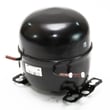
| No cooling, loud hum/clicking | Sealed system | Refrigerator compressor WR78X23067 |
| Dim/no interior light | Bulb or door sensing | Refrigerator door switch WR23X31507 |
Why it matters
A cooling problem can spoil food quickly and overwork the compressor. Fixing airflow restrictions and condenser dust buildup early often restores normal temperatures and prevents bigger repairs.
Last updated: February 2026
Where is the model number on my GE side by side refrigerator?
On your GE PSB48YSHASS side-by-side refrigerator, the model number is printed on a label inside the fresh food (refrigerator) compartment at the top right. You will typically see the serial number on the same label. See the owner's manual for the exact label location callout.
Quick ways to find the label
- Open the refrigerator (fresh food) door and look at the top right inside wall/ceiling area
- Use a flashlight; the label can be small and easy to miss
- Look for a sticker that lists Model # and Serial #
- Wipe condensation or dust off the label so the characters are readable
- Write the numbers down exactly as shown (letters and numbers matter)
What the label usually looks like
Most GE built-in side-by-side units like PSB48YSHASS use a single ID label that includes both identifiers.
| What you need | How it’s shown on the label | Why you need it |
|---|---|---|
| Model number | “Model #” followed by letters/numbers | To match the correct parts list and diagrams |
| Serial number | “Serial #” followed by letters/numbers | To confirm production details for service and parts lookup |
Why it matters
Using the exact model number (PSB48YSHASS) helps us match the right GE refrigerator parts for your configuration, such as the correct water filter, light bulb, door switch, or evaporator fan motor.
Last updated: February 2026