 Installation guide
 Owner’s manual
 Error Codes



Where do I find the model number on a GE dishwasher?
On your GE dishwasher model GSD5560G03SS, the model number is printed on the rating label located on the tub wall just inside the door. Open the door fully and look along the inside edge of the tub opening for the label.
Quick ways to spot the label
- Check the tub wall just inside the door opening (most common location).
- Look along the left or right inner edge of the tub opening.
- Use a flashlight; the label can be small or partially hidden by the door gasket.
- Wipe off any film or residue so the model number is readable.
- Write down both the model number and serial number for parts lookup and service.
What the model number helps us match
Having the exact model number ensures we pull the correct GE dishwasher parts list and diagrams for your unit.
| What you need | Why it matters |
|---|---|
| Model number (GSD5560G03SS) | Matches the correct parts and fit by design series |
| Serial number | Helps identify production run details for compatible components |
| Product type (dishwasher) | Narrows troubleshooting steps and installation requirements |
Why it matters
GE often uses similar-looking control panels across multiple series, but internal components (like the pump and motor assembly, water inlet valve, or door seal) can vary by model. Using the label information prevents ordering the wrong replacement part.
For additional model identification details and safety notes, use the GSD5560G03SS owner’s manual.
Last updated: February 2026
What is the most common problem with GE dishwashers?
The most common GE dishwasher problems are draining issues, poor cleaning, and “won’t start” symptoms. On the GE GSD5560G03SS, these often trace back to a clogged drain path, a door that is not fully latched, or a wash system issue such as a failing pump and motor.
Most common issues we see (and what to check first)
- Not draining: check the sink/disposer connection, drain hose routing, and clogs in the drain path.
- Won’t start or stops mid-cycle: confirm the door is fully closed and latched; the dishwasher requires the door to be closed and locked to select a cycle.
- Not cleaning well: verify spray arm movement, loading, and detergent use.
- Not drying: use heated dry options and keep rinse aid filled.
- Leaks: inspect the door seal area and avoid loading sharp items where they can damage the seal.
Quick troubleshooting steps (GSD5560G03SS)
Start with these checks before replacing parts:
- Reset power (turn breaker off for 1 minute, then on) and try a normal cycle.
- Close the door firmly until it latches; an unlatched door can prevent starting.
- Use only automatic dishwasher detergent (not hand dish soap) to prevent suds and overflow.
- Fill the rinse aid dispenser; a full dispenser typically lasts about a month.
- If you have hard water, increase detergent as needed; hard water can contribute to buildup and performance issues.
Common part fixes when symptoms persist
If basic checks do not resolve the problem, these model-matched parts are frequent solutions:
| Symptom | Common cause | Part to consider |
|---|---|---|
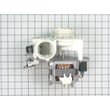
| Hums, weak wash, poor circulation | Worn wash motor or pump | GE dishwasher pump and motor assembly WD26X10013 |
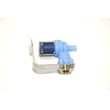
| Won’t fill or fills slowly | Water inlet valve not opening fully | Dishwasher water inlet valve WD15X10003 |
| Won’t drain or drains poorly | Kinked/clogged drain line | Dishwasher drain hose WD24X10014 |
Why it matters
Drain and wash performance problems can leave dirty water in the tub, reduce cleaning power, and extend cycle time. Door-latch and detergent issues can look like “electrical” failures, but they are often quick fixes once you confirm proper latching and correct detergent and rinse aid use.
For cycle behavior, status lights, and operating details specific to this model, use the GSD5560G03SS owner’s manual.
Last updated: February 2026
How do I reset the error code on my GE dishwasher?
On your GE GSD5560G03SS dishwasher, you can clear many error states by pressing START/RESET and waiting up to 90 seconds for the unit to drain and reset. For a control error with beeping or flashing lights, turn power off at the breaker for 10 seconds, then restore power.
Quick reset steps (most common)
- Press START/RESET once.
- Wait up to 90 seconds for the dishwasher to drain and stop.
- Select your cycle again, then press START/RESET to restart.
- If the display or status lights keep flashing, turn breaker power OFF for 10 seconds, then back ON.
- If the beeper is sounding, press START/RESET to turn off the beeper; the dishwasher will attempt to reset.
For the exact pad names and indicator-light meanings on this model, use the GSD5560G03SS owner's manual.
What the lights and beeping usually mean
Many “error codes” on this style of GE dishwasher show up as flashing status lights (sometimes with a beeping sound), not always a numbered code.
| Symptom | What to do first | What it tells you |
|---|---|---|
| Flashing lights after you press START/RESET | Wait up to 90 seconds | Normal drain and reset period |
| Flashing lights plus beeping | Press START/RESET to silence, then reset | Control is trying to recover |
| Flashing continues after breaker reset | Reset again, then restart cycle | Ongoing control or sensor issue |
Why the error comes back after a reset
A reset clears the control’s “stuck” state, but it does not fix the underlying cause. These are the most common reasons the dishwasher re-triggers an error:
- Drain restriction (kinked hose, clogged air gap, disposer plug issue)
- Fill problem (low water supply or a sticking inlet valve)
- Door not fully latched
- Suds from using the wrong detergent type
If you suspect a fill issue, the dishwasher water inlet valve WD15X10003 is the part that controls water entering the tub.
Why it matters
Resetting correctly prevents interrupted cycles and helps you confirm whether you had a temporary control glitch or a real wash, drain, or fill problem that needs troubleshooting.
Last updated: February 2026
How to remove the filter and spinner on GE dishwasher?
On the GE GSD5560G03SS dishwasher, we remove the lower spray arm (spinner) and filters from the bottom of the tub so we can clear debris that causes poor cleaning or draining. The exact fastener style varies by version, so we follow the access steps shown in the GSD5560G03SS owner’s manual.
Steps to remove the spinner (spray arm)
- Turn off power at the breaker and shut off the water supply.
- Pull out the lower rack.
- At the tub bottom, remove the lower spray arm by releasing its center retainer (typically a twist-off nut or clip style retainer).
- Lift the spray arm straight up and out.
Quick checks while it’s out:
- Rinse spray arm holes under hot water.
- Clear clogged jets with a toothpick (don’t enlarge holes).
- Spin the arm by hand; it should rotate freely.
Steps to remove the filter and sump cover area
Many GE dishwashers in this family use a coarse screen and a sump cover area at the tub bottom.
- Remove any visible debris around the sump.
- If your model has a coarse filter screen, lift it out after releasing its tabs or retainers.
- If a plastic sump cover is present, remove the cover screws (if equipped) and lift the cover to access trapped water and debris.
If the dishwasher is not draining well, we also check the air gap (if your installation has one) because a clogged air gap can mimic a filter blockage.
What to do if the dishwasher still won’t drain or clean
Use this checklist after reinstalling the filter and spinner:
- Confirm the drain hose isn’t kinked or crushed; replace if soft, split, or restricted.
- Check for a blocked drain path at the sink connection or disposer inlet.
- Verify the unit fills with hot water (typical target is 120°F to 150°F at the supply).
- Listen for strong wash motor operation; weak circulation often points to a pump issue.
Common parts related to draining and washing
| Symptom | Most likely area | Example part for GSD5560G03SS |
|---|---|---|
| Won’t drain, water left in tub | Drain path or hose | Dishwasher drain hose WD24X10014 |
| Poor wash pressure, not cleaning | Circulation pump/motor | GE dishwasher pump and motor assembly WD26X10013 |
Why it matters
A clogged filter or spray arm reduces water flow and can leave grit on dishes, extend cycle time, and contribute to draining problems. Keeping the sump area clear helps the pump move water efficiently.
Last updated: February 2026





