Installation guide
 Owner’s manual



How big is a Kenmore microwave model 40180083700 in inches?
The Kenmore microwave/hood combo model 40180083700 measures 29 7/8 inches wide x 16 13/16 inches high x 16 inches deep (overall exterior dimensions). These are the outside cabinet dimensions used to confirm fit in a standard 30-inch over-the-range opening.
Exterior dimensions for model 40180083700
| Measurement | Size (inches) |
|---|---|
| Width | 29 7/8 |
| Height | 16 13/16 |
| Depth | 16 |
What to check before installation
Use the dimensions above, then confirm your cabinet and venting layout using the 40180083700 owner’s manual and the 40180083700 installation guide.
- Cabinet opening width (commonly 30 inches for over-the-range microwaves)
- Clearance to upper cabinets and adjacent wall cabinets
- Depth from the wall to the front edge of the upper cabinet (projection)
- Venting method (recirculating, top vent, or rear vent)
- Upper cabinet bolt pattern and mounting plate location
Why it matters
Correct sizing prevents common problems like cabinet interference, misaligned mounting holes, and vent duct conflicts. It also helps ensure the door opens freely and the unit sits level over the cooktop.
Last updated: February 2026
How do I reset a Kenmore microwave?
To reset your Kenmore microwave model 40180083700, unplug it (or switch off the breaker), wait 10 seconds, then restore power and reset the clock if prompted. This clears many control glitches after a power interruption or keypad confusion; see the 40180083700 owner's manual.
Quick reset steps (most common)
- Press STOP/CLEAR twice to cancel any active cooking program.
- Unplug the microwave from the outlet.
- Wait 10 seconds.
- Plug it back in.
- If the display prompts for time (for example, “PLEASE TOUCH CLOCK AND SET TIME OF DAY”), set the clock.
- Test with a short heat cycle (30 to 60 seconds) using a microwave-safe cup of water.
If the controls seem “stuck”: check Child Lock
This model uses a control lock that can look like the microwave is not responding.
- To turn Child Lock on: press and hold ENTER/START for more than 3 seconds.
- To turn Child Lock off: press and hold ENTER/START for more than 3 seconds again.
Reset options compared
| Reset method | What it fixes | What you’ll notice |
|---|---|---|
| STOP/CLEAR (twice) | Wrong settings, paused program | Cooking program clears |
| Power reset (10 seconds) | Control board glitches, post-outage issues | Clock may need to be set |
| Breaker reset | No power from outlet or tripped circuit | Unit fully powers down |
Why it matters
A proper reset restores normal keypad logic and clears incomplete commands. If the microwave shares a circuit with other appliances, voltage drop can also cause odd behavior; a reset plus a stable power source prevents repeat issues.
Last updated: February 2026
How to unlock a locked microwave door?
On Kenmore microwave/hood combo model 40180083700, a “locked door” complaint is almost always the Child Lock (control lock) being on; unlock it by pressing and holding ENTER/START for more than 3 seconds until the lock message clears (you will hear two beeps). See the steps in the 40180083700 owner's manual.
Quick unlock steps (Child Lock)
- Make sure the door is fully closed.
- Press and hold ENTER/START for more than 3 seconds.
- Watch the display; the lock indicator/message should disappear.
- Try opening the door normally.
- If the control panel is wet or greasy, wipe it dry and try again.
If the door is physically stuck (not just locked)
A physical latch issue is different from Child Lock. Use these safe checks:
- Unplug the microwave (or switch off the breaker) for 1 minute, then restore power.
- Check for food debris or cleaner residue around the door seal area; wipe with a soft cloth.
- Confirm the door is not bent and the hinges are not loose.
- Do not force the handle; forcing can break the latch parts.
Common parts involved when the door will not open
| Symptom | Most likely area | What it affects |
|---|---|---|
| Door will not open, but display works | Door latch mechanism | Door release and latching |
| Door feels jammed or misaligned | Hinges/latch housing | Door alignment and closing |
| Microwave will not run unless you push on door | Interlock system | Safety switches that sense door closed |
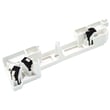
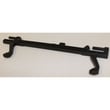
If the door is sticking or not latching correctly, the door latch is a common wear item for this model; match your original part before ordering. A frequently used replacement is the microwave door latch DE64-00760A.
Why it matters
The door and interlock system are safety-critical. Operating a microwave with a damaged door, latch, or sealing surface is unsafe; if the door does not close properly, we recommend stopping use and having it serviced by a qualified technician.
Last updated: February 2026