Owner’s manual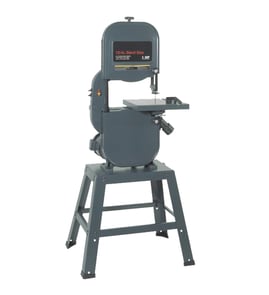


How to change blade on Craftsman 11324350 table saw?
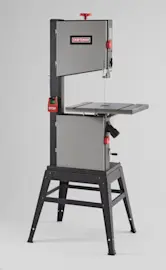
The Craftsman 11324350 is a 12 inch band saw, not a table saw; blade changes are different. To change the blade safely, we remove the covers, release blade tension, slip the blade off the wheels, install the new blade, then set tension, tracking, and blade guides using the 11324350 owner's manual.
- Unplug the band saw and remove the switch key (if equipped).
- Wear cut-resistant gloves; band saw blades are sharp even when stationary.
- Open the upper and lower wheel covers.
- Remove the table insert so the blade can pass through the table opening.
- Back off the blade guides and thrust bearings so they do not pinch the blade.
- Release tension: Turn the blade tension knob to reduce tension until the blade is slack.
- Remove the old blade: Carefully slip it off the upper and lower wheels and out through the table slot.
- Install the new blade: Feed the blade through the table slot and around both wheels; keep the teeth pointing in the correct cutting direction.
- Set blade tension: Use the built-in tension scale as a starting point; for example, the manual notes setting the pointer to the blade width marking (such as 1/4 inch) when installing that width.
- Adjust guides: Set the side guides close to the blade without pinching; set guide position so the guides sit about 1/32 inch behind the deepest part of the teeth (the gullet).
- Hand-rotate and verify: Rotate the upper wheel by hand several turns; recheck guide clearance and that the blade stays centered.
- Reassemble: Reinstall the blade guard, table insert, and covers.
| Adjustment | What to aim for | Why it matters |
|---|---|---|
| Blade tension | Pointer near the blade width mark | Reduces slipping and wandering cuts |
| Side guides | Close, not pinching | Prevents overheating and premature blade wear |
| Guide position vs. teeth | About 1/32 inch behind the gullet | Protects guides from tooth contact |
| Upper guide height | Not more than 1/4 inch above workpiece | Improves control and safety |
On the 11324350 band saw, correct tension, tracking, and guide adjustment are what keep the blade from drifting, popping off the wheels, or cutting inaccurately. A blade swap is also the best time to reset the guides and thrust bearings.
Last updated: February 2026
What are the most common issues with 11324350?
The most common problems we see with the Craftsman 11324350 12-inch band saw are blade tracking and tension issues, poor cut quality (drift or burning), vibration, and power or switch problems. Most of these are corrected with basic setup, cleaning, and inspection steps in the 11324350 owner's manual.
- Blade won’t stay on the wheels: tracking needs adjustment; tires may be worn or dirty.
- Cuts drift or won’t cut straight: blade is dull, wrong blade width/tooth count, or guides are misadjusted.
- Excess vibration or noise: blade weld bump, unbalanced wheels, loose stand/fasteners, or worn tires.
- Blade breaks often: over-tensioning, forcing the feed rate, or misaligned guides.
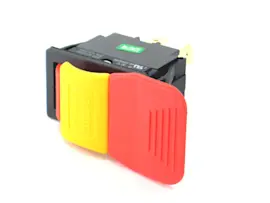
- Saw won’t start or stops mid-cut: switch, cord/plug, or internal wiring connection issue.
- Burning/scorching: dull blade, too fine teeth for thick stock, or feeding too slowly.
- Unplug the saw and open the wheel covers.
- Spin the upper wheel by hand; confirm the blade tracks near the center of the tire.
- Set blade tension for the blade width you’re using; recheck after a few minutes of running.
- Adjust blade guides and thrust bearings so they support the blade without constant rubbing.
- Verify the table is square to the blade and the fence is aligned.
- Clean pitch/sawdust from tires, guides, and the lower cabinet; buildup causes tracking and vibration.
| Issue | Typical adjustment target | Result |
|---|---|---|
| Tracking | Blade centered on tire | Blade stays on wheels |
| Side guides | Just behind gullets; tiny clearance | Straighter cuts |
| Thrust bearing | Close, engages only under load | Less blade deflection |
| Tension | Correct for blade width | Fewer breaks, less drift |
A band saw that is properly tensioned and guided cuts cooler, straighter, and safer. Most “bad blade” complaints trace back to guide alignment, tracking, or feeding technique rather than the motor.
If you suspect an electrical issue, use safe test methods and follow a wiring diagram when available; our how to use a multimeter to test electrical parts video is a good starting point.
Last updated: March 2026
What is the blade length on a Craftsman 12 inch bandsaw?
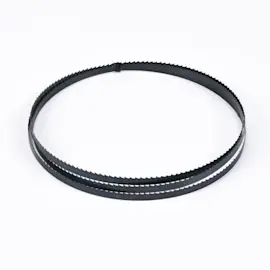
The Craftsman 12-inch band saw/sander model 11324350 uses an 80-inch band saw blade (measured as the blade’s continuous loop length). For the exact blade size range and setup details for your saw, use the specifications in the 11324350 owner's manual.
Use these quick checks before you buy or install a replacement blade:
- Match the blade length to 80 inches.
- Confirm the saw’s ID plate shows model 11324350.
- Verify the blade is intended for a 12-inch band saw (different Craftsman 12-inch models can vary).
- After installation, set tension, then tracking, then blade guides.
- Hand-spin the wheels to confirm the blade stays centered before powering on.
Blade length must match; width and TPI depend on the cut.
| Cutting task | Typical blade width | Typical TPI |
|---|---|---|
| Tight curves | 1/8 to 1/4 inch | 10 to 18 |
| General wood cutting | 1/4 to 3/8 inch | 6 to 10 |
| Resawing thicker stock | 1/2 inch (if your guides support it) | 3 to 4 |
An 80-inch blade lets the tensioning system and wheel spacing on the Craftsman 11324350 work correctly. A blade that is even slightly too long slips and wanders; a blade that is too short over-stresses bearings and makes tracking adjustments ineffective.
Last updated: February 2026