Owner’s manual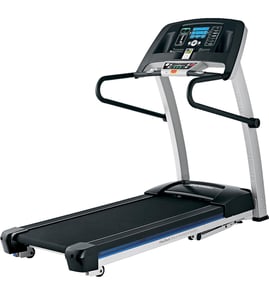



How do I know which ProForm treadmill I have?
Your Proform treadmill’s model number is on the serial number decal; for model 831248130, the manual notes the decal location is shown on the front cover. On most Proform treadmills, you’ll find that decal on the frame near the front base (by the power cord) or along the underside/side of the deck.
Where to look on model 831248130
Check these common decal locations first:
- Front base area near where the power cord enters the treadmill
- Along the side rail/frame near the front upright
- Underside edge of the walking deck (near the front)
- Near the reset/off circuit breaker area on the frame
- On the frame close to the upright or storage latch area
For the exact decal location diagram and the correct way to record the model and serial, use the 831248130 owner's manual.
What to write down (and why)
Record both identifiers from the decal:
- Model number (example: 831248130)
- Serial number (unique to your unit)
- Brand (Proform)
- Any letters after the model (if shown)
Why it matters
The model number and serial number ensure we match the correct parts list, wiring, and console features. This is especially important for fit-critical items like the walking belt, drive belt, and motor control board.
Quick ID checklist
Use this table to confirm you are reading the right label:
| Item on decal | What it tells you | Used for |
|---|---|---|
| Model number | Which treadmill version you own | Correct parts diagrams and part compatibility |
| Serial number | Your unit’s unique identifier | Service history and production variation checks |
| Electrical ratings | Voltage/amps requirements | Power and surge suppressor guidance |
Last updated: January 2026
What is the life expectancy of a ProForm treadmill?
A Proform treadmill typically lasts 7 to 10 years in normal in-home use, and many reach 10+ years with consistent cleaning, proper belt lubrication, and prompt replacement of wear items. For the Proform 831248130, follow the maintenance and safety guidance in the 831248130 owner's manual.
What affects treadmill lifespan the most
- Usage load: frequent running, higher user weight, and long sessions increase wear.
- Walking belt and deck friction: a dry belt or dirty deck makes the drive motor work harder.
- Dust and moisture: dust buildup under the motor hood and humid storage shorten electronics life.
- Power quality: using a proper surge suppressor helps protect the control system.
- Routine tightening: keeping fasteners snug reduces vibration-related failures.
Typical lifespan by major component
| Component | Typical lifespan | What usually ends it |
|---|---|---|
| Walking belt and deck | 3 to 7 years | Excess friction, misalignment, lack of lubrication |
| Drive belt | 5 to 10 years | Cracking, glazing, stretching |
| Drive motor | 7 to 12 years | Overheating from high friction or heavy use |
| Motor control board | 5 to 10 years | Power surges, heat, worn motor/belt load |
Maintenance that extends life (high impact)
- Keep the treadmill indoors, away from moisture and dust.
- Use a single-outlet surge suppressor on the same circuit (no extension cord).
- Inspect and tighten hardware regularly.
- Keep the walking belt centered and properly tensioned.
- Lubricate the walking belt with treadmill-approved lubricant such as treadmill walking belt lubricant 219168 when the belt begins to feel dry or the deck friction increases.
Why it matters
Most “treadmill failures” start as extra friction or unstable power. Reducing belt friction and protecting the control system helps prevent sudden slowdowns, stops, and expensive drive-system repairs.
Last updated: January 2026
Is it worth replacing a treadmill belt?
Yes, it’s usually worth replacing the walking belt on your Proform treadmill model 831248130 when the rest of the machine (drive motor, motor control board, frame, and incline system) is in good shape. A fresh belt restores traction and smooth operation, and it helps prevent extra strain on the drive system.
When belt replacement makes sense
Replacing the belt is a smart repair when you notice performance or safety issues such as:
- The belt slips, hesitates, or surges under your feet
- The belt is frayed, glazed, cracked, or has damaged edges
- The belt won’t stay centered even after adjustment
- You smell burning or see black dust near the front roller area
- The treadmill feels “sticky” or drags even at low speed
For belt adjustment and centering procedures specific to this model, follow the steps in the 831248130 owner’s manual.
What to check before you buy a belt
A worn belt is common, but these checks help you avoid replacing the wrong part:
- Tension: An overtightened belt can slow down and increase wear; the manual describes lifting each edge about 2 to 3 inches when properly tightened.
- Alignment: If the belt tracks left or right, adjust the rear roller bolts evenly.
- Deck condition: A worn walking platform can quickly ruin a new belt.
- Lubrication rules: This model uses a pre-lubricated belt; avoid silicone spray or other substances that can damage the belt and deck.
Common repair paths (belt-related)
| Symptom | Most common cause | Typical fix |
|---|---|---|
| Belt slips | Loose walking belt or worn belt | Adjust tension; replace belt if worn |
| Belt not centered | Misalignment | Adjust rear roller bolts |
| Belt slows when walked on | Overtightened belt or power/surge issues | Loosen slightly; verify surge suppressor |
If you’re replacing the belt, use the model-matched treadmill walking belt 248753.
Why it matters
A worn or misadjusted belt can make workouts unsafe and can force the drive system to work harder than it should. Keeping the belt properly tensioned and centered protects the walking platform, drive belt, and electronics.
Last updated: January 2026
What are common problems with ProForm treadmills?
Common problems on the Proform 831248130 treadmill include no power, the walking belt slowing or slipping, inaccurate speed readings, and incline not recalibrating correctly. Many issues are fixed by using the correct surge suppressor, confirming the safety key is inserted, and adjusting belt tension per the 831248130 owner's manual.
Most common symptoms and what they usually mean
- Won’t power on: outlet or surge suppressor issue, tripped reset/off breaker, or missing safety key
- Belt slows when you step on it: overtightened walking belt, poor lubrication, or power protection problem
- Belt slips or won’t stay centered: belt tension or alignment needs adjustment
- Speed reading is wrong: reed switch gap or magnet alignment issue
- Incline won’t change correctly: incline system needs recalibration
Quick checks we recommend first (safe, fast)
- Use a single-outlet surge suppressor that meets the treadmill’s specs; this helps protect the control system.
- Confirm the safety key is fully inserted; without it, the console can light up but the belt will not run.
- Check the reset/off circuit breaker near the power cord; reset it if it has tripped.
- Verify the treadmill is on a level surface with proper clearance and airflow.
Model-specific troubleshooting highlights (831248130)
| Problem | What to try first | What you’re checking |
|---|---|---|
| No power | Surge suppressor, safety key, breaker | Power delivery and console enablement |
| Speed inaccurate | Align magnet to reed switch; set gap about 1/8 in. (3 mm) | Speed sensor signal |
| Incline incorrect | Start incline change, remove key, reinsert key to auto-calibrate | Incline calibration routine |
| Belt slows | Loosen both idler bolts 1/4 turn; recheck lift (about 2 to 3 in.) | Belt tension and drag |
Parts that commonly relate to these problems
If you’ve confirmed the basics above and symptoms persist, these parts are often involved:
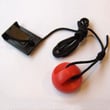
- Treadmill safety key assembly 208603 for no-start conditions
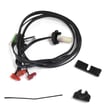
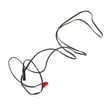
- Toyostove treadmill reed switch and sensor wire 165798 for speed pickup problems
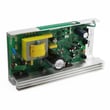
- Treadmill motor control board 409595 for intermittent speed control, surging, or stopping
Why it matters
Power protection and correct belt tension are not just performance items; they help prevent unexpected belt slowing, acceleration, or stopping that can lead to a fall. Keeping the belt aligned and the sensor set correctly also reduces wear on the walking belt, drive belt, and motor.
Last updated: January 2026