 Installation guide
 Owner’s manual
 Error Codes
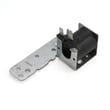


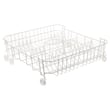

Why is my Hotpoint dishwasher leaking underneath?
A leak underneath your Hotpoint HDA2100H50WW dishwasher is usually caused by oversudsing, a drain or fill issue that makes water overflow, or a seal or hose that is letting water escape during wash or drain. Start with detergent and drain checks, then inspect common leak points.
- Use only automatic dishwasher detergent; hand soap can create suds that push water out of the tub.
- If you see suds, cancel/drain the cycle and flush the tub with cold water as described in the HDA2100H50WW owner's manual.
- Check whether the kitchen sink drains normally; a slow sink often points to a drain restriction.
- If you have an air gap, clean it; a clogged air gap can contribute to poor draining and overflow.
- Look for kinks, cracks, or loose connections on the dishwasher drain hose WD24X10014.
| What you notice | Likely area to inspect | What to do next |
|---|---|---|
| Water near the front/bottom | Door seal, door closing, tub edge | Inspect for gaps, tears, or debris; confirm the door latches fully. |
| Water appears during drain | Drain hose, air gap, disposer connection | Clear restrictions; verify a proper high drain loop or air gap per the installation guide. |
| Water appears mid-cycle | Pump area, spray system, internal seals | Check for dripping under the motor/pump area while running (use a flashlight). |
| Lots of foam | Wrong detergent or rinse aid spill | Switch detergent; wipe spills; flush suds out. |
Even a small leak can damage flooring and cabinets, and a drain restriction can also cause poor cleaning and standing water. Fixing the root cause (suds, drain path, or a worn hose/seal) prevents repeat leaks.
These are common leak-related parts for HDA2100H50WW:
- Dishwasher drain hose WD24X10014 (cracks, pinholes, loose ends)
- Dishwasher door seal (if you find tears or flattening)
Last updated: February 2026
What does f05 mean on a Hotpoint dishwasher?
On a Hotpoint dishwasher like model HDA2100H50WW, an F05 code points to a draining problem: the unit is not pumping water out as expected, so the cycle can stop or leave water in the tub. Use the troubleshooting steps in the HDA2100H50WW owner's manual to confirm the drain setup and checks.
- Cancel the cycle and wait a minute; then restart and listen for the drain pump running.
- Check the tub for standing water and remove any debris around the sump area.
- Inspect the sink drain connection or disposer inlet for a clog.
- Verify you have an air gap or a high drain loop (a common cause of poor draining).
- Make sure the door fully latches; some models will not complete drain steps if the door switch is intermittent.
If the basics look good, these are the most common drain-related failures on this model:
| Symptom | Most likely cause | What we usually replace |
|---|---|---|
| Water stays in tub, pump hums | Blockage in hose or pump area | Dishwasher drain hose WD24X10014 |
| No drain sound at all | Drain solenoid not actuating (where used) | G.e. dishwasher drain solenoid assembly WD21X10268 |
| Weak or inconsistent draining | Pump/motor issue or worn internal pump parts | G.e. dishwasher pump and motor assembly WD26X10051 |
| Stops mid-cycle, acts “dead” until reset | Control/timer not advancing correctly | Dishwasher timer WD21X33640 |
A dishwasher that cannot drain can re-circulate dirty water, leave residue on dishes, and trigger repeated stoppages. Correct drain routing (air gap or high loop) and a clear drain path are the foundation before replacing any pump, solenoid, or hose.
If you recently installed the dishwasher or moved plumbing, confirm the drain hose routing and high loop/air gap requirements in the HDA2100H50WW installation guide.
Last updated: February 2026
Can I replace dishwasher parts myself?
Yes, you can replace many parts on your Hotpoint HDA2100H50WW dishwasher yourself if the repair is mechanical and you can safely shut off power and water first. For electrical wiring, grounding, or any repair the manual does not specifically recommend, we use a qualified technician.
These repairs are typically DIY-friendly with basic hand tools and careful reassembly:
- Lower or upper dishrack (rusted rack, broken wheels, bent tines)
- Spray arms (poor cleaning, clogged jets)
- Door seal (leaks at the door)
- Drain hose (leaks or restricted draining)
- Door switch (won’t start when the door is closed)
The HDA2100H50WW safety instructions emphasize disconnecting power before maintenance; turning the dishwasher off is not the same as disconnecting power. Use these steps every time:
- Turn off the circuit breaker (or unplug if applicable)
- Shut off the dishwasher water supply valve
- Protect hands from sharp edges; wear cut-resistant gloves
- Keep screws and small parts organized (photos help)
- Restore power only after panels and covers are back in place
| Repair type | Typical examples | Best choice |
|---|---|---|
| Simple mechanical | racks, spray arms, seals, hoses | DIY |
| Electrical or grounding | wiring, cord kit, grounding connections | Technician |
| Major internal drive parts | pump/motor assembly, circulation pump | DIY only if experienced |
If your symptom matches one of these, starting with the correct part for HDA2100H50WW helps avoid repeat work:
- Dishwasher dishrack, lower WD28X31819 for a damaged lower rack
- Dishwasher spray arm, lower WD12X10244 for poor wash coverage on the bottom
- Dishwasher drain hose WD24X10014 for leaks or restricted draining
- Dishwasher door seal WD08X10057 for water leaking at the door
DIY repairs save time and money, but dishwashers combine water, heat, and electricity. Following the safety and “recommended repairs only” guidance in the documentation reduces the risk of shock, leaks, and repeat failures.
For model-specific disassembly notes and safety warnings, use the HDA2100H50WW owner's manual. For mounting and electrical connection requirements, use the HDA2100H50WW installation guide.
Last updated: February 2026
How to find model number on Hotpoint dishwasher?
On your Hotpoint dishwasher model HDA2100H50WW, the model and serial number are printed on a label on the tub wall just inside the door (typically on the left side). Open the door fully and look along the inner tub wall near the front edge.
- Open the dishwasher door and keep it fully lowered
- Look on the tub wall, not on the outer door panel
- Check the left tub wall just inside the door first
- Wipe the area with a damp cloth if the label is greasy or dusty
- Use a flashlight and look for a white or silver sticker with Model # and Serial #
Having the correct model number lets us match the right Hotpoint dishwasher parts, diagrams, and troubleshooting info for your exact build.
| What you need | Where it’s used | Example format |
|---|---|---|
| Model number | Ordering parts and checking fit | HDA2100H50WW |
| Serial number | Identifying production details for service | Letters and numbers |
Hotpoint dishwashers can look similar across multiple model series, but parts like a door switch, timer, or dishrack can vary by revision. Using the label inside the door prevents ordering the wrong replacement.
For the official location and wording, see the HDA2100H50WW owner’s manual.
Last updated: February 2026





