 Installation guide
 Owner’s manual
 Error Codes




Where is the model number on my LG electric range?
On an LG electric range like model LRE3023ST, the model and serial number label is typically on the oven frame behind the door opening. We recommend checking the door frame area first because it is the most common, easiest-to-access location.
Most common places to check
Look for a silver or white rating label in these spots:
- Oven frame: open the oven door and check the frame around the opening (often along the left or right side)
- Door jamb: near the hinge area or along the front edge of the cavity
- Storage drawer area: pull out the bottom drawer and look on the frame behind it
- Back panel: on the rear of the range (helpful if the range is already pulled out)
How to find it fast (2-minute method)
- Turn the oven light on so the frame is easier to see.
- Open the oven door fully and scan the front frame from top to bottom.
- If you do not see it, pull out the storage drawer and check the frame inside.
- Write down both the model number and serial number; you will need both for parts lookup.
What the label helps you do
The model number ensures you get parts that fit your exact LG range configuration (controls, wiring, and heating system can vary by revision).
| You need | Why it matters |
|---|---|
| Model number (example: LRE3023ST) | Matches the correct parts diagrams and compatible parts |
| Serial number | Helps confirm production version when there are multiple revisions |
Why it matters
Using the exact model number prevents ordering the wrong bake element, control board, or sensor for your range. Once you have it, you can order parts from the list for this model or search by model at Sears PartsDirect.
For diagrams and installation-related reference, use the installation guide.
Last updated: February 2026
How to reset LG oven control board?
To reset the control board on your LG LRE3023ST electric range, we power-cycle the range: turn the breaker OFF to fully remove power, wait a few minutes, then turn it back ON. This clears many temporary glitches and restores normal keypad and display operation.
Safe reset steps (power-cycle)
- Turn the range OFF.
- Switch the range circuit breaker OFF (or remove the fuse) to cut power completely.
- Wait 3 to 5 minutes.
- Turn the breaker back ON.
- Test Bake, Broil, and the clock to confirm the control responds.
If the control panel is still unresponsive
A reset helps when the issue is a software lockup. If the display stays blank, beeps randomly, or keys do not respond after power is restored, we focus on common failure points in this order:
- Confirm the range has correct power at the outlet and terminal block (a loose connection can cause a dead display).
- Check for overheating symptoms; a safety device can interrupt operation.
- If the oven temperature is wildly inaccurate or triggers errors, the sensor circuit is a common cause.
- If the display is lit but touch keys do not work, the touch panel can be the issue.
- If multiple functions fail (bake, broil, elements) with normal power, the control boards are likely suspects.
Parts that commonly relate to “reset” symptoms
| Symptom | What it often points to | Example part for LRE3023ST |
|---|---|---|
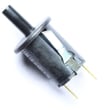
| Oven temp erratic, error codes, overheating/underheating | Oven temperature sensor | Range oven temperature sensor EBG61305805 |
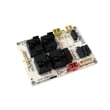
| Display issues, intermittent response | Display/control electronics | Range display control board EBR64624907 |
| No bake heat but broil may work | Bake circuit | Range bake element MEE62306405 |
Why it matters
A breaker reset is the fastest way to clear a control-board glitch, but repeated lockups usually mean a failing component (sensor, element, wiring, or control). Fixing the root cause prevents nuisance shutdowns and uneven baking.
For electrical connection and safety details (including proper terminal block wiring and anti-tip guidance), follow the installation guide. You can order replacement parts for your LRE3023ST from the parts list for this model, or search by model number on Sears PartsDirect.
Last updated: February 2026
Why is my LG electric oven not heating up?
If your LG electric range LRE3023ST oven is not heating, the most common causes are a failed bake heating circuit (bake element or wiring), a bad oven temperature sensor, or a control/relay problem that is not sending power to the element. Use the steps below to narrow it down.
Safety first
Electric ranges use 240 volts. Before checking anything:
- Turn off the range at the double-pole circuit breaker.
- Confirm the oven and cooktop are completely cool.
- Do not use an extension cord; connect the range directly to the proper outlet.
- Do not remove covers or touch wiring with power on.
- If the range was moved, confirm the anti-tip device is reengaged.
For electrical connection and installation safety details, follow the installation guide.
Quick checks (in order)
- Check the breaker: One tripped side can leave the display working but prevent heating.
- Try Bake at 350°F: Wait 5 to 10 minutes; note whether any heat starts.
- Compare Bake vs. Broil: If broil heats but bake does not, focus on the bake circuit.
- Inspect the bake element: Blisters, cracks, or burn spots indicate failure.
- Look for burned/loose wiring: Especially at the element terminals and harness connections.
Parts that commonly fix “oven not heating”
| What you observe | What it points to | Part to consider |
|---|---|---|
| Bake does not heat (broil may still work) | Failed bake element | Range bake element MEE62306405 |
| Temperature is inaccurate or heating is erratic | Sensor reading wrong | Range oven temperature sensor EBG61305805 |
| Intermittent heat, no power sent to element | Relay/control not switching | Range oven relay control board EBR74164805 |
Why it matters
An electric oven that will not heat is usually either missing full 240V supply or the control system is not energizing the bake circuit. Identifying which condition you have prevents replacing the wrong LG range part.
You can order parts from the parts list for LRE3023ST, or search by model number on Sears PartsDirect.
Last updated: February 2026




