Owner’s manual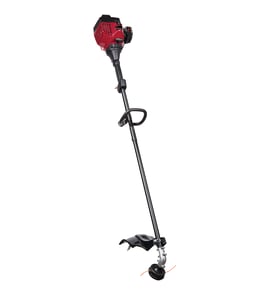



Are Ryobi parts diagrams available online?
Yes. For the Ryobi 725R gas line trimmer, we provide an online parts list and diagram-style breakdown through the model documentation and parts section, so you can match assemblies (like the engine and boom) to the correct replacement part before ordering.
Where to find parts diagrams for the Ryobi 725R
- Use the owner's manual to reference the parts list and illustrated breakdowns (the manual includes an engine parts list and boom and trimmer parts list).
- Use the model parts list on this page to shop by diagram section and confirm the part you need.
- Cross-check the part description and part number before you buy (for example, air cleaner filter vs. carburetor parts).
What you can identify from the diagrams
Parts diagrams help you confirm:
- The correct assembly (engine parts vs. boom and trimmer parts)
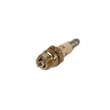
- The exact part number for maintenance items (air filter, spark plug, fuel lines)
- How parts stack together (covers, gaskets, screws, and mounts)
- Whether you need a kit vs. a single component
Common diagram sections in the 725R manual
| Diagram section | What it covers | Examples of items you can match |
|---|---|---|
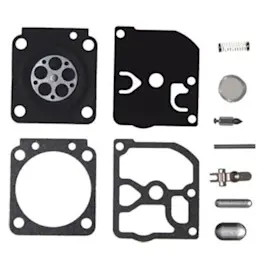
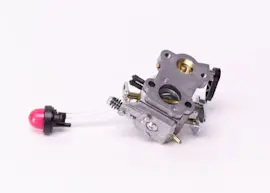
| Engine parts | Air intake, carburetor area, ignition, muffler | Air cleaner filter, primer and hose, gaskets |
| Boom and trimmer parts | Handle, shaft housing, throttle trigger/cable | J-handle assembly, throttle cable |
Why it matters
Using the diagram prevents ordering the wrong part when multiple items look similar (especially filters, gaskets, and carburetor-related parts). It also helps you see related hardware you may want to replace at the same time.
Related maintenance part on this page
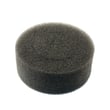
If you are doing routine upkeep, an air filter is one of the most common replacements. You can match it to the diagram and order the yard machines lawn & garden equipment engine air filter 791-180350B.
Last updated: February 2026
What is the fuel mixture for a Ryobi 725r?
For the Ryobi 725R gas line trimmer, we mix unleaded gasoline with 2-cycle engine oil at a 40:1 ratio. That equals 3.2 fl oz of 2-cycle oil per 1 US gallon of gas. Use fresh fuel and mix it in a separate fuel can (not in the tank); see the owner's manual.
Quick mix chart (40:1)
| Gasoline amount | 2-cycle oil amount | Notes |
|---|---|---|
| 1 US gallon | 3.2 fl oz (95 ml) | Standard mix for the 725R |
| 1/2 US gallon | 1.6 fl oz | Shake well before fueling |
| 1 US quart | 0.8 fl oz | Measure carefully for small batches |
How we recommend mixing fuel
- Use fresh, clean unleaded gasoline.
- Measure oil and gas accurately; a small measuring cup helps.
- Mix in an approved fuel can, then cap and shake to blend.
- Agitate the mix before each refuel, especially if it sat overnight.
- If you use ethanol-blended fuel, use fuel that is less than 60 days old.
- Before storage, drain the tank and run the engine dry.
Why it matters
A correct 40:1 fuel/oil mixture lubricates the 2-cycle engine properly. Too little oil can score the piston and cylinder; too much oil can cause heavy smoke, carbon buildup, and poor performance.
Related maintenance tip
If the trimmer runs rough or lacks power, a dirty air filter is a common cause. Replacing the air filter on schedule helps keep the carburetor and engine running cleaner; see yard machines lawn & garden equipment engine air filter 791-180350B.
Last updated: February 2026
Where can I buy replacement parts for Ryobi?
You can buy replacement parts for your Ryobi 725R gas line trimmer directly from the parts list for this model, using the model number to match the correct components. For diagrams, maintenance steps, and part identification, use the owner's manual.
Best way to get the right part for a Ryobi 725R
- Match parts by model number 725R first (not just by brand name).
- Use the exploded-view parts diagrams in the manual to confirm what you need.
- Replace common maintenance items on schedule (air filter, fuel filter, spark plug, cutting line).
- If your trimmer runs poorly, check the air filter and fuel system before adjusting the carburetor.
- Order the exact part number listed for your unit to avoid fit and performance issues.
Common parts customers replace on this model
The 725R is a 2-cycle gas trimmer; the most common “won’t run” or “runs rough” fixes are basic tune-up parts.
| Symptom | Most common cause | What to check first |
|---|---|---|
| Starts then stalls | Restricted airflow | Air filter condition and cover seating |
| Hard starting | Fuel delivery issue | Fuel lines, primer, fuel filter |
| Poor idle or surging | Air leak or dirty carb | Gaskets, carb mounting, filter |
| Weak cutting | Worn line or head parts | Cutting line, bump head components |
Why it matters
Ryobi parts are often model- and revision-specific. Using the 725R parts list and the manual diagrams helps you avoid ordering a similar-looking air filter, carburetor part, or bump head component that does not fit your exact trimmer.
Last updated: February 2026
Why does the line keep breaking on my Ryobi trimmer?
On a Ryobi 725R trimmer, line breakage is usually caused by normal line fatigue, hitting foreign objects, forcing the line into walls or fence posts, or trying to cut thick, stalky weeds. Using the correct line type and trimming technique reduces breakage quickly (see the owner's manual).
Most common causes (and what to do)
- Entanglement with foreign matter (wire, vines, edging, rocks): slow down and keep the head parallel to the ground.
- Forcing the line into hard objects (walls, fence posts): let the tip of the line do the cutting instead of “pushing” the head.
- Cutting thick weeds like a brush cutter: work in small bites; cut tall grass top-to-bottom in increments.
- Line too short while trimming: bump-feed more often; line release gets harder as the line gets shorter.
- Incorrect line material: never use metal-reinforced line, wire, chain, or rope.
Correct bump-feed technique (helps prevent snap-offs)
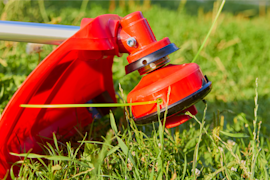
The 725R bump head is designed to release line while running at high speed.
- Run the engine at high speed.
- Lightly tap the bump knob on bare ground or hard soil.
- Expect about 1 inch of line to release per bump.
- Let the shield’s line cutting blade trim excess line to the proper length.
Line selection and installation basics
Using the specified diameter helps feeding and reduces stress on the head.
| Item | What to use | Why it matters |
|---|---|---|
| Line type | Nylon trimmer line (no wire/metal reinforcement) | Prevents dangerous break-off and reduces binding |
| Line diameter | 0.080 in (2.03 mm) | Helps avoid overheating and poor performance |
| Refill method | Wind inner reel evenly (or use a pre-wound inner reel) | Prevents tangles that lead to sudden breaks |
Why it matters
Frequent line breakage wastes time and can make the clutch run hotter if excess line is used or if the head is overloaded. Keeping the line properly extended and trimming with the line tip improves cut quality and reduces wear.
Last updated: February 2026
Which is better, .080 or .095 trimmer line?
For the Ryobi 725R gas line trimmer, 0.080-inch line is the better choice because it is the line size specified for the SpeedSpool system; using thicker 0.095-inch line can reduce line feed performance and can contribute to overheating issues. For the exact line type and loading steps, follow the owner's manual.
What changes when you go from 0.080 to 0.095
0.095-inch line is thicker, so it usually lasts longer in heavy weeds, but it also adds load to the cutting head and engine.
- 0.080 in (2.03 mm): correct fit for the 725R SpeedSpool, smoother bump-feed
- 0.095 in (2.41 mm): tougher line, but can feed poorly in heads designed for 0.080
- Thicker line can make the trimmer feel less responsive in light trimming
- Incorrect line size can increase heat and wear in the clutch and head
Recommended setup for the Ryobi 725R (SpeedSpool)
The manual calls for 0.080-inch replacement line and provides a standard cut length for reloading.
| Item | What to use | Why it matters |
|---|---|---|
| Line diameter | 0.080 in (2.03 mm) | Proper fit and reliable bump-feed release |
| Reload length (2 pieces) | 10 ft each | Helps the line release correctly |
| Bump-feed technique | Tap on bare ground at high speed | Prevents stalling and improves feed |
If you want “stronger” cutting without switching to 0.095
Use the correct diameter and improve durability with setup and maintenance.
- Keep the line fully extended while trimming so it feeds consistently
- Tap the head on bare ground or hard soil, not tall grass
- Replace worn line often; short line is harder to feed
- Keep the engine running well; clean the air filter on schedule
- Inspect the shield line-cutting blade; do not remove or alter it
Why it matters
Matching line diameter to the trimmer head design protects performance and helps prevent overheating, poor line feed, and extra wear. For the 725R, staying with 0.080-inch line keeps the SpeedSpool system working as intended.
Last updated: February 2026