




What is the life expectancy of a GE dehumidifier?
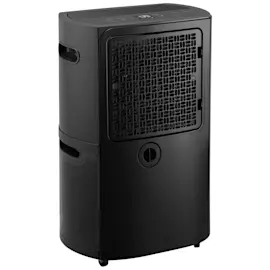
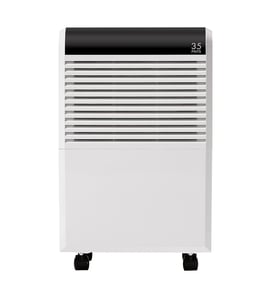
A GE dehumidifier like model ADHL35LAQ2 typically lasts 5 to 9 years with normal residential use and routine cleaning; overall life expectancy is 3 to 10 years depending on run time, humidity load, and maintenance.
Typical lifespan ranges
- Light/seasonal use: 7 to 10 years
- Normal daily use: 5 to 9 years
- Heavy, continuous use: 3 to 5 years
- Poor airflow or dirty filter: shorter life due to higher compressor and fan strain
| Usage pattern | What it looks like | Typical life expectancy |
|---|---|---|
| Seasonal | Basement only in humid months | 7 to 10 years |
| Moderate | Most days, cycles on/off | 5 to 9 years |
| Heavy | Runs nearly nonstop | 3 to 5 years |
What extends the life the most
- Clean and reinstall the air filter regularly; a clogged filter restricts airflow and overheats components (see filter WK85X22282).
- Keep the unit level and stable so the bucket seats correctly and the float switch works consistently.
- Empty and rinse the bucket often; mineral buildup and slime can cause odors and overflow issues (see water bucket asm WK01X28014).
- Maintain clearance around the intake and exhaust so the fan can move air freely.
- Run it in appropriate room conditions; very cold spaces increase frost risk and reduce moisture removal.
Signs your dehumidifier is nearing end of life
- Runs but doesn’t remove moisture like it used to
- Frequent icing or long defrost cycles
- Loud fan noise, vibration, or rattling
- Water leaks around the bucket area
- Short-cycling (turns on and off too often)
Why it matters
A dehumidifier that is struggling to remove moisture often runs longer, uses more electricity, and can develop water leaks or odor problems. Basic upkeep (especially filter and bucket care) is the simplest way to protect the compressor and fan motor.
For cleaning intervals and best practices, follow how to clean a dehumidifier.
Last updated: January 2026
How many hours a day should you run a dehumidifier?
For the GE ADHL35LAQ2 dehumidifier, we typically recommend running it long enough to hold your target humidity (about 30% to 50% RH); in many homes that means 6 to 12 hours per day, and in very damp spaces it may run most of the day until conditions improve.
A practical run-time guide
Use your room humidity and how fast the bucket fills to set expectations:
- Normal maintenance: 6 to 12 hours/day (unit cycles on and off as needed)
- Very damp basement or after water intrusion: 24 to 48 hours initially, then reduce
- Mild humidity (seasonal): a few hours/day or only during the most humid part of the day
- If it never seems to shut off: lower the humidity setpoint less aggressively (raise it a few percent)
What changes how long it runs
These factors drive run time more than the brand or model:
- Room size and air circulation
- Outdoor humidity and how often doors/windows open
- Temperature (cool rooms reduce moisture removal and can cause coil frost)
- How clean the air filter is (restricted airflow reduces performance)
- Drain method (bucket vs. continuous drain) and whether the bucket is seating correctly
Quick checks if it runs constantly or collects very little water
Start with the basics before assuming a control or sensor problem:
| Symptom | Most common cause | What to do |
|---|---|---|
| Runs all day, humidity stays high | Air leaks or undersized unit | Close windows/doors; increase setpoint to 45% to 50% |
| Runs, but little water collected | Dirty filter or low room temp | Clean/replace the filter WK85X22282; warm room above about 65°F |
| Shuts off early | Bucket not seated or full | Reseat/empty the water bucket asm WK01X28014 |
Why it matters
Right-sizing run time saves energy and helps prevent musty odors; keeping humidity in the 30% to 50% range also reduces condensation on walls, floors, and HVAC ducts.
For deeper troubleshooting steps, use our dehumidifier doesnt collect water guide.
Last updated: January 2026
Why do most dehumidifiers stop working?
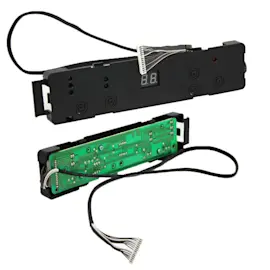
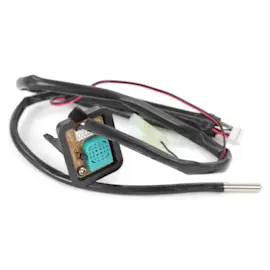
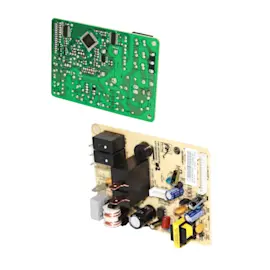
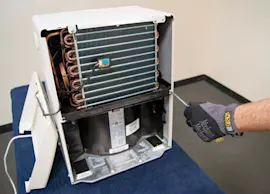
Most dehumidifiers (including GE model ADHL35LAQ2) stop working because a safety or control condition is met (bucket full or not seated, airflow restricted by a dirty filter, coils icing up in a cool room), or because a key component fails (fan, humidistat/sensor, control board, or compressor). Use how to clean a dehumidifier to rule out the common maintenance causes first.
Most common causes (and what to check first)
- Bucket switch issue: Empty the bucket, then reseat it firmly so the “bucket full” switch can close.
- Restricted airflow: Clean the air intake and check the filter for dust buildup.
- Coil icing: If the room is cool (often below about 65°F), the evaporator coil can frost and the unit may shut down or run poorly.
- Humidity set too low or already met: If the room humidity is already at or below the setpoint, the unit cycles off normally.
- Drain setup problems: A kinked hose or poor slope can cause water to back up and trigger shutoff behavior.
Quick troubleshooting steps we recommend
- Confirm power: Try a different outlet; reset the breaker; avoid extension cords.
- Reset the unit: Unplug for 5 minutes, then restart.
- Clean airflow path: Wash and dry the filter WK85X22282; vacuum lint from grilles.
- Check the bucket: Inspect for cracks and ensure the float moves freely; replace the water bucket asm WK01X28014 if it is damaged or not seating correctly.
- Verify placement: Keep several inches of clearance around the cabinet; avoid pushing it against a wall or furniture.
Symptoms and likely causes
| What you notice | What it usually points to | What to do |
|---|---|---|
| Runs but collects little water | Dirty filter, low room temp, low humidity | Clean filter; warm room; raise setpoint |
| Shuts off quickly | Bucket not seated, float stuck, drain issue | Reseat bucket; free float; check drain |
| Loud rattling or wobble | Unit not level, worn wheels | Level unit; inspect caster WK02X22283 |
| Fan runs, no dehumidifying | Sensor/control issue or sealed-system problem | Clean first; then consider service |
Why it matters
A dehumidifier depends on steady airflow across cold coils; when airflow is blocked or the bucket safety is triggered, the unit protects itself by stopping. Fixing the simple causes first prevents unnecessary part replacement and helps the compressor last longer.
Last updated: January 2026