 Installation guide
 Owner’s manual




What is the size of the Kenmore Model 721 microwave?
For Kenmore microwave/hood combo model 72180033700, the overall exterior size is 29 15/16 in. wide x 16 7/16 in. high x 15 11/16 in. deep. These dimensions are listed in the model’s specifications in the 72180033700 use & care manual.
Dimensions at a glance
- Overall (WxHxD): 29 15/16 in. x 16 7/16 in. x 15 11/16 in.
- Oven cavity (WxHxD): 21 9/16 in. x 9 1/4 in. x 14 1/8 in.
- Capacity: 1.6 cu. ft.
- Microwave output: 1000W
Quick spec table
| Spec | Value |
|---|---|
| Overall width | 29 15/16 in. |
| Overall height | 16 7/16 in. |
| Overall depth | 15 11/16 in. |
| Cavity size (W x H x D) | 21 9/16 in. x 9 1/4 in. x 14 1/8 in. |
| Capacity | 1.6 cu. ft. |
Why it matters
Getting the correct width, height, and depth helps confirm your cabinet opening fit, mounting alignment, and clearance over the cooktop for safe installation and proper venting.
Related installation notes
If you are measuring for replacement or a new install, we recommend confirming cabinet opening and clearance requirements in the 72180033700 installation instructions.
Last updated: January 2026
How do I reset my Kenmore microwave?
To reset your Kenmore microwave model 72180033700, we recommend doing a basic power reset first: unplug the unit (or turn off the breaker) for about 1 minute, then restore power and set the clock again. This clears many control glitches without changing cooking features.
Quick reset options for model 72180033700
- Power reset (recommended first): unplug for 60 seconds, then plug back in.
- Stop/Clear reset: press STOP to cancel a cooking program or clear an incorrect entry.
- Child lock toggle: press and hold STOP for about 4 seconds until the lock indicator changes (locks or unlocks the control panel).
For the exact button behavior and display prompts on your unit, follow the steps in the 72180033700 use & care manual.
Step-by-step: power reset (most common “reset”)
- Unplug the microwave or switch the circuit breaker OFF.
- Wait 60 seconds.
- Restore power.
- Set the clock (the display may show ":" until the clock is set).
If the display is blank after resetting
- Confirm the outlet has power (test with a small appliance).
- Check your home breaker or fuse.
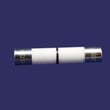
- If the microwave is completely dead and power is good, a blown internal fuse is a common cause; see how to replace a microwave fuse.
When a “reset” points to a repair
If the microwave keeps losing power, goes dead after you press START, or repeatedly trips the breaker, we treat that as a component issue rather than a settings problem.
| Symptom | Most likely direction | What we typically check |
|---|---|---|
| Dead, no display | Power supply or internal protection | Outlet, breaker, internal fuse |
| Runs but won’t heat | High-voltage system issue | Magnetron, capacitor, diode |
| Stops when door moves | Door safety circuit issue | Door switches, latch alignment |
If you suspect an internal fuse, use the exact replacement listed for this model, such as the microwave fuse 3B74133Q.
Why it matters
A true “reset” fixes temporary control-board confusion, but repeated shutdowns usually indicate a power, door-interlock, or high-voltage problem. Resetting alone will not correct those underlying issues.
Last updated: January 2026
Can a Kenmore microwave be repaired?
Yes, a Kenmore microwave can often be repaired, and that includes the Kenmore 72180033700 microwave/hood combo. Many common problems are caused by serviceable parts (like door interlock switches, fuses, lights, or vent filters), but high-voltage heating components should be handled by a qualified technician.
What we can safely help you repair on model 72180033700
These are typical DIY-friendly repairs when you unplug power first and follow the safety steps in the 72180033700 use & care manual.
- Replace a blown line fuse if the unit is completely dead
- Fix door-latch or door-switch issues that prevent starting
- Replace the cooktop light bulb or lens
- Replace vent filters (grease or charcoal) to improve airflow and reduce odors
- Correct turntable fit issues (tray support, coupler, or tray)
Repairs that should be done by a technician
Microwaves contain high-voltage components that can store a dangerous charge even when unplugged.
| Repair area | Typical symptoms | Who should do it |
|---|---|---|
| High-voltage heating circuit | Runs but does not heat, loud hum, burning smell | Technician |
| Control board diagnostics | Random behavior, keypad issues, intermittent power | Technician or advanced DIY |
| Door seal or hinge alignment | Door does not close correctly | Technician |
Parts that commonly solve repairable symptoms
If your symptom matches, these model-compatible parts are good starting points.
- No power or dead display: microwave fuse 3B74133Q
- Won’t start or stops when door moves: microwave door interlock switch 6600W1K001Q or microwave door interlock switch 6600W1K001R
- Poor venting or greasy airflow: microwave grease filter 5230W1A012E
- Recirculating odor control: microwave charcoal filter 5230W1A011E
Why it matters
Repairing the right component can restore safe operation and extend the life of your Kenmore 72180033700. It also helps avoid repeat failures caused by issues like restricted venting, a misaligned door latch, or an incorrect electrical supply.
Last updated: January 2026


