Owner’s manual
 Error Codes


Can too much detergent cause the OE error?
Yes. On the LG WT1150CW washer, using too much detergent (or non-HE detergent) can create excess suds that interfere with draining, which can trigger an OE drain error. LG specifically warns that oversudsing and detergent buildup can lead to error codes and poor performance; follow the dosing guidance in the WT1150CW owner's manual.
Why excess detergent can lead to OE
Too many suds can slow water flow through the drain path and leave residue that contributes to restrictions over time.
Common ways this happens:
- Non-HE detergent creates oversudsing in high-efficiency washers.
- Overfilling the dispenser causes detergent to concentrate and build up.
- Suds and residue can contribute to slow draining symptoms.
- Heavy sudsing can cause cycle interruptions and poor rinsing.
What to do right now
Start with the simplest fixes first; they solve most OE situations tied to oversudsing.
- Switch to detergent with the HE logo.
- Reduce the dose; for average loads, HE detergent is typically less than 1/2 of the detergent maker’s maximum recommendation.
- If you used too much, run a rinse and spin (or a short wash without laundry) to clear suds.
- Check the drain hose for kinks or a crushed section.
- If draining is still slow, inspect the pump area for blockage and consider replacing the pump if it is weak.
Parts that matter if OE keeps coming back
If you confirm the washer is using the right detergent and dosing but it still will not drain, a drain component is often the next place to look.
| Symptom | What it points to | Example part for WT1150CW |
|---|---|---|
| Hums but drains slowly or not at all | Pump obstruction or failing pump | Drain pump assembly 5859EA1004P |
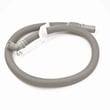
| Drains sometimes, then backs up | Kinked or restricted hose | Drain hose assembly AEM73732901 |
| OE after heavy sudsing events | Residue restriction plus slow drain | Pump and hose inspection/cleaning |
Why it matters
OE is a drain protection alert; correcting detergent type and dose prevents repeat cycle failures, improves rinsing, and helps keep the washer interior cleaner.
Last updated: January 2026
Does an LG top load washer have a filter that needs to be cleaned?
Yes. On the LG WT1150CW top-load washer, the main “filter” you routinely clean is the small inlet screen filters inside the hot and cold water fill valves; when they clog with sediment or hard-water scale, the washer may fill slowly or show a fill-related error.
What filters this washer has (and where they are)
LG WT1150CW uses inlet screen filters to protect the water inlet valve from debris coming from your home’s water supply.
- Water inlet screen filters: Located where the hot and cold hoses connect to the back of the washer
- Purpose: Catch grit, sand, and mineral scale before it reaches the inlet valve
- Common symptom when clogged: Slow fill, weak fill, or an “IE” style fill error
- Not a lint trap: Most top-load washers do not have a user-cleanable lint filter like a dryer
For model-specific maintenance steps and safety notes, follow the WT1150CW owner’s manual.
How to clean the water inlet filters
Before you start, unplug the washer and turn off both water faucets.
- Turn OFF hot and cold water supply valves
- Remove the hot and cold inlet hoses from the washer
- Pull the small screen filters out carefully (needle-nose pliers often help)
- Rinse and brush screens under running water to remove scale and debris
- Flush several gallons of water through each hose into a bucket before reconnecting
- Reinstall screens, reconnect hoses, then check for leaks
Quick do and don’t table
| Do | Don’t |
|---|---|
| Unplug power and shut off water first | Clean with harsh chemicals or abrasives |
| Clean and reinstall the inlet screens | Run the washer with inlet filters removed |
| Flush hoses before reconnecting | Overtighten hoses and damage fittings |
Why it matters
A clogged inlet screen restricts water flow, which can cause long fill times, poor wash performance, and error codes. Keeping the inlet filters clean also helps protect the water inlet valve assembly from damage.
Last updated: January 2026
Is a DE1 error expensive to repair?
A dE1 (door or lid lock related) error on an LG WT1150CW washer is often not expensive if the fix is a simple lid alignment, latch cleaning, or wiring connection. It becomes expensive when the repair requires a major electrical part replacement or professional labor; use the WT1150CW owner’s manual to confirm the exact reset and error guidance for your washer.
What “expensive” usually means for a dE1 repair
Costs vary by area, but dE1 repairs typically fall into these buckets:
- Low cost: cleaning the lid strike area, reseating connectors, correcting an off-balance load that prevents locking
- Medium cost: replacing a lid lock or related harness (if applicable)
- Higher cost: diagnosing and replacing an electronic control (labor plus part)
Quick checks we recommend before buying parts
Try these first because they solve many lid-lock errors without replacing anything:
- Unplug the washer for 2 to 5 minutes, then restore power and retry a cycle
- Press down on the lid at the front edge and listen for a solid “click” when it locks
- Check for detergent residue or debris around the lid strike and lock area; clean and dry it
- Make sure the load is not forcing the tub to one side (redistribute bulky items)
- If the washer fills but will not agitate or spin, stop the cycle and retry after rebalancing
Parts that can be involved (when symptoms match)
If the lid is physically fine but the washer still will not lock, these model-related parts can be involved depending on the failure:
| Symptom you see | Common direction | Example part on this model page |
|---|---|---|
| Won’t fill or overfills, odd water level behavior | Check pressure sensing system | LG washer water-level pressure switch 6501EA1001R |
| Won’t drain, stops mid-cycle, water left in tub | Check drain path and pump | Drain pump assembly 5859EA1004P |
| Shakes hard, won’t reach spin, load constantly rebalances | Check suspension | Washer suspension rod and spring assembly AJK72989704 |
Why it matters
A dE1 condition prevents safe spinning. Fixing the root cause early helps avoid repeated cycle stops, wet loads, and extra strain on the suspension, drain system, and control.
Last updated: January 2026