 Installation guide
 Owner’s manual
 Error Codes








How do I reset my Kenmore electric range?
To reset your Kenmore electric range model 79046783900, turn the range off and disconnect power at the home breaker (or remove the fuse) for about 5 minutes, then restore power. After a reset, the clock may flash 12:00 and needs to be set again using the steps in the 79046783900 owner's manual.
Quick reset steps (recommended)
- Turn all surface element knobs to OFF.
- Switch the range circuit breaker OFF (or remove the fuse).
- Wait 5 minutes to let the control fully power down.
- Switch the breaker ON (or reinstall the fuse).
- Set the clock if the display shows 12:00.
What to do right after power is restored
If the display is flashing 12:00, the range is telling you power was interrupted.
- Press the Clock pad once (do not hold it).
- Within 5 seconds, press and hold the ▲ or ▼ pad until the correct time shows.
- Avoid trying to change the clock during a timed bake or Self-Clean cycle.
If the reset did not fix the problem
A reset clears many temporary control glitches, but it will not fix a failed part. These checks help narrow it down:
- Oven not heating or temperature is off: the oven temperature sensor may be out of range; see frigidaire range oven temperature sensor 316217002.
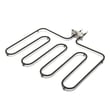
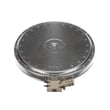
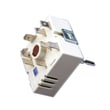
- One surface element not working: the element or its control switch may be failing; inspect wiring and consider range surface element control switch 318293830.
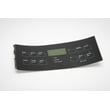
- Display or keypad issues continue: the control panel overlay or control panel may be damaged (especially if keys do not respond).
| Symptom after reset | Most common cause | What we recommend |
|---|---|---|
| Clock flashes 12:00 | Power interruption | Set the clock and test bake/broil |
| Oven heats poorly | Sensor or element issue | Run a temperature test; check sensor |
| One burner dead | Element or switch | Swap pans, inspect element, test switch |
Why it matters
Resetting restores normal operation after a power interruption and can clear minor electronic control errors. If symptoms return quickly, troubleshooting the heating circuit (sensor, element, switch, wiring) prevents repeat shutdowns and uneven cooking.
Last updated: January 2026
Where is Kenmore's model number?
On the Kenmore electric range model 79046783900, the model number is on the appliance rating label, typically on the oven frame behind the storage or broiler drawer, or along the door frame area. Use the label exactly as printed when ordering parts or checking error codes in the 79046783900 owner's manual.
Where to look on model 79046783900
Check these common label locations in this order:
- Open the lower drawer (storage or broiler drawer) and look on the front frame of the range behind it
- Open the oven door and look along the left or right door frame (front frame of the oven cavity)
- Look on the rear panel of the range if the unit has been pulled out from the wall
- If the label is dirty or faded, wipe gently with a damp cloth and mild dish soap, then dry
What the label information means (and what to copy)
Write down the key identifiers exactly as shown:
| Label item | What it’s used for | Example format |
|---|---|---|
| Model number | Correct parts lookup and diagrams | 79046783900 |
| Serial number | Production run details | Letters and numbers |
| Color code (if shown) | Matching trim and panels | Often a suffix or separate code |
Why it matters
Kenmore ranges often share similar designs across model families (including 790-series), but parts like a surface element control switch, oven temperature sensor, or control panel overlay can vary by revision. Using the exact model number prevents ordering the wrong bake element, terminal block, or oven light bulb.
Related help
If you are trying to identify a fault message after you find the model number, use Kenmore 790 self-cleaning range error codes to match the display code to likely causes.
Last updated: January 2026
Why does my Kenmore stove keep beeping and displaying a F1 symbol?
On Kenmore electric range model 79046783900, an F1 code with repeated beeping means the electronic oven control has detected a fault condition. Press STOP/CLEAR to silence the beeping and clear the display; if the code returns, the control system needs service.
Quick reset and what to record
- Press STOP/CLEAR once to stop the beeping.
- If the display clears, try setting Bake for a few minutes to see if the fault returns.
- If F1 comes back, write down the exact code and when it happens (preheat, broil, idle, after self-clean).
- Turn power off at the breaker for 1 minute, then restore power to reboot the control.
- If the beeping resumes with F1, plan for diagnosis of the control circuit.
For control locations, keypad functions, and operating steps, use the 79046783900 owner's manual.
Most common causes of an F1 on an electric range
In this style of range, F-codes are triggered when the control senses an abnormal condition. The most common causes are:
- A failing electronic oven control (clock/control board)
- A stuck or shorted keypad (touch panel) sending constant input
- Heat or moisture intrusion behind the control panel
- Wiring connection issues at the control or sensor circuit
What you can check safely
| Check | What to look for | What it points to |
|---|---|---|
| Keypad | Buttons feel stuck, won’t “click,” or act on their own | Keypad/touch panel issue |
| Control area | Heavy steam, recent boil-over, or recent cleaning | Moisture-related fault |
| When it happens | Only during high-heat cooking (broil) or after long use | Heat-stress on control |
Parts that may be involved
If the oven light area has heat damage or arcing (rare), inspect the socket and wiring while power is off. The correct light parts for this model include the range oven light socket 316116400 and range oven light bulb 316538904.
Why it matters
An F1 fault can disable baking and broiling and, in some cases, cause the control to beep continuously. Clearing the code and rebooting power helps confirm whether it was a one-time glitch or an ongoing control/keypad problem.
Last updated: January 2026






