 Installation guide
 Owner’s manual



What's the average lifespan of a GE microwave?
Most GE microwaves, including over-the-range models like PVM9179SK1SS, typically last 8 to 10 years with normal household use. Keeping the cavity clean, maintaining good airflow for the hood fan, and avoiding overheating helps you reach (or beat) that average; see the PVM9179SK1SS owner’s manual for care and operating guidance.
Typical lifespan and what changes it
- Light use (reheating only): often closer to the high end of the range
- Heavy daily cooking: more wear on the magnetron, door switches, and cooling fan
- Poor ventilation or grease buildup: can shorten life by trapping heat
- Power issues (surges/brownouts): can damage the control board or fuse
- Slamming the door: can wear the door interlock system faster
Signs your microwave is nearing end-of-life
If your GE microwave is approaching the 8 to 10 year mark, these symptoms often show up first:
| Symptom | Common area involved | What it usually means |
|---|---|---|
| Runs but doesn’t heat | High-voltage system | Heating circuit problem (often not DIY) |
| Starts then stops when door moves | Door interlock | Worn switch/lever alignment |
| Loud humming or burning smell | High-voltage system | Stop using and have it checked |
| Turntable stops turning | Drive system | Motor or coupler issue |
Related troubleshooting help: why is my microwave not heating
Parts that commonly wear before the microwave “dies”
These are frequent wear items on over-the-range microwaves:
- Door interlock components (example: micro-switch WB24X830)
- Venting filters (grease and charcoal)
- Turntable drive components
- Interior light socket and bulbs
Why it matters
Knowing the typical lifespan helps you decide whether to repair (often worth it for a simple switch, filter, or motor issue) or plan for replacement when the problem points to major high-voltage components.
Last updated: January 2026
What is PVM9179SK1SS?
GE model PVM9179SK1SS is an over-the-range microwave/hood combo, meaning it works as a countertop-style microwave mounted above the range and also includes a built-in vent fan and filters for cooking smoke and odors. For operating features and settings, use the PVM9179SK1SS owner's manual.
What this model includes (typical microwave/hood combo features)
Most GE over-the-range units like PVM9179SK1SS combine microwave cooking with ventilation. Common components you will see parts for include:
- Door safety interlock system (switches and levers)
- Vent fan system (motor, fan blade, damper)
- Grease and charcoal filtration (depending on venting setup)
- Turntable drive system (motor and coupler)
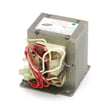
- Heating circuit components (high-voltage parts)
Parts you will commonly replace on PVM9179SK1SS
If you are shopping parts for this model, these are frequent wear items and service parts:
- Microwave grease filter WB02X11534 for capturing grease from cooking
- Microwave charcoal filter WB02X11544 for recirculating (non-vented) installations
- Door interlock parts such as the micro-switch and switch lever
- Turntable motor if the tray stops rotating
Quick guide: grease filter vs charcoal filter
| Filter type | Used when | What it does | Typical maintenance |
|---|---|---|---|
| Grease filter | Vented or recirculating | Traps grease from the cooktop | Clean regularly; replace if damaged |
| Charcoal filter | Recirculating only | Reduces odors before air returns to kitchen | Replace periodically (not washable) |
Why it matters
Knowing that PVM9179SK1SS is a microwave/hood combo helps you choose the right parts and troubleshooting steps. A “microwave not heating” issue points toward the heating circuit, while “fan loud” or “smoke not venting” points toward the hood fan, damper, or filters.
Last updated: January 2026
How do I do a hard reset on my GE microwave?
To hard reset your GE PVM9179SK1SS microwave/hood combo, disconnect power long enough to fully clear the control board, then restore power and reset the clock. This resolves many lockups, blank displays, and keypad glitches caused by a temporary control error.
Hard reset steps (power reset)
- Unplug the microwave from the outlet (or switch the dedicated circuit breaker OFF).
- Wait 2 full minutes.
- Restore power (plug back in or turn the breaker ON).
- Set the clock and re-enter any preferred settings.
- Test a simple function (interior light, vent fan, then a short heat test with a cup of water).
Soft reset (when the microwave still has power)
A soft reset is useful for minor keypad issues or a stuck control state.
- Press Clear/Off once to stop a cycle.
- Press and hold Clear/Off for about 3 seconds.
- If the control panel is locked, repeat the hold to toggle the lock off.
If the problem comes back right away
Frequent “needs a reset” symptoms usually point to a door-safety or control input issue rather than a one-time glitch.
- Make sure the door closes firmly and the latch area is clean.
- If the unit will not start, starts then stops, or acts like the door is open, inspect the door interlock system (switches and lever).
- If the display is normal but it will not heat, the issue is often in the high-voltage heating circuit.
| Symptom after reset | Most common area to check | Example part for this model |
|---|---|---|
| Won’t start, door error behavior | Door interlock switches/lever | Micro-switch WB24X830 |
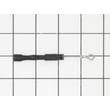
| Runs but does not heat | High-voltage components | Microwave high-voltage diode WB27X1160 |
Why it matters
Resetting clears a temporary control-board fault, but it does not fix an underlying problem like a misaligned door latch, failing interlock switch, or a heating-circuit failure. Using the correct reset method helps you avoid unnecessary parts replacement.
For model-specific control features and lock behavior, follow the steps in the PVM9179SK1SS owner’s manual.
Last updated: January 2026


