




Can a clogged drain cause an FTD error?
Yes. On the GE dishwasher model CDT875P4N7W2, an FTD (fail to drain) error commonly happens when the drain path is restricted, so the drain pump cannot move water out fast enough. Clearing the blockage usually restores normal draining.
What to check first (fast, no-parts steps)
- Cancel the cycle and let the unit try to drain; listen for the drain pump running.
- Remove standing water (if needed) so you can inspect the sump area safely.
- Clean the filter area and sump inlet; debris here is a top cause of slow draining.
- Check the sink/disposal connection for a clog (and confirm the knockout plug was removed if a disposal was installed).
- Inspect the drain hose for kinks, crushing, or a sag that traps water.
- Verify the high loop or air gap is installed correctly to prevent backflow.
Parts that are often involved when the drain is clogged
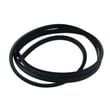
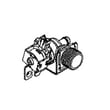
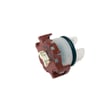
If the hose is blocked, split, or permanently kinked, replacement is the reliable fix. If the pump runs but cannot move water (or is noisy), the pump can be the issue.
| Symptom | Most likely cause | What we recommend |
|---|---|---|
| Hums but drains slowly | Partial clog in hose or sump | Clear blockage; inspect hose routing |
| Won’t drain at all | Fully blocked hose or weak pump | Check hose first; test pump operation |
| Drains, then water returns | Backflow due to no high loop/air gap | Correct drain routing and connection |
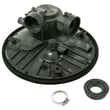
Helpful model-matched parts to consider:
Why it matters
An FTD condition leaves dirty water in the tub, can stop the cycle mid-program, and can lead to odors. Fixing the restriction protects the drain pump and helps the dishwasher clean and dry properly.
Related troubleshooting help
For code meanings and next steps specific to GE electronic controls, use GE electronic dishwasher error codes.
You can order replacement parts for CDT875P4N7W2 from the parts list for this model, or search by model number on Sears PartsDirect.
Last updated: February 2026
How do I reset my dishwasher after error code?
To reset a GE dishwasher model CDT875P4N7W2 after an error code, we use a power reset first: turn the dishwasher off at the breaker (or unplug it) for 2 to 5 minutes, then restore power and start a cycle. If the code returns, fix the underlying issue the code is reporting.
Step-by-step reset (works for most GE electronic dishwashers)
- Turn the dishwasher OFF.
- Switch the circuit breaker OFF (or unplug the dishwasher).
- Wait 2 to 5 minutes.
- Restore power.
- Start a Cancel/Drain (if your control panel has it), then run a quick cycle.
If the error code comes back
An error code usually points to a real condition (drain problem, fill problem, door not latched, or a sensor reading out of range). These checks solve the most common causes:
- Door not fully latched: check the strike alignment and latch operation; a worn latch can trigger stop/start behavior.
- Not draining: check for a kinked hose, a clogged air gap (if you have one), or debris in the sump area.
- Leak or water level issue: inspect for water in the base and verify the tub seal surfaces are clean.
- Intermittent fill/wash performance: clean the filter area and check for spray arm blockage.
Common parts that relate to error codes on this model
If troubleshooting points to a specific failure, these parts are commonly involved on CDT875P4N7W2:
| Symptom you see | What it often points to | Example part on this model |
|---|---|---|
| Won’t start, beeps, or stops quickly | Door latch not sensing closed | GE dishwasher door latch lock WD21X10490 |
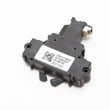
| Won’t drain, standing water | Drain path restriction or weak pump | Dishwasher drain pump WD19X25622 or dishwasher drain hose WD24X10062 |
| Fill or water level related code | Pressure sensing issue | GE dishwasher pressure sensor WD21X25468 |
| Random resets, dead panel, repeated codes | Control problem after power events | Configured machine control board WD21X34778 |
Why it matters
Clearing the code without correcting the cause usually leads to repeat shutdowns, poor cleaning, or water left in the tub. A proper reset plus a quick check of draining, latching, and water level components gets the dishwasher running reliably again.
Find the exact code meaning
For code definitions and what to check first, use our GE electronic dishwasher error codes guide. For replacement parts specific to CDT875P4N7W2, use the parts list for this model or search by model number on Sears PartsDirect.
Last updated: February 2026
How do I find the model number on my CDT875P4N7W2?
On a GE dishwasher like model CDT875P4N7W2, the model number is printed on the rating label, most often along the inside edge of the door. Open the door fully and look around the door frame area for a sticker or metal tag.
Where to look on a GE dishwasher
Check these common label locations first:
- Top edge of the inner door (visible when the door is open)
- Left or right side of the door frame (the vertical edge of the tub opening)
- Along the inner door liner near the latch area
- On the side wall of the tub opening, just behind the front frame
What the label looks like and what to write down
The rating label usually includes several identifiers. We recommend copying them exactly as shown.
- Model number (example format: CDT875P4N7W2)
- Serial number (helps match production run and correct parts)
- Brand (GE)
- Electrical info (volts/amps) and sometimes a date code
Quick ID checklist
| Item | Why it matters | Example |
|---|---|---|
| Model number | Ensures diagrams and parts match your exact dishwasher | CDT875P4N7W2 |
| Serial number | Helps confirm the correct version of a part | Varies |
| Product type | Confirms you are shopping in the right category | Dishwasher |
Why it matters
GE often uses similar-looking dishwashers with different racks, controls, and wash components. Using the exact model number helps us match parts like the GE dishwasher door latch lock WD21X10490 or the dishwasher drain pump WD19X25622 to your specific unit.
Last updated: March 2026





