 Owner’s manual

What are common Hoover vacuum problems?
Common problems on the Hoover UH71230 upright vacuum are low suction (often from a full dirt cup, dirty filter, or a clog), a brush roll that stops turning (belt or blockage), and shutoffs or no-run conditions (power supply or overheating from restricted airflow). See the troubleshooting checklist in the UH71230 owner's manual.
Most common symptoms and what usually causes them
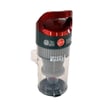
- Low suction or won’t pick up: full dirt cup, dirty rinsable or HEPA media filter, clog in hose or air path
- System Check Indicator turns red: dirt cup full or clogged, airflow restriction
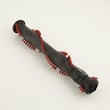
- Brush roll not spinning (including Turbo Tool): belt broken or stretched, blockage, hair and debris wrapped on brush
- Vacuum shuts off during use: overheating from a blockage or dirty filter
- Vacuum won’t run: tripped breaker or blown fuse, power issue
- Cord rewind does not work: cord reel issue or incorrect rewind technique
Quick checks we recommend first (fastest fixes)
- Unplug the vacuum before any cleaning or service.
- Empty the dirt cup and re-seat it fully.
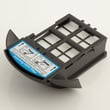
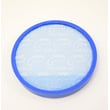
- Clean the rinsable filter and any HEPA media filter as directed in the manual.
- Check the hose and air passages for clogs; remove debris.
- Inspect the brush roll area for wrapped hair, string, or carpet fibers.
- If the brush roll still will not spin, plan on replacing the belt.
Troubleshooting guide by symptom
| Symptom | Most likely cause | What to do next |
|---|---|---|
| Low suction or red indicator | Full dirt cup, dirty filter, clog | Empty cup, clean filter, clear blockage |
| Brush roll not spinning | Broken or stretched belt, blockage | Clear debris; replace belt |
| Hard to push | Carpet height set too low | Adjust carpet height setting |
| Won’t run | Tripped breaker or blown fuse | Check home breaker/fuse |
Cord rewind and tool care tips
- Hold the plug while rewinding the cord so it does not whip.
- Clean the hose and Turbo Tool with a damp cloth; do not submerge.
- Wash other tools in warm, soapy water; rinse and air dry for 24 hours before use.
Why it matters
Most “vacuum problems” are airflow problems. Keeping filters clean, the dirt cup emptied, and the brush roll clear prevents overheating, protects the motor, and restores cleaning performance.
Last updated: February 2026
What is the life expectancy of a Hoover vacuum?
Most Hoover upright vacuums, including the Hoover UH71230, typically last 5 to 8 years in normal household use. Regular maintenance (keeping airflow clear, cleaning filters, and replacing wear items like belts and the brush roll when needed) is what most often determines whether you reach the high end of that range.
Typical lifespan by vacuum type
| Vacuum type | Typical life expectancy | What usually limits life |
|---|---|---|
| Corded upright (like UH71230) | 5 to 8 years | Belt and brush roll wear, clogs, motor strain |
| Cordless stick | About 5 years | Battery capacity loss |
| Canister | 6 to 10 years | Hose leaks, motor wear, clog-related overheating |
What shortens the life of an upright vacuum
These are the most common causes of early failure in an upright vacuum:
- Running with a clog in the hose, nozzle, or internal air path
- Using the wrong carpet height setting, which can overload the brush roll
- Letting hair and string wrap the beater bar or brush roll
- Skipping filter cleaning, which reduces airflow and increases motor heat
- Continuing to use the vacuum when the belt is stretched, broken, or slipping
For model-specific maintenance and troubleshooting steps (including carpet height adjustment and blockage checks), follow the owner's manual.
Signs it is time to repair vs. replace
Repair is usually worth it when the vacuum still runs smoothly and the issue is a wear item or airflow problem.
- Brush roll not spinning (often belt, brush roll, or a jam)
- Poor pickup on carpet (often height setting, clog, or dirty filters)
- Burning smell from the nozzle area (often belt slip or brush roll jam)
Replacement makes more sense when you see repeated motor shutoffs, persistent loud grinding, or multiple major issues at once.
Why it matters
A vacuum that is partially clogged or set too low on carpet can overwork the brush roll and motor. Keeping airflow open and the brush system maintained helps your Hoover UH71230 clean better now and last longer.
Related DIY help: tips for caring for a vacuum cleaner
Last updated: February 2026
How do I find the model number on my UH71230?
The model number for your Hoover upright vacuum is printed on the product data label on the bottom of the vacuum. Flip the UH71230 over and look for a label that lists the MODEL and a manufacturing code; write both down for parts and service.
Where to look on the vacuum
On the Hoover UH71230, the identification label is located on the bottom of the vacuum.
- Unplug the vacuum and set it on a stable surface
- Carefully tilt it back or lay it down so you can see the underside
- Find the sticker or plate that shows MODEL and MANUFACTURING CODE
- Record both items exactly as printed (letters and numbers)
- Keep the information with your paperwork for future reference
What you should write down
The manual calls out two key identifiers. The model number is used to match diagrams and parts; the manufacturing code helps identify the exact production version.
| Label item | What it’s used for | Example format |
|---|---|---|
| Model | Identifies the vacuum model | UH71230 |
| Manufacturing code (MFG. CODE) | Identifies the production run/version | Letters and numbers |
Why it matters
Using the complete model number and manufacturing code helps ensure you get the correct Hoover vacuum parts and the right repair information for your exact UH71230 configuration.
Helpful reference
For a picture-style reference of the label location and how it’s listed, check the [UH71230 owner's manual].
Last updated: March 2026


