Installation guide
 Owner’s manual
 Error Codes


Are all GE dishwashers the same size?
No. GE dishwashers are not all the same size; most built-in models (including many like GE GLD5600R00BB) are designed for a standard 24-inch cabinet opening, but GE also makes compact 18-inch models and heights can vary. Confirm the exact cutout requirements in the GLD5600R00BB installation guide.
Typical GE dishwasher size options
Most GE dishwashers fall into these common categories:
- Standard built-in: about 24 inches wide
- Compact built-in: about 18 inches wide
- Height variations: standard vs. “tall tub” designs; adjustable leveling legs can change fit slightly
- Depth differences: can vary with door style and handle design
What to measure before you buy or replace
Measure the cabinet opening and compare it to the installation requirements.
- Opening width (side-to-side)
- Opening height (floor to underside of countertop)
- Opening depth (front to back)
- Clearance for the door to open fully
- Space for water line, drain hose, and power connection
Quick comparison table
| Type | Common width | Best for |
|---|---|---|
| Standard built-in | ~24 in. | Most full-size kitchens |
| Compact built-in | ~18 in. | Apartments, small kitchens |
Why it matters
Dishwashers are built to fit cabinet openings, not just to match a brand. Even within GE, small differences in height, depth, and mounting style can affect installation, toe panel fit, and door clearance.
Last updated: January 2026
What is the rough opening for a GE dishwasher?
For the GE GLD5600R00BB dishwasher, the rough cabinet opening should be at least 24 inches wide and 24 inches deep, with a height of 34-1/2 inches (plus or minus 1/4 inch) from the floor to the underside of the countertop. Confirm your exact cutout and clearances in the GLD5600R00BB installation guide.
Rough opening and clearance checklist
Use these basics before you slide the dishwasher into place:
- Minimum opening: 24 in. W x 24 in. D
- Opening height: 34-1/2 in. +/- 1/4 in. (floor to underside of countertop)
- Keep the back wall clear of pipes and wiring where the tub needs to sit
- Cabinets should be square and plumb for a proper fit
- Corner installs need at least 2 in. clearance to the adjacent wall
- Leave at least 28-3/8 in. in front so the door can open fully
Quick spec table
| Measurement | Recommended minimum for GLD5600R00BB |
|---|---|
| Cabinet opening width | 24 in. |
| Cabinet opening depth | 24 in. |
| Cabinet opening height | 34-1/2 in. +/- 1/4 in. |
| Corner side clearance | 2 in. |
| Front door clearance | 28-3/8 in. |
Why it matters
If the opening is too tight or out of square, the dishwasher can sit twisted or unlevel. That can cause the door to rub, racks to roll on their own, and sealing issues that lead to leaks or poor wash performance.
Installation tips that prevent common fit problems
These steps help the dishwasher fit correctly and operate normally:
- Make sure the kitchen floor is level inside the opening and even with the finished floor
- Level the dishwasher left-to-right and front-to-back so the door closes without hitting the tub sides
- After leveling, verify the unit is centered in the enclosure
- Secure the dishwasher to the countertop or cabinet sides as shown in the GLD5600R00BB installation guide
Last updated: January 2026
How do I reset the error code on my dishwasher?
On a GE GLD5600R00BB dishwasher, most error conditions clear by canceling the current cycle with the START/RESET pad and letting the unit drain completely (about 90 seconds). After the light stops flashing, you can reselect a cycle and restart; see the GLD5600R00BB owner's manual for the exact control behavior.
Quick reset steps (most common)
- Close and latch the door.
- Press START/RESET once to cancel the cycle.
- Wait for the dishwasher to drain; the START/RESET light can flash during drain (about 90 seconds).
- When the light stops flashing, select your cycle and options.
- Press START/RESET once to start.
If the dishwasher was interrupted by a power outage
If power was turned off during a cycle and then restored, blinking lights often indicate the dishwasher is draining out standing water. Let it finish draining, then press START/RESET once to start a new cycle.
When a reset is not enough
A repeating error or repeated beeping usually means the dishwasher is detecting a condition that needs attention. Check these common causes first:
- Door not fully closed or latched (can beep every 30 seconds as a reminder)
- Drain issue; check and clean the air gap if your installation uses one
- Restricted water fill (house shutoff valve not fully open)
- Clogged filter or wash system restriction
Common symptoms and what to check
| What you see | What it usually means | What to do next |
|---|---|---|
| START/RESET light flashing | Cycle was canceled or unit is draining | Wait for drain to finish, then restart |
| Beeps every 30 seconds | Door left open during operation | Close and latch the door |
| Won’t drain well | Drain path restriction | Clean air gap and check drain hose routing |
Why it matters
Resetting clears a canceled cycle and lets the control restart cleanly. If the same error returns, the dishwasher is protecting itself from issues like poor draining or a door-latch interruption, which can prevent proper washing and drying.
Helpful reference
- Use GE electronic dishwasher error codes to match the displayed code or light pattern to the most likely cause and repair path.
Last updated: January 2026
What is the most common problem with GE dishwashers?
The most common problems we see with GE dishwashers like model GLD5600R00BB are draining issues (clogged filter or drain path), not starting (door latch not fully seated or control issue), and filling problems (water supply or inlet valve). Use the GLD5600R00BB owner’s manual troubleshooting table to narrow it down fast.
Most common issues and what to check first
- Not draining: food debris in the filter area, a kinked/blocked drain hose, or a weak drain pump.
- Won’t start: door not fully latched, control not accepting inputs, or a cycle not properly reset.
- Won’t fill with water: water valve turned off, door latch not seated, or an inlet valve problem.
- Poor cleaning or residue: spray arm blockage, filter restriction, or loading that blocks water flow.
- Suds/overflow: wrong detergent type; use automatic dishwasher detergent only.
Quick troubleshooting steps (in order)
- Reset the cycle: many GE models use a START/RESET sequence; follow the exact steps in the GLD5600R00BB owner’s manual.
- Confirm the door latch is fully seated: a partially latched door can prevent filling and running.
- Check water supply: verify the shutoff valve is open and hot water is available.
- Inspect the drain path: clear the filter area and check for hose kinks or clogs.
- Look for standing water: if water remains after canceling/draining, the drain pump or drain hose is a prime suspect.
Parts that commonly relate to these symptoms (GLD5600R00BB)
| Symptom | Common area | Example part for this model |
|---|---|---|
| Dishwasher won’t fill | Water supply/inlet | Dishwasher water inlet valve WD15X10003 |
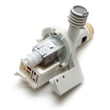
| Dishwasher won’t drain | Drain system | Dishwasher drain pump WD26X10046 |
| Poor wash performance | Filtration | Dishwasher filter WD22X10077 |
Why it matters
Drain, fill, and start problems often share the same root causes: a blocked water path, a blocked drain path, or a door latch condition that prevents the control from allowing the cycle to run. Catching the simple causes first helps avoid unnecessary part replacement.
Last updated: January 2026