Installation guide
 Owner’s manual
 Error Codes



How to reset Kenmore oven model 79095683302?
To reset the Kenmore electric range model 79095683302, turn the range OFF, then restore power by cycling the breaker (or unplugging and plugging back in). After power returns, reset the clock and any oven settings as needed; this restores normal control operation.
Quick reset steps (most common)
- Turn all surface element knobs to OFF.
- Switch the range circuit breaker OFF for 1 minute.
- Switch the breaker ON.
- Set the time of day and reselect any cooking functions.
- If the display is locked, cancel lockout (see below).
If the control is “locked” (not a power reset)
This model has an oven control lockout that can make it look like the oven is not responding.
- Press and hold the oven lockout key for 3 seconds.
- If you see “LOC” and the door lock indicator flashes, wait about 15 seconds for the lock to finish.
- To cancel lockout, press and hold the same key for 3 seconds again.
Reference: 79095683302 owner's manual
What to check if it still will not heat after a reset
A reset fixes control glitches, but it will not fix a failed heating circuit.
- Confirm the range has 240 volts at the outlet (a tripped half-breaker can leave you with lights but no heat).
- Check for a visible break or blister on the bake element.
- If broil works but bake does not, suspect the bake element.
- If neither bake nor broil heats, suspect power supply, wiring, or the control.
- If the oven temperature seems wrong, use the calibration feature in the manual.
| Symptom after reset | Most likely area to inspect | Common next step |
|---|---|---|
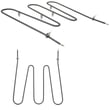
| Display works, oven will not bake | Bake heating circuit | Inspect/replace frigidaire range bake element 316202200 |
| Oven heats but temperature is off | Temperature sensing/calibration | Test sensor, then calibrate in the manual |
| Door shows locked and buttons do not respond | Control lockout/door latch | Cancel lockout; inspect latch if stuck |
Why it matters
Resetting clears temporary electronic control errors and restores normal operation after a power interruption. It also helps you separate a simple control issue from a part failure such as a heating element, sensor, or door latch.
Last updated: January 2026
What is the width of a Kenmore range?
For the Kenmore electric range model 79095683302, the installation dimensions list an overall width of 29 7/8 inches (commonly sold as a 30-inch range). Use that overall width for cabinet opening planning and to confirm the range will slide in without rubbing.
Width for model 79095683302 (and what to measure)
The most important number for fit is the outside edge to outside edge width shown in the installation specs.
- Overall range width: 29 7/8 in.
- Common retail category: 30-inch range
- Measure your opening in multiple spots; walls and cabinets are rarely perfectly square
- Confirm clearance for the power cord and anti-tip bracket behind the unit
Quick size reference (from installation dimensions)
| Dimension type | What it affects | Model 79095683302 spec |
|---|---|---|
| Overall width | Cabinet opening fit | 29 7/8 in. |
| Overall depth | How far it sits from the wall/counter | 25 3/4 in. |
| Overall height | Counter alignment and leveling range | 44 5/8 in. |
For the full clearance diagram and placement notes, use the 79095683302 installation guide.
Fit checklist before installing
- Measure the cabinet opening width at the front, middle, and back.
- Verify the floor is solid and level; adjust the leveling legs after positioning.
- Make sure the range can slide fully back without pinching the cord.
- Confirm the anti-tip bracket is installed and the rear leg engages it.
Why it matters
A range that is even slightly wider than the opening can bind against cabinets, scratch finished edges, or prevent the appliance from seating fully against the wall. Using the installation dimensions also helps maintain safe clearances around heated surfaces.
Last updated: January 2026
Where to find model number on Kenmore Electric Range?
On the Kenmore electric range model 79095683302, the model and serial number are printed on the serial plate located on the right side of the oven front frame inside the storage or warmer drawer compartment. Pull the drawer open and look along the right-side frame for the identification plate; see the 79095683302 owner's manual.
Where to look on model 79095683302
Check these spots in this order:
- Open the storage drawer or warmer drawer and look on the right side of the oven front frame
- Look for a serial plate/identification plate with the model and serial number
- Use a flashlight and check the frame edge and inner side wall of the drawer opening
- Wipe grease or dust off the plate so the numbers are readable
What the serial plate tells you (and why it matters)
The serial plate typically includes more than just the model number, which helps us match the correct Kenmore parts and electrical requirements.
| What you’ll see | Why we ask for it |
|---|---|
| Model number | Ensures parts diagrams and replacements match your exact range |
| Serial number | Helps confirm production details for the correct part variation |
| Voltage and kilowatt rating | Confirms power requirements for safe installation and service |
Tips for ordering parts and service
When you contact us or order parts for your range, use the exact characters from the plate.
- Write the model number and serial number exactly as shown
- Include any lot number or letter listed on the plate (if present)
- Keep the numbers handy before calling for service or ordering parts
Why it matters
Kenmore ranges often share similar styling across multiple model series, but internal parts (like the oven temperature sensor, bake element, or control components) can differ by model. Using the serial plate information prevents wrong-part returns and speeds up troubleshooting.
Last updated: January 2026