Owner’s manual
 Error Codes


Who manufactures RS265TDWP?
Samsung manufactures the RS265TDWP side-by-side refrigerator. For model-specific identification details (including where to find the model and serial tag on the cabinet), use the RS265TDWP owner's manual.
How to confirm the manufacturer on the appliance
We recommend verifying the data plate on the refrigerator itself, especially if you are ordering parts or scheduling service.
- Open the fresh food door and look along the lower left area of the cabinet for the model/serial label
- Match the model number exactly: RS265TDWP
- Record the serial number as well (helpful for parts lookups)
- Use the label information when selecting Samsung parts such as a water filter or ice maker
What “RS265TDWP” tells you
Samsung model numbers typically identify a product family and configuration. For RS265TDWP, you are looking at a Samsung side-by-side platform that commonly includes an external digital display, ice and water dispensing features, and a water filtration system.
| Item | What to look for | Why it helps |
|---|---|---|
| Brand | Samsung on the badge or label | Confirms manufacturer |
| Model | RS265TDWP | Ensures correct parts fit |
| Serial | Unique to your unit | Helps with service history |
Why it matters
Manufacturer confirmation prevents ordering the wrong components. For example, if you are replacing the filter, choosing the correct Samsung filter style is critical for proper water flow and leak-free installation.
If you are shopping for a replacement filter for this model, the Samsung refrigerator water filter da29-00020b is a common match for RS265TDWP configurations.
Last updated: February 2026
What size is the Samsung RS265TDWP?
The Samsung RS265TDWP side-by-side refrigerator measures 35 3/4 in. wide (cabinet), 33 3/4 in. deep with doors, and about 69 15/16 in. tall with hinge. For moving and installation planning, we recommend confirming the full depth with handles and door-swing clearance in the RS265TDWP owner's manual.
RS265TDWP dimensions (from the manual)
Here are the key measurements you typically need for doorways, alcoves, and cabinet cutouts:
- Width (cabinet): 908 mm (35 3/4 in.)
- Width (with legs/front): 915.5 mm (36 1/2 in.)
- Depth (cabinet only): 746.5 mm (29 13/32 in.)
- Depth (with doors): 857.5 mm (33 3/4 in.)
- Depth (with handles): 922.5 mm (36 11/32 in.)
- Height (with hinge): 1,776 mm (69 15/16 in.)
Door swing and clearance planning
Side-by-side refrigerators need extra room for the doors to open and for airflow behind the unit.
| Measurement | Front clearance needed | Why you need it |
|---|---|---|
| Door opening (90°) | About 46 1/16 in. (front) | Lets drawers and bins clear during normal use |
| Door opening (135°) | About 39 29/32 in. (front) | Makes it easier to remove shelves and bins |
| Ventilation space | Leave space at right, left, back, and top | Helps reduce power use and improves cooling |
Why it matters
Using the correct width, depth, and height prevents delivery-day surprises (stuck in a doorway, hitting cabinets, or pinched water line). It also helps the refrigerator cool efficiently once installed.
Last updated: February 2026
How to reset a Samsung refrigerator RS265TDWP?
To reset your Samsung RS265TDWP refrigerator, we recommend doing a full power reset: unplug the refrigerator for about 1 minute, then plug it back in. After power is restored, the controls and temperature display should return to normal operation; allow several hours for temperatures to stabilize.
Quick reset steps (power reset)
- Unplug the refrigerator from the wall outlet.
- Wait about 60 seconds.
- Plug the refrigerator back in.
- Confirm the interior lights turn on when doors open.
- Set the freezer and fridge temperatures back to your preferred settings.
- Give the unit a few hours to reach the correct temperatures again.
Control-panel reset (if the display is acting up)
Some Samsung side-by-side models use a key combination to clear a stuck display after a power event. If your RS265TDWP has Energy Saver and Lighting buttons, press and hold both together for about 8 seconds to reinitialize the display.
What to expect after a reset
| What you notice | What it usually means | What to do |
|---|---|---|
| Compressor does not start immediately | Normal delay/protection timing | Wait 5 to 10 minutes |
| Temps are warmer right after reset | Normal recovery | Keep doors closed; wait several hours |
| Ice production pauses | Icemaker needs time to cool | Allow 12 to 24 hours for full ice output |
| Filter indicator is on | Reminder feature on the digital display | Replace filter if due; reset indicator per instructions |
Why it matters
A reset clears minor control glitches and helps the external digital display and temperature controls recover after a power outage. It also prevents unnecessary part replacement when the issue is simply a temporary electronics lockup.
For model-specific control and temperature guidance, follow the steps in the RS265TDWP owner's manual.
Last updated: February 2026
What is the most common problem with Samsung refrigerators?
The most common Samsung refrigerator problems are cooling performance issues, ice maker problems, and water leaks. On the Samsung RS265TDWP side-by-side, these symptoms often trace back to airflow restrictions (blocked vents or heavy frost), water supply pressure issues, or a failing defrost or fan component; see the RS265TDWP owner's manual for model-specific operating and safety guidance.
Most common symptoms we see
- Refrigerator section warms up but freezer seems closer to normal
- Freezer warms up and ice production slows or stops
- Loud fan noise, rattling, or intermittent buzzing
- Water under the crisper drawers or on the freezer floor
- Ice clumps or frost buildup that returns quickly after defrosting
Quick checks that solve many “common problems”
Start with these basics before replacing parts:
- Confirm airflow: do not block interior air holes with food packages (blocked vents can cause overcooling or poor circulation).
- Check door sealing: make sure doors close fully and gaskets are clean and seated.
- Verify water pressure: the ice maker and dispenser need 20 to 125 psi water pressure to run correctly.
- Purge the water system: after any water line work, fill the internal tank by dispensing water until flow is steady.
- Power safety first: unplug the refrigerator before accessing internal components.
Common causes and what they point to
| Symptom | Most likely area | What to check first |
|---|---|---|
| Warm temps, frost buildup | Defrost system or airflow | Frost on rear panel, vents blocked |
| No ice or slow ice | Water supply or ice maker | Water pressure, frozen fill tube |
| Water leaks | Filter, lines, defrost drain | Filter seating, drain icing/clog |
| Fan noise | Evaporator fan area | Ice contacting fan blade |
Parts that are often involved
If your troubleshooting points to a specific failure, these model-matched parts are commonly related:
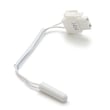
- Refrigerator temperature sensor DA32-10109W (temperature feedback issues)
- Heater sheath DA47-00322B (defrost heating problems)
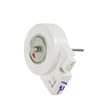
- Refrigerator evaporator fan motor DA31-00146J (air circulation problems)
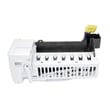
- Samsung refrigerator ice maker assembly DA97-07549B (ice production failures)
Why it matters
Cooling and ice maker complaints usually get worse over time. Poor airflow and frost buildup can lead to temperature swings, food spoilage, and repeated ice maker stoppages. Fixing the root cause (airflow, defrost, or water supply) prevents repeat failures.
For model-family troubleshooting steps and code meanings that often apply to similar Samsung side-by-side designs, use Samsung rf265 and rs267 models side by side refrigerator error codes.
Last updated: February 2026