Installation guide
 Owner’s manual
 Error Codes









How to replace a GE dryer belt?
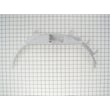
To replace the belt on your GE gas dryer model DHDSR46GG1WW, we remove the front/top access, slip the old belt off the drum and motor area, then route the new belt around the drum and through the idler pulley so it tensions correctly before reassembling and testing.
Before you start (safety and prep)
- Unplug the dryer from the wall outlet.
- Shut off the gas supply valve to the dryer.
- Let the dryer cool completely.
- Protect the floor; the cabinet edges can scratch.
- Take a quick photo of the belt path before removal.
For model-specific access panels and screw locations, follow the DHDSR46GG1WW owner’s manual.
Belt replacement steps (typical GE drum-belt routing)
- Remove the lint screen (if applicable) and the top/front access panels as outlined in the manual.
- Reach under the drum to relieve tension on the idler pulley; slip the belt off the motor pulley.
- Lift the drum slightly and slide the old belt off the drum.
- Install the new belt around the drum with the grooved side against the drum.
- Route the belt through the idler pulley so the idler applies tension, then loop it around the motor pulley.
- Rotate the drum by hand 1 to 2 turns; the belt should track straight and feel snug.
- Reassemble panels, restore gas and power, then run a short timed cycle to confirm smooth tumbling.
Which part to use
For this model, the correct drum belt is the drive belt WE03X29897.
| Symptom | Common cause | What to check |
|---|---|---|
| Drum will not turn, motor runs | Broken/slipped belt | Belt condition and routing |
| Squealing or thumping | Worn support parts | Idler pulley, drum glides, felt seal |
| Belt keeps walking off | Misrouted belt or worn pulley | Idler alignment and belt path |
Why it matters
Correct belt routing and tension protects the motor and drum support system. A misrouted belt can slip, overheat the idler pulley, or cause noisy operation and poor drying performance.
Last updated: February 2026
How to replace GE dryer sensor?
On the GE DHDSR46GG1WW gas dryer, “sensor” can mean a few different parts; the most common quick replacement people mean is the door switch. We replace it by unplugging power, opening the front panel area as needed, swapping the switch wires one at a time, then confirming the dryer starts only when the door is closed (see the DHDSR46GG1WW owner’s manual for access and safety notes).
Before you start (safety and setup)
- Unplug the dryer (or switch off the breaker) before touching any wiring.
- Shut off the gas supply valve if you will open the cabinet.
- Take a photo of the wire positions before removing anything.
- Use a #2 Phillips screwdriver; keep screws sorted by location.
- If the drum light is on, disconnect power before servicing (the manual calls this out for bulb replacement and it applies to switch work too).
Door switch replacement (most common “sensor” request)
- Open the door and locate the switch at the door opening.
- Remove the mounting screws and gently pull the switch forward.
- Move wires to the new switch one at a time (match terminal positions).
- Reinstall the switch and close the door.
- Restore power and test: the dryer should run with the door closed and stop when opened.
Correct part for this model: use the door switch WE4M415 when your dryer will not start, stops when you bump the door, or runs only if you hold the door shut.
If you meant a heat “sensor” instead
On a gas dryer, heat-related sensors are typically the radiant sensor, thermostats, or igniter circuit. Symptoms help narrow it down:
| Symptom | Most likely area | Common related part on this model |
|---|---|---|
| Runs but no heat | Ignition system | Igniter WE04X25996 or radiant sensor |
| Heats briefly then stops heating | Temperature control | Operating thermostat |
| Long dry times, weak airflow | Venting or blower | Blower wheel |
Why it matters
A failed door switch prevents safe operation; a failed heat sensor can cause no-heat or cycling heat, which leads to long dry times and poor performance.
Last updated: February 2026
What are the main parts of a dryer?
On a GE DHDSR46GG1WW gas dryer, the main parts include the drum and support components, the drive system that turns the drum, the airflow system that moves heated air through clothes, and the gas ignition and safety controls that create heat safely. Details and diagrams are in the DHDSR46GG1WW owner's manual.
Main dryer parts (and what they do)
- Drum: Holds and tumbles the load for even drying.
- Drive system: Motor, belt, and idler keep the drum turning.
- Airflow system: Blower wheel pulls air through the drum and out the exhaust duct.
- Heating system (gas models): Gas valve, igniter, and flame sensing components create heat.
- Temperature and safety controls: Thermostats and fuses help prevent overheating.
- Door and controls: Door switch and timer/control knobs manage operation.
Common DHDSR46GG1WW parts you may replace
These are frequent wear items that affect noise, tumbling, or heat:
| Symptom | Likely area | Example part for this model |
|---|---|---|
| Drum will not tumble | Drive system | Drive belt WE03X29897 |
| Squealing or thumping | Drum support | Dryer drum glide bearing WE03X37318 |
| Drum turns but belt slips or is loose | Belt tension | Idler pulley WE12X83 |
| No heat or intermittent heat | Ignition system | Igniter WE04X25996 |
Why these parts matter
Drying performance depends on two things working together: steady drum rotation and strong airflow. If the belt, glides, or idler wear out, the dryer can get noisy or stop tumbling. If airflow is restricted or ignition components fail, clothes can take longer to dry or the dryer may not heat.
Safety and maintenance notes we follow
- Disconnect power before service; turning the selector to Off or pressing Pause does not disconnect power.
- For gas dryers, never try to light the burner with a match.
- Have the interior and exhaust duct connection cleaned at least once a year by a qualified technician.
For a deeper breakdown of components and how they work together, see what are the main parts of a clothes dryer.
Last updated: February 2026
Why is the drum squeaking on my GE dryer?
A squeaking drum on your GE DHDSR46GG1WW gas dryer is usually caused by something rubbing as the drum turns: a small foreign object, worn drum glides/bearings, a dry idler pulley, or a belt that is slipping. Start with a quick inspection, then focus on the drum support parts.
Quick checks we recommend first
- Turn the dryer off and let it cool.
- Check the drum for coins, buttons, or paper clips.
- Pull out the lint filter and look down into the lint filter opening for trapped items.
- If you see an object, unplug the dryer before reaching in to remove it.
- Run a short timed cycle with the drum empty to confirm the squeak is still there.
Most common parts that squeak on this model
On the DHDSR46GG1WW, squeaks typically come from wear at the drum support points or belt tension system.
| Symptom you notice | Most likely area | Common fix |
|---|---|---|
| Squeak once per drum revolution | Drum glides/bearings | Replace drum glides/bearings |
| Constant squeak or chirp while running | Idler pulley or belt path | Replace idler pulley and inspect belt |
| Squeak plus scraping sound | Felt seal rubbing or worn | Replace felt seal |
Parts that commonly address squeaks:
- Dryer drum glide bearing WE03X37318 (drum support surface can wear and squeal)
- Idler pulley WE12X83 (pulley bearing can dry out and squeak)
- Felt WE09X27634 (worn felt can cause rubbing noises)
Safe troubleshooting steps (before ordering parts)
- Unplug the dryer before removing any panels.
- Spin the drum by hand; listen for a rough spot or chirp.
- If the squeak changes when you press up on the drum, the glides/bearings are the top suspect.
- If the squeak seems to come from the lower front, the idler pulley is a top suspect.
- If you smell burning or see black dust, stop using the dryer and inspect the belt and felt.
Why it matters
A squeak is often an early warning that a glide, bearing surface, or pulley is wearing out. Fixing it early helps prevent belt damage, drum scoring, and longer repair time.
For model-specific disassembly guidance and safety steps, follow the DHDSR46GG1WW owner’s manual.
Last updated: February 2026