Owner’s manual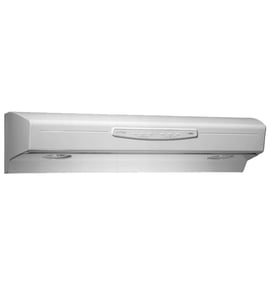



Does GE make range hoods?
Yes. GE manufactures range hoods, including the GE PVX7300EJ2ES, which is designed to remove smoke, steam, grease, and cooking odors using either a ducted vent setup or a recirculating (ductless) setup. For model-specific features and operating details, use the PVX7300EJ2ES owner's manual.
What “GE range hood” means for this model
GE’s PVX7300EJ2ES is a cabinet-mounted hood that can be installed in two common configurations:
- Ducted (vented) mode: exhausts air to the outside through metal ductwork
- Recirculating mode: filters air and vents it out the front of the hood
- Designed to fit 12-inch deep cabinets (filler kits are used for deeper cabinets)
- Typical hood-to-cooktop spacing is 24 to 30 inches (minimum 24 inches)
Common parts you replace on GE range hoods
If your GE hood is noisy, weak, or the lights act up, these are frequent replacement items for PVX7300EJ2ES:
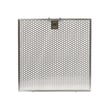
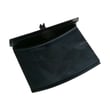
- Range hood grease filter WB02X27242 (captures grease before it reaches the blower)
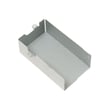
- Range hood charcoal filter JXCF55 (used for recirculating installations)
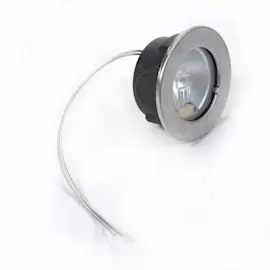
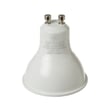
- Led light bulb WB25X27211 (light output issues or flickering)
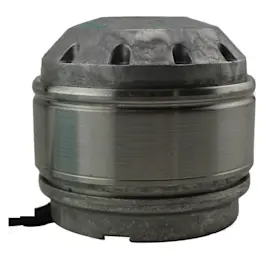
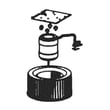
- Range hood blower assembly WB26X30786 (fan noise, weak airflow, or no airflow)
| Symptom | Most likely area to check | Typical fix |
|---|---|---|
| Fan runs but airflow is weak | Filters, ducting, damper | Clean/replace filters; confirm damper opens |
| Fan is loud or rattles | Blower wheel, mounting, filter fit | Reseat filter; inspect blower for debris |
| Lights do not work | Bulb, socket, control | Replace bulb; inspect socket and wiring |
Why it matters
Knowing GE makes and supports this hood helps you match the correct GE parts, follow the right installation clearances, and choose the correct filter type (grease vs. charcoal) for ducted versus recirculating venting.
Last updated: February 2026
How to change the light in a GE range hood?
To change the light in your GE PVX7300EJ2ES range hood, turn the light off, let the lamp cool, remove the light cover if your version has one, then rotate the bulb counterclockwise to unlock and pull it out. Install the same type of bulb and lock it in place.
Steps to replace the hood light
- Turn the hood light Off at the control panel.
- Wait until the bulb is cool to the touch.
- If your hood has a lens/cover, remove the light cover.
- Rotate the bulb counterclockwise to unlock, then pull it straight out.
- Install the replacement bulb (same type); then rotate clockwise to lock.
- Restore power and test the Light button.
Bulb type and fit (what to buy)
Your PVX7300EJ2ES may use a twist-lock style lamp; some versions require GU10-compatible lamps. Match the base style and wattage to what is already installed.
| What you see | What it usually means | Install tip |
|---|---|---|
| Two pins on the bulb base | GU10-style twist-lock | Align pins, push in, turn clockwise to lock |
| Bulb behind a lens/cover | Cover must come off first | Reinstall cover securely to prevent rattles |
If the new bulb still does not light
- Confirm the bulb is fully seated and locked.
- Try the other light setting (some models cycle On, Night, Off).
- Check for a loose or heat-damaged socket; replace the range hood light socket WB18X27245 if needed.
- If both lights and fan act erratically, reset power at the breaker for 30 seconds to clear control logic.
Why it matters
A correctly installed, correct-wattage bulb prevents early light failure and helps avoid heat damage to the lamp holder and wiring.
For model-specific diagrams and the exact light procedure for your configuration, use the PVX7300EJ2ES owner’s manual.
Last updated: February 2026
Why is my range hood fan not working but light is?
If your GE PVX7300EJ2ES range hood light works but the fan will not run, the most common causes are a loose blower connector, a control reset issue, or a failed blower-related component. Start with the blower connector check and a power reset, then move to parts testing.
Quick checks first (fastest fixes)
- Confirm you are pressing Lo, Med, or Hi (the fan will not start from the Fan Off button).
- Reset the hood control logic: turn the circuit breaker OFF for 30 seconds, then turn it back ON.
- If your hood uses Chef Connect, make sure the fan is not being controlled by a paired device and test the fan using the hood buttons.
- If the fan still does not run, follow the blower connector check in the PVX7300EJ2ES owner's manual.
Most common model-specific cause: loose blower connector
The manual troubleshooting chart calls out a loose or unplugged blower connector as a direct cause when Lo, Med, Hi are pressed and the fan does not operate.
What we do:
- Disconnect power at the breaker.
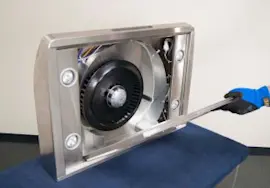
- Remove the grease filters.
- Look up at the blower area and confirm the blower connector is fully seated and not dangling.
Parts that commonly fix “light works, fan doesn’t”
If the connector is secure and a reset does not help, these parts are typical suspects:
| Symptom | What it points to | Example part for PVX7300EJ2ES |
|---|---|---|
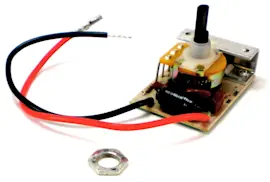
| No fan response on any speed | Control not sending power | Control board assembly WB27X27213 |
| Hums, struggles, or won’t start | Weak start/run circuit | Capacitor 25mfd 250v WB27X27275 |
| Fan dead but controls seem normal | Failed motor/blower | Range hood blower assembly WB26X30786 |
Why it matters
A non-working range hood fan reduces smoke and odor removal, and it can also lead to grease buildup in the hood and filters. Fixing airflow early helps protect the blower and keeps ventilation performance consistent.
Last updated: February 2026