Installation guide
 Owner’s manual
 Error Codes




How do I reset my GE oven control panel?
To reset the control panel on your GE JB350DF1WW electric range, we recommend doing a full power reset: turn the range off, shut off power at the breaker for at least 30 seconds, then restore power and wait for the display to fully come back before pressing any keys. See the JB350DF1WW owner’s manual for control and lock details.
Quick reset options (start here)
- Clear a cooking mode: press Cancel/Off to stop an active bake, broil, or clean cycle.
- Full control reset (best for glitches or error codes): switch the range circuit OFF at the breaker for 30 seconds, then turn it back ON.
- If controls are locked: press and hold the +/- pads for 3 seconds to unlock (Cancel/Off still works even when locked).
When a power reset is the right fix
A breaker reset is the most effective “reset” when you see any of these symptoms:
- Display or keypad becomes unresponsive
- A function error code appears and returns after you clear it
- The clock flashes after a power outage or surge
- The oven stops mid-cycle and won’t restart normally
What to expect after resetting
| What you see | What it means | What to do |
|---|---|---|
| Clock flashing | Power was interrupted | Set the clock, then re-enter cooking settings |
| Display blank | Breaker is off or tripped | Reset the breaker and confirm power |
| Error code returns | Fault is still being detected | Reset power again for 30 seconds; schedule service if it repeats |
Why it matters
Resetting the GE JB350DF1WW control correctly clears temporary software lockups and restores normal relay cycling for bake and broil. It also helps you confirm whether the issue is a one-time glitch or a repeatable fault that needs repair.
Last updated: January 2026
What does F350 mean on my GE stove?
On the GE JB350DF1WW electric range, an F350 display is treated as an electronic control fault that needs a reset and basic checks first. If the code returns, the problem is in the range’s control system or a related circuit and the range needs service-level diagnosis.
What to do first (safe steps)
- Press Clear/Off to stop the beeping.
- Let the range cool completely.
- Turn power off at the breaker for 1 minute, then restore power.
- If the code comes back, stop using the oven until the issue is corrected.
What commonly triggers control fault codes
These checks help you narrow down whether the issue is a temporary glitch or a repeatable failure.
- Power interruption or voltage fluctuation affecting the oven control
- Loose or heat-damaged wiring connections at the control area
- A failing oven control board or keypad/overlay input problem
- Overheating around the control area due to restricted airflow or heavy heat load
Quick decision guide
| What happens after the reset | What it usually means | What to do next |
|---|---|---|
| Code clears and does not return | Temporary control glitch | Monitor during the next few uses |
| Code returns during preheat or bake | Repeatable control or circuit fault | Schedule diagnosis and repair |
| Code returns immediately at power-up | Hard failure in control/keypad circuit | Keep power off until serviced |
Why it matters
When the control detects a fault, it can shut down heating to prevent unsafe operation. Repeated fault codes point to an electrical or control problem that can worsen with continued use.
Where to confirm the correct steps
Use the JB350DF1WW owner’s manual for the model-specific reset procedure, safety guidance, and what to do when the control displays a fault. For GE range fault-code background and troubleshooting flow, use our GE freestanding range error codes reference.
Last updated: January 2026
What is the life expectancy of a GE oven?
A GE oven typically lasts 13 to 15 years with normal household use; many reach 18 years when kept clean, properly installed, and repaired promptly. For your GE JB350DF1WW electric range, consistent maintenance and avoiding unnecessary high-heat cycles help extend service life.
Typical life expectancy (what to expect)
Most freestanding electric ranges like the GE JB350DF1WW follow this pattern:
| Usage and care level | Typical lifespan | What usually fails first |
|---|---|---|
| Light use, good cleaning | 15 to 18 years | Oven sensor, control, door parts |
| Average family use | 13 to 15 years | Bake element, surface controls |
| Heavy use, frequent high heat | 10 to 13 years | Elements, wiring connections, control |
What extends the life of your GE JB350DF1WW
We see the biggest lifespan gains from a few habits:
- Keep spills from baking onto the oven liner; baked-on residue holds heat and stresses components.
- Use cookware that sits flat on surface units to reduce cycling and overheating.
- Confirm the range is installed level and stable; follow the installation guide.
- Address small symptoms early (slow preheat, uneven baking, intermittent heat).
- Use self-clean only when needed; high heat can be hard on wiring, sensors, and controls.
Parts that commonly affect “how long it lasts”
When performance drops, replacing the right part often restores years of reliable cooking:
- If temperatures swing or you get overheating symptoms, check the wall oven temperature sensor WB21X22134.
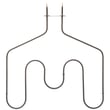
- If the oven will not heat or heats unevenly, the bake element is a common wear item.
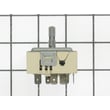
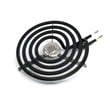
- If a surface burner will not regulate heat, a surface element control switch is often involved.
Why it matters
A range that is heating accurately and cycling normally uses less energy, cooks more evenly, and puts less stress on the oven control, wiring connections, and safety components. That is the difference between replacing a single part and replacing the whole range.
For model-specific operating and care guidance, use the JB350DF1WW owner’s manual.
Last updated: January 2026