Error Codes






How do I tell what model Whirlpool oven I have?
Your Whirlpool oven model number is on the appliance rating label; on a Whirlpool electric freestanding range like model WFE745H0FS1, it’s most often found around the oven door frame (door jamb) or inside the storage drawer area. Use that exact model number to match parts correctly.
Where to look on a Whirlpool range
Check these common spots in this order:
- Door jamb or front frame when you open the oven door
- Inside the storage drawer (pull the drawer out and look on the frame)
- Behind the lower kick panel area (if your range has one)
- Back panel of the range
- Under the cooktop edge (only if it safely lifts and you can see a label)
What the model label looks like
Most Whirlpool labels include a few key fields. Here’s what to copy down:
| Label item | What it’s used for | Example format |
|---|---|---|
| Model number | Ensures diagrams and parts match your exact build | WFE745H0FS1 |
| Serial number | Helps identify production run details | Letters and numbers |
| Electrical rating | Confirms power requirements | Volts/amps |
Why it matters for ordering parts
Whirlpool ranges can look identical but use different bake elements, surface elements, or control parts. Matching the full model number helps us point you to the correct replacement the first time.
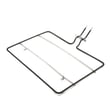
If you’re troubleshooting an oven that will not heat, confirming the model number also helps you choose the right heating part, such as the bake element W10779716 for WFE745H0FS1.
Quick tips to avoid mix-ups
- Write the model number exactly as shown (letters and numbers, no spaces)
- Take a clear photo of the label before it wears or smudges
- Match the model number first, then select the part by name and ID
Last updated: February 2026
How to hard reset a Whirlpool oven?
To hard reset a Whirlpool electric range like model WFE745H0FS1, we reset power at the breaker for 1 minute, restore power, then start a Bake cycle and watch for 1 minute. This clears many temporary control glitches and some error-code conditions.
Quick hard reset steps (breaker reset)
- Turn the oven OFF and cancel any active cycle.
- Turn OFF the range circuit breaker(s) (often a 240V double breaker).
- Wait 60 seconds.
- Turn the breaker(s) back ON.
- Start a Bake cycle.
- Monitor for 1 minute to confirm normal operation and no error code.
If the oven still will not heat after the reset
A reset fixes control lockups, but it will not fix a failed heating component. On WFE745H0FS1, these checks help narrow it down:
- Confirm the range has full power (both legs of 240V); a half-tripped breaker can leave the oven weak or dead.
- If the display works but the oven will not heat, suspect a failed bake circuit.
- Look for visible damage on the lower heating element (blisters, cracks, burn spots).
- If the cooktop works but the oven does not, the bake element is a common failure point.
- If you see heat issues only on certain burners, the surface element switch or element may be the cause.
Common parts related to “no heat” symptoms
| Symptom | Most common suspect | Example part for this model |
|---|---|---|
| Oven will not bake | Failed bake element | Bake element W10779716 |
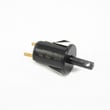
| One surface burner stuck high/low | Failed infinite switch | Range infinite switch W10917724 |
| Range dead or power cord connection overheated | Burned terminal block | Range terminal block WPW10245259 |
Why it matters
Resetting power is the fastest way to clear a temporary electronic control fault. If the problem returns immediately, we treat it as a heating, wiring, or control issue and move to targeted checks and part replacement.
For safe electrical testing, we use a meter and follow basic diagnostics like in how to use a multimeter to test electrical parts video.
Last updated: February 2026
What does F1E1 mean on a stove?
On a Whirlpool WFE745H0FS1 electric range, the F1E1 error typically points to an electronic control problem related to oven temperature sensing or control-to-sensor communication. In most cases, the fix comes down to checking power, wiring connections, and the oven temperature sensor circuit, then replacing the failed component.
What to do first (safe, quick checks)
- Turn the range off at the breaker for 1 minute, then restore power and see if the code returns.
- If the code returns immediately, stop using the oven until you complete the checks below.
- If the code appears only during baking, note when it happens (preheat vs. steady temperature).
- If the cooktop works but the oven faults, focus on the oven sensor and control circuit.
- If you smell burning or see arcing, shut off the breaker and do not re-energize the range.
Common causes and what they look like
| Likely cause | What you may notice | Typical next step |
|---|---|---|
| Loose or damaged sensor wiring | Code comes and goes, especially after moving the range | Inspect and reseat connectors; repair wiring |
| Failed electronic control | Code returns right after reset; oven may beep repeatedly | Replace the control if wiring checks good |
| Power supply issue (intermittent) | Random faults, clock resets, other odd behavior | Check terminal block and cord connections |
Parts that often matter for this error on electric ranges
These parts are commonly involved when an oven control is seeing bad temperature feedback or unstable power:
- Range terminal block WPW10245259 (inspect for heat damage, loose lugs, or melted wiring)
- Main harness W11501964 (look for pinched, rubbed-through, or overheated wires)
- Range wire harness W11134550 (check connectors for looseness or corrosion)
Why it matters
F1E1 is the control telling you it cannot trust the temperature feedback or internal communication. If the oven can not regulate heat correctly, you can get undercooking, overheating, or repeated shutdowns, and continued operation can worsen wiring or control damage.
When to stop and schedule service
- The code returns immediately after a reset
- You see melted wiring at the terminal block
- The oven overheats, smokes, or trips the breaker
Last updated: February 2026
What is the life expectancy of a Whirlpool electric range?
A Whirlpool electric range like model WFE745H0FS1 typically lasts 13 years. Keeping the cooktop and oven clean, avoiding overheating, and replacing wear parts promptly (like a failed bake element or surface element switch) helps you reach that expected lifespan.
What affects how long it lasts
- Heat stress: frequent high-heat baking, broiling, or long self-clean cycles can shorten component life.
- Power quality: loose connections or heat damage at the terminal block can cause failures.
- Spills and boilovers: can damage radiant elements and switches over time.
- Door use: slamming the oven door can stress hinges, glass, and handle hardware.
- Maintenance habits: routine cleaning prevents corrosion and overheating.
Common “end-of-life” parts (and what they cause)
If the range is otherwise in good shape, replacing a few parts often restores normal operation:
| Symptom | Common culprit | Example part for WFE745H0FS1 |
|---|---|---|
| Oven not heating or heats unevenly | Burned-out bake element | Bake element W10779716 |
| One surface burner won’t regulate heat | Failed infinite switch | Range infinite switch W10917724 |
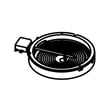
| Burner won’t heat (radiant) | Open surface element | Range dual radiant surface element W11517959 |
| Intermittent power, burning smell at cord area | Loose/overheated connection | Range terminal block WPW10245259 |
Quick maintenance checklist (high impact)
- Wipe up spills quickly; keep liquids out of control areas.
- Use flat-bottom cookware to reduce cycling and overheating on radiant elements.
- Avoid running self-clean back-to-back; let the range cool fully between cycles.
- Check that the range is level; adjust with range leveling leg WPW10058460 if needed.
- If you ever notice heat discoloration near the power cord area, stop using the range and have the connection inspected.
Why it matters
Knowing the typical lifespan helps you decide whether to repair or replace. If your WFE745H0FS1 is near the 13-year mark, a major control or wiring repair can be compared against the cost of a new range; smaller fixes like an element or switch replacement usually make strong sense.
Last updated: February 2026