 Installation guide
 Owner’s manual


Is there a reset on a Whirlpool microwave?
Yes. On the Whirlpool WMH53520CS5 microwave/hood combo, the most reliable “reset” is a power reset: turn power off at the breaker (or unplug) long enough to clear the control, then restore power and reset the clock as needed. See the WMH53520CS5 user guide for control and display message details.
Quick reset options (from easiest to strongest)
- Press Cancel/Off to stop a cycle and clear many temporary control glitches.
- Power reset: unplug the microwave or switch the circuit breaker OFF, wait 10 minutes, then restore power.
- If the display shows “Enter clock” after power returns, set the clock; that message indicates a power interruption.
- If a letter followed by a number appears (an error indicator), follow the troubleshooting guidance and arrange service if it returns.
What to check if the microwave will not operate
The WMH53520CS5 troubleshooting guidance points to these common causes:
- Household power: a tripped breaker or blown fuse; reset/replace as needed.
- Door not fully closed: open and close the door firmly; if a door message appears, restart after closing.
- Control settings: make sure Control Lock is off and the control is set correctly.
- Cooling fan behavior: the internal cooling fan can run automatically during cooking or while the cooktop below is used.
When a “reset” is not the real fix
Some symptoms are caused by a failed component, not a control glitch.
| Symptom | More likely cause | Common next step |
|---|---|---|
| Dead display, no response | Power issue, blown internal fuse | Check breaker; then test/replace fuse |
| Runs but does not heat | High-voltage component problem | Use heating test; service if needed |
| Blows fuse when starting | Door switch or short | Inspect door switches and wiring |
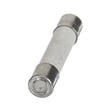
If you suspect an internal fuse issue, use the microwave fuse W11707984 as the correct replacement reference for this model.
Why it matters
A proper reset clears temporary control errors after a power interruption, but repeated error codes, no-heat problems, or fuse blowing usually point to a door interlock, fuse, or high-voltage issue that needs diagnosis.
Last updated: January 2026
What are common problems with whirlpool microwaves?
Common problems we see on Whirlpool microwave/hood combos like model WMH53520CS5 include not heating, not powering on, door not latching, sparking inside the cavity, and vent or turntable issues. Many start with power or door-switch safety circuits, then move to high-voltage components.
Most common symptoms and what they usually point to
- Microwave runs but does not heat: high-voltage circuit issue (diode, capacitor, transformer) or a safety thermostat condition
- Dead display or no power: tripped breaker, blown house fuse, or an internal fuse issue
- Starts then stops when you close the door: door interlock switch or latch alignment problem
- Sparking or arcing: food splatter, damaged waveguide cover, or metal in the cavity
- Loud humming, burning smell, or overheating: cooling airflow problem or high-voltage component failure
Quick checks we recommend first (safe, no disassembly)
Use the troubleshooting steps in the WMH53520CS5 owner’s manual and start here:
- Reset the household breaker (or replace a blown house fuse)
- Confirm the door closes firmly and the latch feels solid
- Heat-test with 1 cup of cold water for 2 minutes on 100% power
- Clean the cavity and inspect for grease or food buildup
- Remove any metal twist ties, foil, or dishes with metallic trim
Parts that commonly solve these problems on WMH53520CS5
If symptoms match, these are frequent repair parts for this model:
| Symptom | Common part involved | Example part for this model |
|---|---|---|
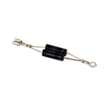
| No heat (runs but cold) | High-voltage diode | Diode W11256462 |
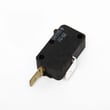
| Won’t start or stops when door moves | Door interlock switch | Microwave door interlock switch W10269458 |
| Completely dead | Internal fuse | Microwave fuse W11707984 |
| Sparking near right wall/cover | Waveguide cover | Microwave waveguide cover W10533497 |
Why it matters
Microwaves use door interlocks and high-voltage components to operate safely. A simple door-switch or fuse problem can look like a major failure, so checking power and door operation first helps avoid unnecessary parts and repeat breakdowns.
Last updated: January 2026
What is the difference between 1.7 and 1.9 microwave whirlpool?
A 1.9 cu. ft. Whirlpool microwave has more interior cooking capacity than a 1.7 cu. ft. model (about 0.2 cu. ft. more). When comparing to your Whirlpool WMH53520CS5 microwave/hood combo, match installation and venting requirements first, then capacity.
What changes when you go from 1.7 to 1.9 cu. ft.
Capacity is the only guaranteed difference based on the numbers; the larger cavity usually improves day-to-day usability.
- More room for larger casserole dishes and wider dinner plates
- More clearance for taller microwave-safe containers
- Less chance of dishes rubbing the door or turntable as they rotate
- More flexibility when using a cooking rack (if included with the model)
What you must compare for an over-the-range replacement
Two over-the-range microwaves can have similar capacity but still be a poor swap if the mounting and venting do not match.
- Overall width, height, and depth
- Top-cabinet bolt locations
- Wall mounting plate hole pattern
- Venting setup (recirculating, roof vent, rear vent)
- Electrical requirements (dedicated circuit and outlet location)
| Compare item | Why it matters |
|---|---|
| Mounting pattern | Prevents drilling new holes and ensures safe support |
| Venting direction | Keeps the duct alignment correct and avoids airflow restrictions |
| Exterior dimensions | Confirms cabinet and backsplash clearance |
| Interior capacity | Determines what dish sizes fit comfortably |
Why it matters
That extra 0.2 cu. ft. is noticeable for dish fit, but installation compatibility is what determines whether the microwave can be swapped without cabinet or ductwork changes.
Use the WMH53520CS5 installation guide to confirm mounting and venting details before choosing a 1.7 or 1.9 cu. ft. Whirlpool over-the-range unit.
Last updated: January 2026


