- Kenmore refrigerator water filters
- Whirlpool refrigerator water filters
- Samsung refrigerator water filters
- GE refrigerator water filters
- LG refrigerator water filters
- Frigidaire refrigerator water filters
- KitchenAid refrigerator water filters
- Maytag refrigerator water filters
- Kenmore Elite refrigerator water filters
- Estate refrigerator water filters
- GE Profile refrigerator water filters
- Amana refrigerator water filters
- Bosch refrigerator water filters
- Dacor refrigerator water filters
- Electrolux refrigerator water filters
Top DIY repair help
View All Repair Categories
Appliances
Lawn & Garden
Power Tools
Home Improvement
Sports & Leisure
Heating & Cooling
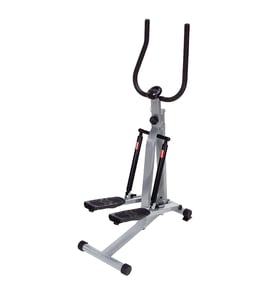
Formula Ventures Stepper Parts — Browse All Models
Sears PartsDirect is a top supplier of replacement parts and accessories for Formula Ventures steppers. We have the repair and maintenance parts you need to keep your Formula Ventures stepper running smoothly so you can stay in top shape.


Popular maintenance items for Steppers
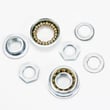
Exercise Cycle Crank Bearing Set
$39.23
13% OFF Phone Price : $45.23

Qty

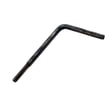
Treadmill Walking Belt Alignment Tool
Part #128457
This item is not returnable
In Stock
$2.82
26% OFF Phone Price : $3.82
Qty
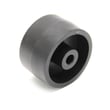
Proform Exercise Equipment Transport Wheel
Part #148803
This item is not returnable
In Stock
$2.99
Qty
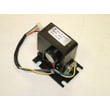
Elliptical Resistance Motor
In Stock
$57.77
9% OFF Phone Price : $63.77
Qty
Toyostove Exercise Equipment Magnet
Part #113842
This item is not returnable
In Stock
$2.17
Qty
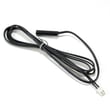
Exercise Equipment Reed Switch
In Stock
$11.32
15% OFF Phone Price : $13.32
Qty
Replacing the control console on your Formula Ventures stepper
- Remove the mounting screws from the console bottom.
- Pull the control console up to access the wire harness plug on the bottom of the console. Release the wire harness plug locking tab and disconnect the console wire harness.
- Position the new control console near the top of the console mounting frame and connect the console wire harness to the new control console.
- Reinstall the console mounting screws to secure the new control console to its frame.
- Install batteries in the new control console.
What to do when the control console display is dim on your Formula Ventures stepper
Weak batteries, loose wires or a faulty console can cause a dim control console display on your stepper.
In a stepper that uses batteries to power the console, replace the batteries to restore brightness to the console display. Replace the batteries during routine stepper maintenance to keep the control console display from going dim in the future.
If the display doesn't get brighter after replacing the batteries, you'll likely need to replace the console.
If your stepper has a power cord, unplug the stepper and check the power cord wiring connections to the control console. Reconnect any loose wires. If the power cord is damaged, replace it.
If the power cord and its wiring connections to the control console are okay, then you may need to replace the console because the display is faulty or the console isn't sending enough power to the display.
Parts & More
Belt & Disc Sanders
Bottom-Mount Refrigerator
Dishwasher
Electric Pressure Washer
Front-Engine Lawn Tractor
Gas Snowblower
Gas Water Heater
Microwave/Hood Combo
Parts
Upright Freezer
Upright Vacuum
Vacuum Cleaner
Wet/Dry Vacuum