- Kenmore refrigerator water filters
- Whirlpool refrigerator water filters
- Samsung refrigerator water filters
- GE refrigerator water filters
- LG refrigerator water filters
- Frigidaire refrigerator water filters
- KitchenAid refrigerator water filters
- Maytag refrigerator water filters
- Kenmore Elite refrigerator water filters
- Estate refrigerator water filters
- GE Profile refrigerator water filters
- Amana refrigerator water filters
- Bosch refrigerator water filters
- Dacor refrigerator water filters
- Electrolux refrigerator water filters
Top DIY repair help
View All Repair Categories
Appliances
Lawn & Garden
Power Tools
Home Improvement
Sports & Leisure
Heating & Cooling
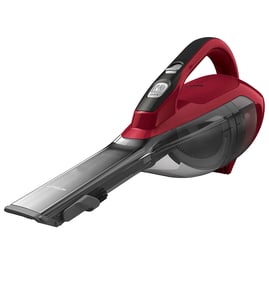
Kenmore Handheld vacuum Parts — Browse All Models
Kenmore handheld vacuums are powerful tools that help you clean up little messes around your home fast. Kenmore handheld vacuums are known for their reliability but parts can eventually wear out or break on your vacuum. When that happens, trust Sears PartsDirect to have the genuine Kenmore repair parts you need to fix your handheld vacuum.
Browse by Category
Handheld Vacuums

Kenmore 11578423210 hand held vacuum

Kenmore 11578423 bagless compact canister vacuum
Frequently bought Kenmore parts
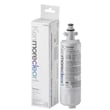
Kenmore Refrigerator Water Filter 9690 (agf80300801)
In Stock
$93.59
6% OFF Phone Price : $99.59

Qty

Lg Refrigerator Filter Dryer
In Stock
$108.25
10% OFF Phone Price : $120.25
Qty
Drain Pump Motor (4681ea2001t) - Washer Part By Lg Electronics
In Stock
$43.13
12% OFF Phone Price : $49.13
Qty
Lg Refrigerator Compressor
In Stock
$616.58
$12.00 OFF Phone Price : $628.58
Qty
Whirlpool Dryer Drum Belt, 92-1/4-inch
In Stock
$10.01
17% OFF Phone Price : $12.01
Qty
Frigidaire Range Oven Burner Igniter
In Stock
$21.50
22% OFF Phone Price : $27.50
Qty
Popular maintenance items for Handheld Vacuums
Power Tool Battery Charger, 12 To 19.2-volt
In Stock
$17.05
40% OFF Was : $28.41
Qty
How to safely use your Kenmore handheld vacuum
- Check for misalignment or binding of moving parts, breakage of parts, and any other condition that may affect the handheld vacuum's operation. If damaged, repair the handheld vacuum before using.
- When replacing parts in your handheld vacuum, use only factory-authorized genuine replacement parts for repairs.
- Use only the accessories that are recommended in the owner's manual for your handheld vacuum. Using unsuitable accessories can cause injury.
Troubleshooting your Kenmore handheld vacuum when it won't turn on
Check the electrical outlet for the battery charger. Reset the house circuit breaker for the electrical outlet if it's dead. If the outlet still won't work, use a different electrical outlet for the charger and have an electrician fix the broken outlet.
If the electrical outlet works, the charger or the rechargeable battery may need to be replaced. Use a multimeter to check battery voltage in a cordless handheld vacuum. If the battery is dead and the charger works, replace the battery.
If the battery is good, check the on/off switch using a multimeter. Replace the on/off switch if your meter measures no continuity through the switch with the switch turned on.
If the on/off switch is okay, replace the vacuum motor if the motor doesn't run when it gets power from the on/off switch.
Parts & More
Front-Engine Lawn Tractor
Gas Line Trimmer
Gas Range
Gas Snowblower
Lcd Television
Parts
Rear-Engine Riding Mower
Side-By-Side Refrigerator
Snowblower Attachment
Vacuum Cleaner