 Installation guide
 Owner’s manual
 Error Codes




What is the life expectancy of a LG oven?
LG ovens (including the oven in LG electric range model LRE30453ST) typically last 12 to 15 years with normal household use. Actual lifespan depends most on heat exposure to electronics, how often high-heat self-clean is used, and whether wear parts like elements and door hardware are replaced as needed.
What affects lifespan the most
- Self-clean frequency: repeated high-heat cycles can shorten the life of wiring, door lock parts, and control components.
- Electronics heat load: control boards and relays tend to be the first “big-ticket” failures on many modern ranges.
- Element wear: bake and broil elements are consumable heating parts.
- Door seal and alignment: heat leaks make the oven work harder and can overheat nearby components.
- Power quality: loose connections or voltage issues can stress boards and transformers.
Practical ways to help your LRE30453ST last longer
Use the care and cleaning guidance in the LRE30453ST manual.
- Keep spills from baking onto the cavity; clean after the oven cools.
- Use self-clean only when truly needed; use gentler cleaning methods more often.
- Avoid slamming the oven door; it stresses hinges and glass.
- If preheat times suddenly increase or baking is uneven, inspect heating performance early.
- Address error codes or repeated beeping promptly to prevent secondary damage.
Common “wear” repairs vs. “end of life” repairs
| What fails | Typical symptom | Often worth repairing? |
|---|---|---|
| Heating element | Slow preheat, no heat, uneven baking | Yes |
| Door hardware/glass | Door won’t close right, heat leaks, damaged glass | Yes |
| Control electronics | Dead display, intermittent heating, random shutoffs | Depends on age/cost |
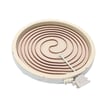
If your oven is not heating properly, a common repair is replacing the range bake element MEE36593202.
Why it matters
Knowing the 12 to 15 year expectation helps you decide whether to maintain and repair your LRE30453ST (often cost-effective mid-life) or plan replacement when multiple major components start failing close together.
Last updated: January 2026
How do I know which LG oven I have?
You can identify which LG oven (range) you have by finding the model/serial tag on the appliance and matching the full model number to your unit. For this model page, the correct model number format to look for is LRE30453ST (often shown with a suffix like /01). Use the LRE30453ST manual to confirm label locations and basic identification details.
Where to find the model number on an LG range
Most LG electric ranges place the model/serial label in one of these spots:
- Along the oven door frame (open the oven door and check the front frame)
- On the drawer jamb (pull out the storage or warming drawer and look at the frame)
- On the back panel of the range
- Near the lower rear area behind the drawer (varies by configuration)
If you see LRE30453ST/01, that “/01” is a version code; it still identifies the LRE30453ST model family for parts matching.
What to write down (so parts match correctly)
Record the full tag information before ordering parts or using diagrams:
- Model number (example: LRE30453ST/01)
- Serial number
- Any revision code or suffix (such as /00, /01)
- Electrical rating info (helpful for installation checks)
Quick model-number examples
| What you see on the tag | How to interpret it for this page |
|---|---|
| LRE30453ST | Matches this model page |
| LRE30453ST/01 | Same model family; includes a version code |
| LRE30453ST/00 (or similar) | Same model family; different revision |
Why it matters
LG ranges can look nearly identical across revisions, but parts like an oven control board, door glass, or surface element can vary by suffix. Using the exact model from the tag helps ensure the replacement part fits and functions correctly.
For deeper component identification, diagrams and naming conventions in what are the main parts of a stove can help you match what you see on your range to the correct section.
Last updated: January 2026
How do I reset my LG stove?
For the LG LRE30453ST electric range, the most reliable reset is a power reset: turn the range off, then switch the range’s circuit breaker OFF for about 1 to 2 minutes and turn it back ON. This clears many control glitches and restores normal keypad response.
Reset steps (safe, no tools)
- Turn all surface elements and the oven OFF.
- At your home electrical panel, flip the range breaker fully OFF.
- Wait 1 to 2 minutes.
- Flip the breaker back ON.
- Re-set the clock and test Bake and a surface element.
- If the panel is locked, disable Control Lock using the steps in the LRE30453ST use & care manual.
If the control panel is still unresponsive
A power reset will not fix a failed electronic control or a stuck key. On this model, common next checks are:
- Confirm the breaker did not trip again immediately.
- Look for a blank display, flashing display, or constant beeping.
- If the oven heats but keys do not respond, suspect a control issue.
- If the oven will not heat and shows errors, troubleshooting may point to the control or a safety device.
Parts that can be involved (model-specific examples)
| Symptom after reset | What it often points to | Example compatible part |
|---|---|---|
| Display dead or erratic | Control/display power or board issue | Range display transformer 6170W1G037A |
| Oven functions incorrect or won’t start | Main oven control problem | Range oven control board 6871W1N010F |
Why it matters
Resetting by power-cycling is the quickest way to clear a temporary software lockup after a brief outage or keypad glitch. It also helps you separate a one-time control hiccup from a repeatable failure that needs diagnosis.
Helpful related guidance
- For general alert tones and what they can mean, see oven keeps beeping? what those alerts might mean.
Last updated: January 2026




