Installation guide
 Owner’s manual
 Error Codes



How do I clear the error code on my Frigidaire oven?
On the Frigidaire FFEF3016VWD electric range, you can usually clear an F or E error code by pressing OFF on the control panel. If the code comes back, reset power to the range for 5 minutes, restore power, set the clock, and try Bake or Broil again (see the FFEF3016VWD owner’s manual).
Step-by-step: clear the code safely
- Press OFF to clear the displayed F or E code.
- Try Bake or Broil again to see if the fault was temporary.
- If the code repeats, turn power off at the breaker (or unplug if accessible).
- Wait 5 minutes, then restore power.
- Set the clock (the oven may not operate until time of day is set).
- Retry Bake or Broil.
If the error returns: what to check next
Many recurring error codes point to a control or sensing problem. These checks help narrow it down:
- Stuck or contaminated keypad: wipe the control area and confirm no key is being held down.
- Loose wiring connection: a vibration-loosened connector can trigger intermittent faults.
- Oven temperature sensing issue: a bad sensor can cause temperature-related faults.
- Heating circuit problem: a failing element can contribute to heat or preheat errors.
Common parts that relate to recurring faults (FFEF3016VWD)
| Symptom you notice | Often involved | Example part for this model |
|---|---|---|
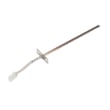
| Oven temperature seems wrong, error repeats | Oven temperature sensor | Frigidaire range oven temperature sensor 316490000 |
| Oven will not heat or heats unevenly | Bake element | Frigidaire range bake element 316075103 |
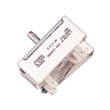
| Random beeping, display issues, repeated faults | Electronic control | Frigidaire range oven control board 5304532117 |
Why it matters
Clearing the code with OFF and a 5-minute power reset fixes many one-time glitches. If the code returns, the range is detecting a repeatable fault; addressing the underlying cause helps prevent no-heat problems, inaccurate baking, and repeated beeping.
Last updated: January 2026
How long does a Frigidaire Gallery oven last?
A Frigidaire Gallery oven typically lasts 10 to 15 years. For a Frigidaire electric range like FFEF3016VWD, you can often reach the high end of that range (or longer) with routine cleaning, correct use of self-clean features, and timely replacement of wear parts such as heating elements and sensors.
Typical lifespan and what usually fails first
Most electric ranges run reliably for years, but certain components commonly need service before the cabinet and oven cavity wear out.
- 8 to 10 years: bake or broil heating issues can start (elements, wiring connections)
- 10 to 15 years: controls, switches, and sensors become more failure-prone
- 15+ years: repairs can still be worthwhile if the oven heats evenly and the cooktop frame is in good shape
| Component | Common symptom | Example part for FFEF3016VWD |
|---|---|---|
| Bake heating circuit | Oven will not heat or heats unevenly | Range bake element 316075103 |
| Temperature feedback | Oven temperature swings, overbakes, underbakes | Range oven temperature sensor 316490000 |
| Cooktop control | Surface element stuck on, won’t heat, or cycles wrong | Range surface element control switch 316436001 |
Maintenance that extends oven life
We see the biggest lifespan gains when owners reduce heat stress on components and keep airflow and seals in good condition.
- Keep spills from baking onto the oven bottom; clean after the oven cools
- Avoid lining the oven bottom with foil (it can trap heat and affect baking)
- Use self-clean only as needed; allow full cool-down before opening the door
- Confirm the door closes tightly; heat leaks can increase run time and wear
- Replace weak heating parts early to prevent control damage from long heat cycles
For model-specific operating and cleaning steps (including self-clean and Steam Clean guidance), follow the FFEF3016VWD owner’s manual.
Why it matters
A range that is taking longer to preheat, baking unevenly, or showing temperature drift often needs a targeted repair, not a full replacement. Replacing a bake element, temperature sensor, or surface switch can restore normal performance and help you get the full expected lifespan.
Last updated: January 2026
How do I find the model number on my FFEF3016VWD?
On the Frigidaire FFEF3016VWD electric range, the model number is printed on the model and serial plate. Check the lower right front frame of the range first; on some units, the plate is inside the lower oven drawer or storage drawer.
Where to look (fast checklist)
- Open the lower drawer (storage drawer or lower oven drawer, depending on your unit)
- Look along the front frame area near the lower right side
- Check the lower right front frame of the appliance (common location)
- If you do not see it, look under the cooktop (alternate location noted in the installation instructions)
- Write down both the model number and the serial number; both help match parts correctly
What the label looks like and what to copy
The plate typically lists the key identifiers you need for parts and service.
| Label item | What to record | Why it matters |
|---|---|---|
| Model number | FFEF3016VWD | Ensures diagrams and parts match your exact range |
| Serial number | Full serial as printed | Helps confirm production details when variations exist |
Why it matters for parts and diagrams
Frigidaire ranges can have small production changes that affect which bake element, control switch, or oven sensor fits. Using the exact model number from the plate helps us match the correct parts the first time.
Helpful tip
Once you find the plate, compare the characters carefully (letters vs numbers). For detailed label location notes, use the FFEF3016VWD installation guide and the FFEF3016VWD owner's manual.
Last updated: March 2026