 Owner’s manual
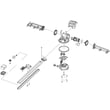


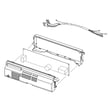

How to clear codes on Samsung dishwasher?
On the Samsung DW80R9950UT dishwasher, most information codes clear after you correct the cause and restart the dishwasher. Start by turning the dishwasher off, then back on and run a cycle; for some codes, switching the dishwasher breaker off and back on also resets the control.
Quick ways to clear an information code
- Power off, then restart: Turn the dishwasher off, wait about 10 seconds, then turn it back on and try a cycle.
- Breaker reset: Turn the dishwasher circuit breaker OFF, wait about 1 minute, then turn it ON and try a cycle.
- Fix the condition first: Codes usually return immediately if the underlying issue is still present.
- Check Control Lock: If buttons seem unresponsive, hold Sanitize for 3 seconds (power on) to toggle Control Lock.
For model-specific button functions and code behavior, follow the steps in the DW80R9950UT manual.
What to do for common codes (based on the manual)
| Code | What it indicates | What we do first |
|---|---|---|
| LC | Leakage check | Close the water supply valve; turn breaker off; inspect for leaks at supply connections |
| 4C | Water supply check | Confirm water valve is open; check inlet line for kinks, freezing, or clogs |
| 5C | Drain check | Check drain hose for kinks/clogs; check sump drain area for blockage |
| HC | High temp heating check | Run an empty cycle with detergent; if it returns, breaker off and service is needed |
| 3C / PC | Pump or zone wash check | Turn off dishwasher and try again; if it returns, service is needed |
| AP | Connect with smartphone | Press and hold Smart Control to enter pairing mode |
Why it matters
An information code is the dishwasher’s way of protecting the wash system (water fill, drain pump, heating, leak detection). Clearing the code without fixing the cause can lead to poor cleaning, standing water, or repeat shutdowns.
Helpful related troubleshooting
If you want a code-by-code walkthrough for Samsung WaterWall models, use our Samsung waterwall dishwasher error codes guide.
Last updated: January 2026
What are the dimensions of the DW80R9950UT?
The Samsung DW80R9950UT built-in dishwasher measures 23⅞ in. wide x 25 in. deep x 33⅞ in. high (605 x 636 x 860 mm). These are the cabinet-opening fit dimensions listed in the specifications for the DW80R9950** series in the DW80R9950UT user manual.
Quick specs for planning
| Spec | Measurement |
|---|---|
| Width | 23⅞ in. (605 mm) |
| Depth | 25 in. (636 mm) |
| Height | 33⅞ in. (860 mm) |
What to measure before you install or replace
- Cabinet opening width: confirm you have at least 24 inches of opening space.
- Opening height: verify the countertop-to-floor height matches the dishwasher height and leveling range.
- Depth to the door: allow room for the door to open fully without hitting a toe-kick or nearby cabinet.
- Water line and drain routing: make sure hoses can reach without kinks.
- Power connection: confirm the electrical hookup location matches your setup.
Why it matters
Correct dimensions help prevent common fit issues like a door that rubs the cabinet, a unit that sits too low to seal properly, or a dishwasher that cannot be leveled. Getting the opening measurements right also protects the door alignment and helps reduce vibration and noise.
Helpful tip
If you are swapping an older dishwasher, measure the existing cutout and compare it to the specs above, then confirm any installation notes in the DW80R9950UT user manual before you slide the unit into place.
Last updated: January 2026
What does OC error mean on Samsung dishwasher?
On a Samsung DW80R9950UT dishwasher, an OC error typically points to a drain or water level issue where the unit detects water it cannot clear properly. Start by checking for a kinked or clogged drain hose and a blocked sump/drain area, then retry the cycle.
What to check first (fast fixes)
- Cancel the cycle and let the dishwasher drain, then restart.
- Inspect the drain hose under the sink for kinks, crushing, or a clog.
- If connected to a garbage disposal, confirm the disposal inlet plug was removed.
- Clean the filter area and check the drain opening in the sump for debris.
- Make sure the dishwasher is level; a tilt can affect water sensing and draining.
How OC relates to Samsung information codes
Samsung commonly uses drain-related information codes such as 5C (drain check) when the dishwasher cannot drain correctly. The same root causes often trigger “OC” reports in the field: restricted drain hose, blocked sump, or a drain pump that is not moving water.
Common causes and what they look like
| Likely cause | What you may notice | What to do |
|---|---|---|
| Drain hose kinked/clogged | Water left in tub, humming during drain | Straighten hose; clear blockage |
| Sump/drain area blocked | Slow drain, debris in bottom | Clean filter and sump drain opening |
| Drain pump problem | No drain sound or weak draining | Inspect pump area; replace if failed |
| Installation issue at sink/disposal | Drains poorly since install | Correct the drain connection |
Parts that commonly solve drain problems
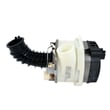
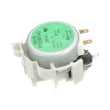
If the hose is clear and the sump is clean but the dishwasher still will not drain, the drain pump or hose is often the next step.
Why it matters
A drain restriction can leave dirty water in the tub, reduce cleaning performance, and cause repeated error codes. Fixing the drain path early also helps protect the pump and control system from repeated strain.
For code definitions and model-specific guidance, use the DW80R9950UT manual.
Last updated: January 2026





