 Installation guide
 Owner’s manual
 Error Codes




How long do GE wall ovens last?
GE wall ovens typically last 12 to 15 years. For the GE JK5500SF5SS electric wall oven, lifespan depends most on heat exposure, cleaning habits, and how often the oven runs at high temperatures; following the care and maintenance guidance in the JK5500SF5SS owner’s manual helps maximize service life.
Most built-in electric wall ovens land in the same range, but these factors move the needle:
- Usage frequency (daily baking vs. occasional use)
- High-heat cooking (broil, pizza, long preheats) and repeated thermal cycling
- Self-clean use (high heat stresses door locks, wiring, and sensors)
- Ventilation and cooling (a cooling fan may run after cooking to protect internal parts)
- Cleaning and spill control (burned-on spills can create odors and extra smoke)
A wall oven rarely fails all at once. More often, one or two systems become unreliable:
| Symptom | Common area involved | What we recommend |
|---|---|---|
| Oven temperature seems off | Temperature sensing | Check calibration steps in the manual; test/replace sensor if needed |
| Fan runs long after cooking | Cooling system | Normal up to about 1-1/2 hours after shutoff; investigate if noisy or constant |
| Door will not lock/unlock for self-clean | Door lock system | Inspect lock mechanism and wiring; replace lock if binding |
| Display resets or clock flashes | Power supply/surge | Reset clock and cooking function per manual guidance |
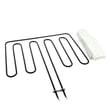
If the oven is heating unevenly, overheating, or throwing temperature-related issues, these model-matched parts are often involved:
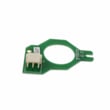
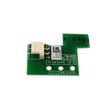
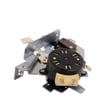
- Wall oven temperature sensor WB21X10165 (measures oven temperature for the control)
- Wall oven door lock assembly WB10X23814 (locks door during self-clean)
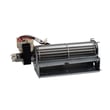
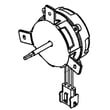
- Wall oven cooling fan assembly WB26X24020 (moves air to protect controls and wiring)
- Range high-limit thermostat WB24X46906 (helps prevent overheating)
A 12 to 15 year lifespan helps you decide whether to repair or replace. If your JK5500SF5SS is under about 10 years old, repairing a sensor, fan, or door lock is often a practical way to restore safe, consistent baking.
Last updated: January 2026
How to disable control lock on GE wall oven?
To disable Control Lock on your GE JK5500SF5SS electric wall oven, press and hold the Lock Controls pad for 3 seconds until the control unlocks. The Cancel/Off pad still works even when Control Lock is on. See the JK5500SF5SS owner's manual for the exact keypad layout.
- Press Lock Controls.
- Keep holding it for 3 seconds.
- Release when the lock indicator changes (or the oven responds normally).
- Test by pressing Bake or Oven Light(s).
- If the oven is running, press Cancel/Off first, then unlock.
Control Lock is a keypad feature, but other conditions can make the oven seem “locked.” Try these checks:
- Power reset: turn the breaker off for 30 seconds, then back on.
- Cooling down after Self-Clean: if the door is locked and the oven is hot, wait until it cools below the locking temperature.
- Stuck key behavior: wipe the control panel dry and try again (grease or moisture can interfere).
- Error code flashing: press Cancel/Off, let the oven cool for 1 hour, then reset power.
- Door lock issues after Self-Clean: if the door will not open after cleaning, cancel and allow cooling time.
| Feature | What it locks | How it turns off | Common time it stays on |
|---|---|---|---|
| Control Lock | Touchpad functions | Hold Lock Controls 3 seconds | Until you unlock it |
| Door lock (Self-Clean) | Oven door latch | Cancels after cooling | Until oven cools down |
Control Lock prevents accidental keypad presses (especially helpful with kids or while cleaning the panel). Door lock is a heat-safety feature during Self-Clean, so it stays engaged until the oven temperature drops.
Last updated: January 2026
What does F5 mean on a GE oven?
On the GE JK5500SF5SS electric wall oven, an F5 error code points to a problem the control is detecting in the oven’s electronic sensing or control circuit. In many cases, the fix is checking the oven temperature sensor and its wiring first, then replacing the electronic control if the sensor circuit tests good.
- Turn off power at the breaker for 1 minute, then restore power and see if F5 returns.
- If F5 comes back, shut power off again before touching any wiring.
- Check for a loose or damaged sensor connector at the back of the oven cavity.
- Inspect the harness for pinched, burned, or broken wires.
- If the oven was just installed or moved, confirm the conduit and junction box connections are secure.
For control-specific diagnostics and any model-specific fault code notes, follow the steps in the JK5500SF5SS owner’s manual.
F5 is often tied to the temperature-sensing circuit or the control’s ability to read it.
- Oven temperature sensor: If it is out of spec or intermittently open, the control can throw an F-code.
- Wire harness/connector issue: A poor connection can mimic a bad sensor.
- Electronic control: If the sensor circuit checks good, the control board is a common next step.
If you’re troubleshooting the sensor circuit, the model-matched part is the wall oven temperature sensor WB21X10165.
| What you notice | Most likely area to check | Typical next step |
|---|---|---|
| F5 appears soon after starting Bake | Sensor circuit | Test sensor resistance; inspect connector |
| F5 appears randomly during cooking | Intermittent wiring/connector | Reseat connector; inspect harness routing |
| F5 persists after sensor checks good | Control electronics | Replace control board (model-specific) |
When the control cannot reliably read oven temperature, it may stop heating or heat unpredictably. Addressing F5 quickly helps restore accurate baking temperatures and prevents repeated shutdowns.
Last updated: January 2026





