 Installation guide
 Owner’s manual
 Error Codes




What is the best electric wall oven to buy?
The best electric wall oven to buy is the one that fits your cabinet cutout, electrical hookup, and cooking needs (single vs. double, convection, self-clean). If you already own a GE PT956SM4SS, the “best” choice is usually replacing it with a same-size 30-inch double wall oven to avoid cabinet and wiring changes; confirm requirements in the PT956SM4SS installation guide.
- Size and fit: wall ovens are typically 27-inch or 30-inch; verify cabinet cutout dimensions.
- Configuration: single vs. double wall oven (PT956SM4SS is a double wall oven platform).
- Cooking features: true convection, probe cooking, air fry modes (varies by model).
- Cleaning: self-clean vs. steam clean options.
- Electrical requirements: hard-wired connection and correct voltage.
For GE electric wall ovens like PT956SM4SS, installation is typically hard-wired (direct-wired) to an approved junction box, not plugged into an outlet. Plan for a qualified installer or electrician and confirm your home wiring type and local code requirements. Details and safety notes are in the PT956SM4SS installation guide.
| Item to verify | What to look for | Why it matters |
|---|---|---|
| Cabinet cutout | Height, width, depth | Prevents gaps, binding doors, or rework |
| Power supply | 120/208 or 120/240 VAC, 60 Hz | Ensures proper heating and control operation |
| Connection type | Direct-wire to junction box | Required for many built-in wall ovens |
We recommend prioritizing a 30-inch double wall oven with similar cutout requirements first; that keeps the project focused on a swap rather than a cabinet remodel.
Common “best choice” scenarios:
- You want the simplest replacement: match size and configuration first.
- You bake often: prioritize convection and even temperature control.
- You use self-clean: choose a model with a cleaning system you will actually use.
Wall ovens are less forgiving than freestanding ranges because the cabinet cutout and direct-wire electrical connection drive the cost and complexity. Choosing a model that matches your existing opening and power setup avoids the most common installation surprises.
Last updated: January 2026
How to reset a GE monogram oven?
To reset your GE PT956SM4SS electric wall oven (including Monogram-style controls), disconnect power at the breaker for at least 30 seconds, then restore power and reset the clock. This clears many control glitches and helps after a power surge or error code.
- Turn the oven off.
- Switch the oven’s circuit breaker OFF (or remove the fuse) to fully cut power.
- Wait at least 30 seconds.
- Switch the breaker ON.
- Set the clock; re-enter any cooking settings.
The manual guidance for “F” plus a number/letter is to clear the error, cool the oven if needed, and then power-cycle the unit. If the code repeats after a reset, service is typically needed.
- Press Clear/Off.
- Let the oven cool for about 1 hour if it was hot.
- Do the breaker reset again (30 seconds minimum).
- If the same code returns, schedule service.
If a power outage happened while Sabbath mode was active, the oven can turn off and stay off when power returns. A full reset plus reprogramming Sabbath settings restores normal operation.
- Reset power at the breaker.
- Confirm the display shows the time of day.
- Re-enable special features as needed using the steps in the PT956SM4SS owner’s manual.
| Situation | What to do | What you should see |
|---|---|---|
| Display glitch, unresponsive keypad | Breaker reset (30+ seconds) | Clock flashes or returns |
| “F” error code | Clear/Off, cool, then breaker reset | Error clears; may return |
| After outage | Reset clock and cooking functions | Normal time display |
A proper power reset restores the oven control to a known good state after a surge, blank display, or function error. It also helps you confirm whether the issue is a temporary control lockup or a part problem (such as the wall oven temperature sensor WB23T10015).
Last updated: January 2026
How long do GE wall ovens last?
Most GE electric wall ovens like model PT956SM4SS last about 12 to 15 years with normal household use. Lifespan depends most on heat exposure to components, how often self-clean is used, and whether wear parts (like door gaskets and sensors) are replaced when symptoms start.
- Heat management: cooling fans running after cooking is normal and helps protect controls.
- Self-clean frequency: high-heat cycles accelerate wear on wiring, sensors, and door lock parts.
- Door seal condition: a leaking gasket forces longer heat times and stresses components.
- Power quality: repeated breaker trips or loose connections can damage electronic controls.
- Maintenance habits: keeping vents clear and cleaning spills early reduces corrosion and odor issues.
| Component | Common symptom | Typical timing |
|---|---|---|
| Oven light and light parts | Light out, lens damaged | 1 to 5 years |
| Temperature sensor | Inaccurate temps, error codes, uneven baking | 8 to 15 years |
| Door gasket | Heat leaks, longer preheat, hot cabinet face | 8 to 12 years |
| Cooling blower/fan | Loud fan noise, overheating, fan not running | 10 to 15 years |
- Let the cooling fan finish its run cycle; it can run for a while after the oven turns off.
- Replace a worn seal early; consider the range oven door gasket WB04T10050 if you see gaps, tears, or heat leaking.
- If baking temps drift, test and replace the wall oven temperature sensor WB23T10015 instead of compensating with settings.
- Use self-clean only when needed; use manual cleaning for light soils.
- Follow the electrical and ventilation requirements in the PT956SM4SS installation guide to prevent overheating and nuisance shutdowns.
A wall oven that is running hotter than normal, leaking heat, or struggling to regulate temperature often still works, but it wears out faster. Fixing small issues early typically prevents control damage and extends overall oven life.
Last updated: January 2026
What does F96 mean on a GE oven?
On a GE PT956SM4SS electric wall oven, an F96 is a function error code that typically points to a problem the control detects during operation (often tied to cooling/temperature protection). Clear the code, let the oven cool, then restore power; if it returns, service is needed.
- Press Clear/Off to stop the beeping and clear the display.
- Let the oven cool for 1 hour before trying to use it again.
- If the code comes back, turn off power at the breaker for at least 30 seconds, then restore power.
- Try a simple Bake cycle to see if the oven runs normally.
- If F96 repeats, schedule service (repeating function codes indicate a fault that will keep returning).
Even when the display only shows “F” plus a number, the underlying issue is usually one of these:
- Cooling airflow problem (cooling fan not running, blocked vents, heat buildup around the control)
- Temperature sensing problem (sensor reading out of range)
- Over-temperature protection opening (limit device trips)
- Wiring/connection issue between the control and components
| What you notice | What to check next | Example part for this model |
|---|---|---|
| Oven stops, error returns after heating | Oven temperature feedback | Wall oven temperature sensor WB23T10015 |
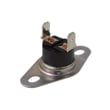
| Oven shuts down when hot, needs time to recover | Overheat protection | Wall oven safety thermostat WB24T10060 |
| Oven runs hot, fan noise changes, cabinet area gets very warm | Cooling airflow components | Oven blower assembly WB26T10049 |
The oven relies on cooling airflow to protect the electronic control and wiring. When the control senses unsafe conditions, it can disable the upper and lower ovens to prevent damage and unsafe temperatures.
Use the troubleshooting and error-code guidance in the PT956SM4SS owner’s manual. For installation clearances and airflow requirements around the wall oven cabinet, use the PT956SM4SS installation guide.
Last updated: January 2026





