 Installation guide
 Owner’s manual





Is GE Profile considered high end?
Yes. GE Profile is generally considered a higher-end step up from standard GE appliances, with more premium features and finishes; it is positioned as an upgrade line rather than an entry-level line. For your GE microwave/hood combo model JVM1870SK03, the JVM1870SK03 owner's manual covers operation and care details specific to this unit.
What “high end” usually means for GE Profile
GE Profile typically focuses on upgrades you notice day to day:
- More feature options (sensor cooking, convenience presets, added vent or lighting controls)
- More design and finish choices (often stainless and matching trim kits across a kitchen)
- More electronics and control features (more settings and display options)
- Higher price point than basic GE models
- More emphasis on performance and user experience than “builder grade” models
Where GE Profile fits in a typical appliance lineup
Brand lineups vary by product, but this is the common way shoppers compare tiers:
| Tier | Typical focus | What you usually get |
|---|---|---|
| Standard GE | Value and essentials | Core features, fewer options |
| GE Profile | Premium upgrades | More features, styling, and convenience |
| Specialty or luxury lines | Design-forward and pro-style | Highest styling focus and premium pricing |
Why it matters when you are shopping parts or planning a repair
“Higher end” models often use more sensors, switches, and assemblies, so accurate model matching matters when ordering parts for JVM1870SK03.
- Use the exact model number to match door and safety-interlock parts
- If the microwave runs but will not heat, focus on heating-circuit components and safety cutoffs
- If the door will not close or the unit will not start, check the latch and interlock system first
Parts on this model that commonly relate to “premium feature” behavior
These are examples of parts on JVM1870SK03 that affect safety and operation:
- Micro-switch WB24X830 (door interlock switching)
- Microwave latch body WB06X10676 (door latch alignment)
- Microwave magnetron WB27X10880 (heating output)
Helpful troubleshooting tip
If your microwave powers on but does not heat, follow a structured diagnosis path before replacing major components; our guide why is my microwave not heating walks through the most common causes.
Last updated: February 2026
What is the life expectancy of a GE microwave?
Most GE microwaves, including over-the-range models like GE JVM1870SK03, typically last 9 years with normal household use. Heavy daily cooking, poor ventilation, and grease buildup around the door latches and vent fan can shorten that lifespan; consistent cleaning and proper use help it reach the full service life.
Typical lifespan and what changes it
A microwave’s life is mostly driven by heat stress, door-interlock wear, and how clean the airflow path stays.
- Light use (reheat, defrost): often reaches the full expected lifespan
- Heavy use (multiple long cook cycles daily): wears components sooner
- Grease and dust buildup: raises internal temperatures and strains the vent system
- Door slamming or misalignment: accelerates door latch and interlock switch wear
- Power issues (shared outlet, frequent breaker trips): can stress electrical components
Parts that commonly determine “end of life”
When a microwave stops heating or won’t run, these are frequent culprits on over-the-range units.
| Symptom | Common area involved | Example part for JVM1870SK03 |
|---|---|---|
| Runs but does not heat | High-voltage system | Microwave magnetron WB27X10880 |
| Dead, no display | Line fuse or thermal protection | (See testing steps in the manual) |
| Starts then stops, or won’t start with door closed | Door interlock system | Micro-switch WB24X830 |
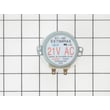
| Turntable not rotating | Turntable drive | Microwave turntable motor WB26X10038 |
Maintenance that helps your microwave last longer
We recommend these habits because they reduce heat buildup and prevent avoidable wear.
- Wipe the cavity regularly; a baking soda and water solution works well (avoid abrasive cleaners)
- Keep the underside and filters clean so airflow stays strong
- Avoid running the microwave empty
- Close the door gently so the latches stay aligned
- Use microwave-safe cookware to prevent arcing and interior damage
Why it matters
A microwave/hood combo like the JVM1870SK03 also manages cooking fumes. When grease builds up or airflow is restricted, internal temperatures rise, which can shorten the life of electrical parts and heating components. Cleaning and correct vent-fan use protect both performance and longevity.
For model-specific care, cleaning, and operating guidance, follow the JVM1870SK03 owner’s manual.
Last updated: February 2026
How can I tell what size my microwave is?
For your GE JVM1870SK03 microwave/hood combo, “size” usually means two things: the exterior dimensions that must fit between cabinets and over the cooktop, and the interior cooking capacity (cubic feet). We recommend measuring the installed opening and confirming the exact specs in the JVM1870SK03 installation guide.
What to measure (and how)
Use a tape measure and record in inches.
- Width: measure cabinet-to-cabinet space where the microwave sits.
- Height: measure from the cooktop surface up to the cabinet bottom and to the top clearance.
- Depth: measure from the back wall to the front edge of the cabinet (include any trim/overhang).
- Door swing clearance: make sure the door can open fully without hitting a wall or cabinet.
- Vent path: note whether you vent out the top or out the back (ducting affects fit and install steps).
Model-specific fit checks for JVM1870SK03
Your installation requirements include these key placement rules:
- Plan for 30 inches or more from the cooking surface to the bottom edge of the cabinet.
- The space between cabinets should be 30 inches wide and free of obstructions.
- This microwave/hood combo is designed for installation over ranges up to 36 inches wide.
- The microwave must be mounted to at least one wall stud and installed level.
Quick reference table
| What you’re sizing | What it tells you | How to confirm |
|---|---|---|
| Exterior fit (opening) | Whether it physically fits your cabinet space | Measure width, height, depth at the install location |
| Install clearances | Whether it meets safe mounting and venting needs | Follow the JVM1870SK03 installation guide |
| Interior capacity (cu. ft.) | How much food and what dish sizes fit inside | Check the owner's manual for the listed capacity |
Why it matters
Getting the size right prevents common problems like a microwave that will not sit level, a blocked vent, or a unit that cannot be secured properly to studs and the mounting plate.
Last updated: February 2026
What are common problems with GE Profile microwaves?
Common problems we see with GE Profile over-the-range microwaves like model JVM1870SK03 include: the oven runs but does not heat, the unit will not start, the turntable or vent fan will not run, and door-latch or control-lock issues that prevent operation. Use the JVM1870SK03 owner's manual troubleshooting section to match symptoms to checks.
Most common symptoms and likely causes
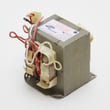
- Runs but not heating: failed high-voltage components (magnetron, capacitor, transformer) or a safety issue that stops heating.
- Will not start or goes dead: house fuse/breaker, loose plug, power surge, door not fully closed, or a thermal cut-off opening.
- Starts then stops or blows fuses: door interlock switch or latch alignment problems.
- Turntable not turning: worn turntable motor or a jammed/dirty turntable support.
- Vent fan problems: vent motor or capacitor issues; grease buildup can also restrict airflow.
Quick checks you can do first (no disassembly)
- Confirm the microwave is on its own outlet and the plug is fully seated.
- Reset power after a surge: unplug for 1 minute, then plug back in.
- Open and close the door firmly; the door must latch securely to run.
- If CONTROL LOCKED/LOCKED shows, press and hold CLEAR/OFF for about 3 seconds.
- Clean grease filters and the underside regularly to prevent airflow and heat issues.
Parts that commonly fix these problems
If your symptom points to a specific failure, these model-matched parts are common replacements:
| Symptom | Common part to check/replace | Example part on this model page |
|---|---|---|
| Won’t start, intermittent, or fuse issues | Door interlock switch | Micro-switch WB24X830 |
| Door won’t latch correctly | Latch components | Microwave latch body WB06X10676 |
| Runs but does not heat | Magnetron | Microwave magnetron WB27X10880 |
| Turntable not rotating | Turntable motor | Microwave turntable motor WB26X10038 |
| Dead after overheating or fan issues | Thermal cut-off | Therm-hood WB27X1127 |
Why it matters
Microwaves rely on door interlocks and thermal protection to prevent unsafe operation. When a latch, switch, or thermal cut-off starts failing, it can look like a “no power” or “no heat” problem even when the outlet is good.
For deeper symptom-to-part guidance, we recommend our why is my microwave not heating article alongside the checks in the manual.
Last updated: February 2026


