Owner’s manual
 Error Codes
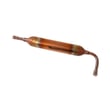


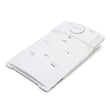
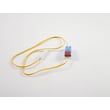

How to reset Samsung double door fridge?
To reset a Samsung refrigerator like model RF217ACWP, we typically power-cycle the unit (unplug briefly, then restore power) to clear minor control glitches. Some versions also support a button-based reset; the exact key sequence varies by control panel, so we follow the steps in the RF217ACWP owner's manual.
Quick reset methods (most common)
- Power reset (recommended): unplug the refrigerator (or switch off the breaker) for 2 to 5 minutes, then restore power.
- Control panel reset (model-dependent): press and hold two buttons together for about 8 to 12 seconds until the display changes or beeps.
- After a reset: allow 24 hours for temperatures to fully stabilize.
What to try first (in order)
- Confirm the outlet has power (test with a lamp).
- Unplug the refrigerator for 2 to 5 minutes, then plug it back in.
- If the display is still frozen or flashing, use the reset key sequence shown in the manual.
- If cooling is still weak after reset, check for airflow blockage and heavy frost buildup.
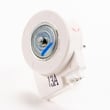
- If you hear unusual fan noise or the fridge warms up, inspect the evaporator area; a failed fan assembly can mimic a “needs reset” symptom.
Reset options at a glance
| Situation | Best reset to try | What you should see |
|---|---|---|
| Display acting up, buttons unresponsive | Power reset | Display returns to normal after restart |
| Error code or flashing segments | Manual key sequence | Beep, code clears, or display changes |
| After power outage | Power reset | Normal operation resumes |
| Not cooling (food warming) | Reset plus troubleshooting | Temps improve over several hours |
Why it matters
A reset clears temporary control-board logic issues and restores normal operation after a power interruption. If the problem returns quickly, the refrigerator likely has an underlying issue (for example, airflow restriction, frost buildup, or a fan problem) that a reset will not fix.
Last updated: February 2026
What is the most common problem with Samsung refrigerators?
The most common Samsung refrigerator problems are cooling issues (warm fridge or freezer), ice maker problems, and water leaks from defrost drainage. On the Samsung RF217ACWP, these symptoms usually trace back to airflow, frost buildup, door sealing, or a restricted drain; our RF217ACWP owner's manual helps confirm the correct checks and settings.
Most common symptoms and what they usually mean
- Fridge warm, freezer OK: restricted airflow in the fresh food section, frost on the evaporator cover, or a fan issue.
- Freezer warm, fridge warm: condenser airflow problem, dirty condenser area, or a control/defrost issue.
- Ice maker not making ice: water supply issue, freezer temperature too warm, or ice maker fault.
- Water under crisper or on floor: defrost drain restriction or drain tube issue.
- Frost around doors: door not sealing, misalignment, or gasket not seating.
Quick checks we recommend first (no tools)
- Set temperatures to typical targets: 37°F fresh food and 0°F freezer.
- Make sure vents inside the compartments are not blocked by food packages.
- Check door closure: look for bins/shelves preventing a full seal.
- Listen for fans: you should typically hear airflow when the unit is running.
- If you see puddles or ice under drawers, inspect the drain path; a clogged drain often causes repeat leaks.
Parts that commonly relate to these problems
| Symptom | Common area | Example part for RF217ACWP |
|---|---|---|
| Water leaks, ice buildup | Defrost drain system | Refrigerator drain cap da97-04049d |
| Warm temps, poor airflow | Evaporator cover and fan area | Refrigerator cover assembly da97-11823a |
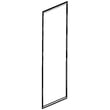
| Frosty doors, temp swings | Door sealing | (Door gasket and alignment checks) |
Why it matters
Cooling, ice maker, and leak problems usually get worse over time. Fixing airflow restrictions, drain issues, or a weak door seal early helps protect food, reduce frost buildup, and prevent water damage.
Last updated: February 2026
What does C mean on a Samsung fridge?
On the Samsung RF217ACWP refrigerator, a “C” on the display is used for temperature and diagnostic messaging; the exact meaning depends on whether it appears alone or as part of a code (for example, “°C” for Celsius or a letter-number fault code). Confirm the exact display message in the RF217ACWP manual.
Identify what “C” is telling you
Check these details first; they determine the correct fix:
- Is it “°C” (Celsius) next to the temperature number, or just the letter C?
- Is the C flashing, and do you see a number with it (example: 8C, 5C) or other letters?
- Are the fresh food and freezer temperatures holding steady?
- Did the message appear after a power outage, door left open, or heavy loading?
- Do you hear normal fan operation (evaporator fan inside, condenser fan near the compressor)?
Quick steps that solve many “C” display issues
- Power reset: unplug the refrigerator or turn off the breaker for 5 minutes, then restore power.
- Check doors and seals: make sure both doors close fully and the gasket seals all the way around.
- Look for frost buildup: heavy frost on the rear interior panel points to an airflow or defrost problem.
| What you see | What it indicates | What to do |
|---|---|---|
| “°C” next to temps | Temperature unit is set to Celsius | Change units using the control-panel steps in the manual |
| “C” with numbers/letters | Diagnostic code format | Use the manual’s error-code section and follow the listed checks |
| “C” plus poor cooling | Cooling feedback or airflow problem | Inspect for frost, blocked vents, and fan operation |
When a part is commonly involved
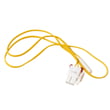
If the “C” message is tied to temperature sensing or defrost symptoms (warm temps, heavy frost, erratic readings), a failed sensor is a common root cause. For this model’s parts list, the refrigerator temperature sensor DA32-00006D is one of the temperature/defrost sensing components that can affect how the control interprets cabinet temperature.
Why it matters
A “C” display message is your refrigerator’s way of flagging a temperature setting or a condition that affects temperature control. Correcting it quickly helps protect food and prevents long compressor run times.
Last updated: February 2026