Installation guide
 Owner’s manual




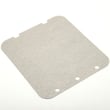
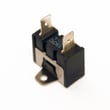
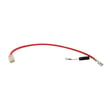

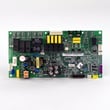
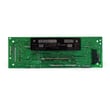
Can you replace the microwave on a wall oven microwave combo?
On the Kenmore Elite 79049113412 wall oven/microwave combo, the microwave is built into the combination appliance, so you typically do not replace it as a separate countertop-style unit. In most cases, you either repair the microwave section (switches, fuse, motor, etc.) or replace the entire combo if the microwave cavity or major structure is damaged.
What you can replace (common microwave-side repairs)
Many “microwave is dead” or “won’t start” problems are caused by serviceable components, not the whole combo.
- Check the house breaker first; this combo must be on a properly grounded, dedicated circuit per the installation guide.
- If the display is dead or it dies when starting, a blown fuse is common; see microwave fuse 5304480634.
- If it runs only with the door held a certain way, inspect the door switch system; see microwave door interlock switch 5304493153.
- If the turntable stops rotating but heating seems normal, the motor is a typical fix; see wall oven microwave turntable motor 5304498736.
- If heating is weak or stops and other causes are ruled out, a high-voltage component may be involved; see microwave magnetron 5304501808.
When replacement of the whole combo makes more sense
Some failures are not practical to “swap out” like a standalone microwave.
| Situation | Best next step |
|---|---|
| Microwave cavity is damaged, arcing, or rusted through | Replace the combo unit |
| Multiple major microwave components failed | Compare repair cost vs. replacement |
| Oven and microwave share control issues | Diagnose controls and wiring before deciding |
| Unit is hardwired and removal is complex | Plan for full combo replacement or pro service |
Why it matters
A wall oven/microwave combo is designed as one installed appliance with shared mounting, ventilation, and electrical requirements. Treating the microwave as a separate “module” can lead to fit, safety, and wiring problems. For model-specific operating and safety guidance, use the 79049113412 owner’s manual.
Last updated: February 2026
How do I reset my Kenmore Elite microwave?
To reset the microwave portion of your Kenmore Elite 79049113412 wall oven/microwave combo, restore power (or use the control’s reset option if shown) and then set the clock again. A reset clears temporary control glitches after a power interruption.
Quick reset options (most common)
- Power reset: turn the breaker OFF for 1 minute, then turn it ON.
- Control reset (if available): open the Settings menu and look for a reset/default option.
- After any reset: reset the clock and any cooking settings as needed.
Step-by-step: breaker reset (recommended first)
- Make sure the microwave is not running.
- Turn the wall oven/microwave combo breaker OFF.
- Wait 60 seconds.
- Turn the breaker ON.
- Follow the clock setup steps in the 79049113412 owner's manual.
If the display comes back but the microwave still will not run
These checks narrow down whether you have a door-safety issue or a power-protection issue:
- Confirm the door closes firmly and latches normally.
- Listen for a solid latch “click”; a weak latch can prevent operation.
- If the unit is completely dead after power is restored, a blown fuse is common.
| Symptom | What it usually points to | Example part for this model |
|---|---|---|
| Display works, won’t start | Door interlock/latch issue | Microwave door interlock switch 5304493153 |
| Completely dead | Fuse or power feed issue | Microwave fuse 5304480634 |
| Runs but no heat | High-voltage component issue | Microwave magnetron 5304501808 |
Why it matters
A reset is the fastest way to clear a control lockup after a power failure. Your manual also notes that after power resumes, you should reset the clock and oven function, which helps restore normal operation.
Last updated: February 2026
How many cubic feet is a Kenmore Model 79049113412 microwave?
The microwave in Kenmore Elite model 79049113412 is 1.7 cubic feet in capacity, which tells you how much interior space you have for cookware and larger dishes. For feature details and operating tips, use the 79049113412 use and care manual.
Quick capacity reference
- Capacity: 1.7 cu. ft.
- Appliance type: Kenmore Elite electric wall oven/microwave combo
- What it measures: interior cooking cavity volume (not exterior size)
- Best use: helps you judge fit for plates, covered dishes, and microwave-safe cookware
Why capacity matters
Microwave capacity affects what you can heat comfortably and how you choose accessories.
| What you are deciding | Why 1.7 cu. ft. helps | Example |
|---|---|---|
| Dinner plate fit | More room for wider plates | Standard 10 to 12 inch plates typically fit well |
| Covered casserole use | Extra height and depth | Better clearance for domed lids |
| Microwave-safe cookware | Fewer “tight fit” issues | Easier to center dishes on the turntable |
Tips to confirm real-world fit in your kitchen
Even with a 1.7 cu. ft. rating, the turntable diameter and interior shape determine what fits best.
- Measure your largest microwave-safe dish (diameter and height).
- Check for clearance when the dish rotates (if your dish is square, corners can hit the walls).
- Avoid forcing oversized cookware; it can stall the turntable motor over time.
- If rotation seems weak or stops, inspect the drive components and consider the wall oven microwave turntable motor 5304498736.
Where to find the model label
On model 79049113412, the model and serial plate is located along the interior side trim and is visible when the lower oven door is opened. This helps ensure you match the correct parts and documentation.
Last updated: February 2026
What is the F11 code on a Kenmore wall oven?
On Kenmore Elite model 79049113412, the F11 error code points to a stuck or failing keypad (touchpad) input, which makes the control think a key is being pressed continuously. We start by resetting power; if F11 returns, the fix is servicing the user interface or control components per the 79049113412 owner's manual.
What to do first (safe, quick checks)
- Turn the breaker OFF for 5 minutes, then turn it back ON.
- If the oven is beeping, press Cancel/Off once after power is restored.
- Wipe the control panel with a barely damp cloth and dry it; grease or moisture can mimic a key press.
- If F11 comes back quickly, stop using the oven until the control issue is corrected.
- If the unit was recently moved or installed, confirm it is secured correctly; see the 79049113412 installation guide for mounting and safety notes.
What usually causes F11
F11 is almost always caused by one of these conditions:
- Touchpad membrane is shorted or a key is physically stuck
- Moisture intrusion behind the keypad
- Loose or oxidized ribbon connector between the keypad and control
- Electronic control not interpreting keypad signals correctly
Likely repair paths (what gets replaced)
| Symptom pattern | Most common culprit | Typical next step |
|---|---|---|
| F11 appears immediately at power-up | Keypad circuit short | Inspect keypad/ribbon; replace touchpad or control assembly as designed |
| F11 appears after cleaning or steam | Moisture on/behind keypad | Dry thoroughly; reset power; recheck |
| Random beeping, phantom key presses | Failing touchpad | Replace touchpad/user interface components |
Why it matters
A stuck keypad can trigger unintended oven functions, constant beeping, or prevent normal baking and broiling. Addressing F11 quickly helps protect the electronic control and restores reliable temperature control.
Last updated: February 2026
Where can I find my Kenmore Elite oven model number?
On Kenmore Elite model 79049113412, the model and serial number are printed on the serial plate located along the interior side trim, and you can see it when you open the lower oven door. This label is the most reliable place to copy the full model number exactly.
Where to look on the appliance
Check these common label locations in this order:
- Open the lower oven door and look along the interior side trim for the serial plate
- Look for a label that lists both Model and Serial
- Write the model number exactly as shown (including all digits)
- If the label is hard to read, use a flashlight and take a close-up photo
- Record the purchase date too, if you still have it
What the serial plate looks like
Most Kenmore Elite wall oven and microwave combo units use a data plate that includes the model number, serial number, and sometimes electrical ratings.
| Label item | What it’s used for | Why it matters |
|---|---|---|
| Model number | Identifies the exact unit version | Ensures parts fit and diagrams match |
| Serial number | Identifies production run | Helps confirm compatible revisions |
| Purchase date | Ownership record | Useful for service history |
Why it matters
We use the model number to match the correct Kenmore parts, wiring diagrams, and troubleshooting steps for your exact wall oven/microwave combo. Even one missing digit can pull up the wrong control board, sensor, or door switch.
Helpful tip for parts and troubleshooting
Once you have the model number, keep it with your Use & Care paperwork so it’s easy to reference later. The Product Record section in the 79049113412 owner’s manual is a good place to store it.
Last updated: February 2026
Why is my Kenmore Elite microwave display not working?
If the microwave display on your Kenmore Elite 79049113412 is blank or the control panel will not respond, the most common causes are a power supply issue (outlet, breaker, fuse), a blown internal microwave fuse, or a failed door interlock or electronic control. Follow the checks in the 79049113412 owner's manual first.
Quick checks we recommend first
- Confirm the unit has power; check the home circuit breaker and the outlet.
- If the display went out after a power interruption, restore power and reset the clock and cooking functions.
- Open and close the microwave door firmly; a door switch issue can prevent normal operation.
- If the light, fan, and turntable are also dead, focus on power and internal protection devices.
- If the display is dead but other functions act odd or intermittent, suspect the control board or wiring connections.
Parts that commonly cause a dead display
If basic power is good, these model-matched parts are common suspects:
| Symptom | Most likely area | Example model-matched part |
|---|---|---|
| Completely dead (no display, no interior light) | Internal fuse or power feed | Microwave fuse 5304480634 |
| Dead or erratic when door moves | Door interlock circuit | Microwave door interlock switch 5304493153 |
| Display dead or keypad unresponsive | Electronic control | Wall oven control board (model-specific) |
Safe troubleshooting steps (before replacing parts)
- Disconnect power at the breaker before removing any panels.
- Verify the outlet is working by plugging in a small appliance.
- Check the house breaker for a partial trip; reset it fully OFF then ON.
- If you have a multimeter, test continuity on the microwave fuse after power is disconnected.
- Inspect wiring connectors for looseness or heat damage, especially at the control and door switch harness.
Why it matters
A blank display is often the first sign that the microwave is not getting stable power or that a safety device (like a fuse or door interlock) has opened the circuit. Fixing the root cause prevents repeat fuse failures and restores normal keypad and time entry.
Last updated: February 2026
Why is my Kenmore Elite oven not heating properly?
If your Kenmore Elite 79049113412 wall oven is not heating properly, the most common causes are a temperature-sensing problem, a control issue, or a power/setup issue (such as the clock not being set after a power interruption). Start with basic settings and power checks, then test key heating circuits.
Quick checks first (no tools)
- Confirm the oven is fully preheated before putting food in; baking results suffer if food goes in early.
- Verify the time of day is set; this model requires the clock to be set before the oven will operate.
- Check your home breaker(s) for a partial trip (common with 240V cooking circuits).
- If you recently ran self-clean, allow time for the unit to cool; fans can run until temperatures drop.
- If the oven seems “off” temperature but still heats, use an oven thermometer to confirm the actual temp.
Parts that commonly cause weak or inaccurate heating
A “not heating properly” complaint is often temperature regulation, not a total no-heat. These parts are frequent culprits:
- Oven temperature sensor: if it reads wrong, the control can underheat or overheat.
- Control/relay boards: if a relay sticks or fails, the bake circuit may not energize consistently.
- High-limit thermostat: if it opens due to overheating or failure, it can interrupt heating.
Helpful part matches for this model
| Symptom | Most likely part to check | What you’ll notice |
|---|---|---|
| Oven temp swings, underbakes, overbakes | Cooking appliance oven temperature sensor 5304504897 | Heat is present but inaccurate |
| Oven shuts down or won’t maintain heat | Frigidaire range high-limit thermostat 318578506 | Heat cuts out, may reset later |
| Intermittent heat or no response to commands | Wall oven control/relay board | Clicking relays, inconsistent operation |
Safe DIY testing steps (power off)
- Turn off power at the breaker before removing panels.
- Inspect wiring connections for discoloration or looseness at the terminal block area.
- Test the sensor and safety devices for continuity and secure connections.
- If you need to trace circuits, use the wiring diagram and troubleshooting section in the 79049113412 owner's manual.
Why it matters
An oven that heats inconsistently can cause undercooked food, long cook times, and repeated overheating cycles that stress components like the sensor, thermostat, and control boards.
Last updated: February 2026