Owner’s manual
 Error Codes




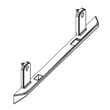
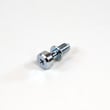
How to lower Samsung refrigerator height?
To lower the height of your Samsung RF27T5201SG refrigerator, turn the front leveling feet to retract them (typically clockwise lowers, counterclockwise raises). Make small adjustments, recheck door alignment, and keep the cabinet level so the doors seal and the ice maker works correctly.
How to lower it safely (step-by-step)
- Remove the base grille or toe cover if your model has one.
- Use a wrench or screwdriver on the leveling feet (or leveling bolts).
- Turn each front foot a little at a time to lower the cabinet.
- Recheck level front-to-back and side-to-side.
- Confirm the doors close on their own and the gaskets seal evenly.
Quick tips we use in the field
- Lower both front feet evenly to avoid twisting the cabinet.
- Keep a small gap behind the refrigerator so the condenser can breathe.
- If the doors swing open, the front is usually too low; raise the front slightly.
- If the doors do not align, adjust one side a quarter-turn at a time.
- After moving or leveling, give temperatures 24 hours to stabilize.
What to check after you lower the refrigerator
| Check | What “good” looks like | What to adjust if it’s not right |
|---|---|---|
| Door closing | Doors close smoothly without bouncing | Raise the front slightly, then re-level |
| Door alignment | Left and right doors sit even at the top | Adjust one front foot in small increments |
| Seal contact | Gasket touches the cabinet all the way around | Re-level; clean gasket and mating surface |
| Ice and water | Normal dispensing and ice production | Confirm level; see why your Samsung fridge stopped making ice and how to fix it |
Why it matters
Proper leveling on the RF27T5201SG helps the doors self-close, prevents warm air leaks that cause frost, and supports consistent cooling. It also reduces strain on hinges and improves dispenser and ice maker performance.
For the exact leveling point locations and any model-specific notes, follow the RF27T5201SG owner's manual.
Last updated: February 2026
What is the common problem with Samsung fridge ice maker?
The most common Samsung ice maker problems on the RF27T5201SG are no ice production, ice clumping or freezing in the ice room, small or hollow cubes, and dispensing jams. These issues usually trace back to water supply problems, airflow and temperature issues, or ice buildup that blocks the mechanism.
Most common symptoms and what they usually mean
- No ice at all: ice maker turned off, freezer too warm, or water not filling
- Small or hollow cubes: low water pressure, restricted filter, or a partially closed shutoff valve
- Ice clumps or frost buildup: warm air leaks, frequent door openings, or ice room icing
- Won’t dispense: ice jam in the bucket, frozen chute, or auger not turning
- Slow ice production: temperature set too warm or condenser area airflow restricted
Quick checks we recommend first (10 to 20 minutes)
- Confirm the ice maker is ON and not in a “lock” or “off” mode (see the RF27T5201SG owner's manual).
- Set the freezer to a typical target of 0°F and allow 24 hours to stabilize.
- Make sure the shutoff valve is fully open and the water line is not kinked.
- Dump old ice, wash and dry the bin, then reinstall it fully seated.
- If you recently changed the filter, purge air by dispensing water for several minutes.
Parts that commonly relate to ice and dispensing issues
If the basic checks do not fix it, these model-matched parts are often involved:
| Problem you see | Likely area | Example model-matched part |
|---|---|---|
| Ice won’t dispense, motor hums or stalls | Ice bucket/auger drive | Refrigerator auger motor assembly DA97-12540G |
| Ice bucket cracked, won’t seat, or jams | Ice container | Refrigerator ice container assembly DA97-21040A |
| Ice room ices up, fan noise, poor airflow | Freezer evaporator cover/fan | Samsung refrigerator freezer evaporator cover and fan assembly DA97-21002A |
Why it matters
Ice makers are sensitive to temperature and water flow. A slightly warm freezer, a restricted filter path, or an airflow problem can quickly cause weak cubes, icing, and dispenser jams that look like a “bad ice maker” even when the ice maker itself is fine.
Helpful DIY guidance
For a step-by-step troubleshooting path, use why your Samsung fridge stopped making ice and how to fix it.
Last updated: February 2026
What is the most common problem with Samsung refrigerators?
The most common problem we see with Samsung refrigerators, including the Samsung RF27T5201SG, is a cooling complaint caused by restricted airflow from frost buildup or a failed fan or defrost-related component. Ice maker and dispenser performance issues are also frequent when temperatures fluctuate.
Most common symptoms
- Fresh food section warms up while the freezer still feels cold
- Frost or ice buildup on the rear panel or around air vents
- Fan noise (humming, grinding, or intermittent rubbing)
- Ice maker slows or stops; cubes are small or hollow
- Water dispenser flow is weak or inconsistent
What to check first (fast, no-parts steps)
- Confirm the set temperatures and allow 24 hours after any adjustment
- Make sure interior vents are not blocked by food packages
- Check door closing and sealing; gaps pull humid air in and create frost
- Clean dust from the condenser area to restore heat removal
- Listen for evaporator fan operation; airflow should be steady at the vents
Common parts involved on this model
| Problem area | What it affects | Example part |
|---|---|---|
| Evaporator fan | Circulates cold air through compartments | Refrigerator evaporator fan motor DA31-00287B |
| Temperature sensing | Signals the control board to run cooling correctly | Refrigerator temperature sensor DA32-10104V |
| Condenser fan and coil | Removes heat from the sealed system | Refrigerator condenser coil and fan motor assembly DA97-20718C |
Why it matters
When airflow is restricted, the refrigerator runs longer, temperatures swing, and ice production drops. Catching frost patterns, fan noise, and dirty condenser coils early helps prevent food spoilage and repeat icing.
Best next steps
- If the display shows an error, use Samsung rb series bottom freezer refrigerator error codes to narrow the failure
- Use the RF27T5201SG manual to locate vents, fans, and access panels before testing or replacing parts
Last updated: February 2026
What part number is the Samsung RF27T5201SG water filter?
The correct water filter part number for your Samsung RF27T5201SG is the one listed for your exact model and revision in the RF27T5201SG owner's manual. Use the model-based listing (not a “style name”) to avoid ordering a filter that will not lock in or seal.
How we recommend confirming the exact filter
Match the filter by the refrigerator model and the filter’s physical fit; this prevents leaks and low dispenser flow.
- Look up the water filter section for RF27T5201SG in the RF27T5201SG owner's manual
- Check whether your unit uses an internal cartridge (inside the fresh food compartment) or an inline filter on the water line
- Read the code printed on your current filter and compare it to the model-based listing
- Confirm the model tag reads RF27T5201SG (not a close variant)
- After replacement, flush water to clear air and carbon fines
Quick identification guide
| What you see on the refrigerator | Most likely filter type | What to do next |
|---|---|---|
| Twist-in cartridge inside the fridge | Internal cartridge filter | Match the cartridge by RF27T5201SG in the manual and by the code on the old filter |
| Small cylinder on the water line behind the fridge | Inline filter | Use an inline filter matched to your tubing size and flow direction |
If the new filter leaks or will not seat
A leak at the filter area is usually caused by a mis-seated cartridge, damaged O-rings, or a cracked housing.
- Remove and reinstall the filter; align tabs and twist only until it stops
- Inspect the filter O-rings for nicks, flattening, or debris
- Wipe the sealing surface inside the housing
- If the housing is cracked or will not seal, replace the Samsung refrigerator water filter housing assembly DA97-21041A
Why it matters
Using the exact RF27T5201SG filter part number keeps water taste consistent, maintains dispenser flow, and prevents housing damage from forcing an incorrect cartridge.
Last updated: February 2026
What's the average lifespan of a Samsung refrigerator?
Samsung refrigerators typically last 10 to 15 years. For your Samsung RF27T5201SG, that same 10 to 15-year range is the practical expectation; consistent cleaning, correct temperatures, and fixing cooling or ice issues early are what most often push a fridge toward the high end of that range (or beyond). See the RF27T5201SG owner's manual for model-specific care and operating guidance.
What affects lifespan the most
- Heat and airflow: Dirty condenser area or blocked vents makes the compressor work harder.
- Door seal condition: Air leaks cause longer run times and moisture problems.
- Ice and water system upkeep: Filter changes and leak prevention reduce secondary damage.
- Fan performance: Weak or noisy fans can lead to warm temps and frost buildup.
- Stable temperatures: Frequent warm-ups (overloading, doors left open) shorten component life.
Typical lifespan by major component (what to expect)
| Component | Typical service life | Common early warning signs |
|---|---|---|
| Compressor | 10 to 15 years | Warm fridge, long run times, clicking/humming |
| Evaporator/condenser fan | 5 to 10 years | Grinding noise, poor cooling, frost patterns |
| Control board | 7 to 12 years | Random resets, temp swings, error codes |
| Ice maker/auger system | 5 to 10 years | No ice, clumping, dispenser noise |
Maintenance that helps you reach 15 years
- Keep refrigerator at 37°F and freezer at 0°F.
- Leave space around the cabinet for ventilation; do not block interior air vents.
- Clean dust from the condenser area periodically.
- Replace water filters on schedule and flush the system after changes.
- Address cooling fan noise or weak airflow early; a failing fan can snowball into cooling problems.
Why it matters
A refrigerator usually fails “early” because it runs hot or runs too long. Reducing run time (good airflow, good seals, correct temps) lowers stress on the compressor, fans, and control board, which directly extends overall lifespan.
Last updated: February 2026